Enabling multiple selection for an existing classification results in registered data being unselected
Answer
"Export" the records, make sure to check "Update record with the same key" and then "Import".
Overview
If you enable "Multiple Selection" on a classification that already has registered data, rather than a newly added classification, the data storage format changes and it is not displayed correctly on the editing screen.
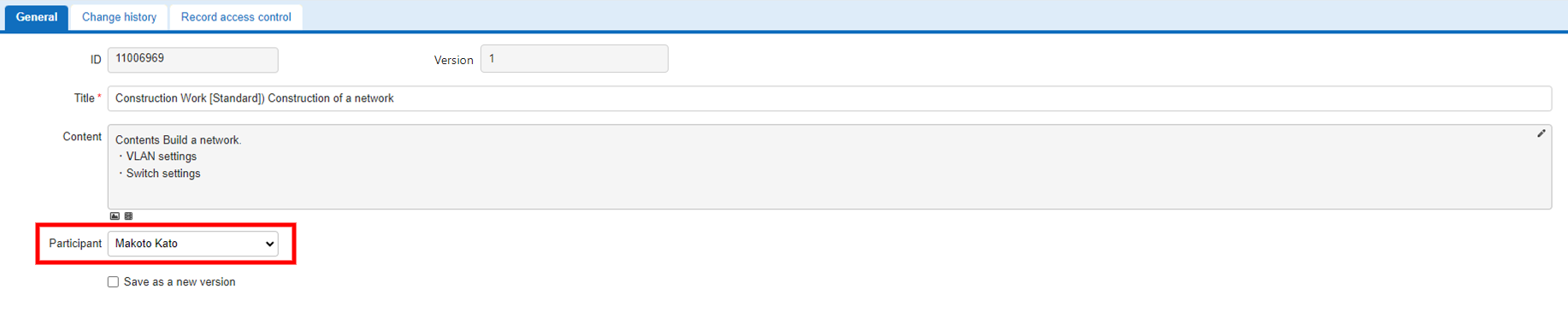
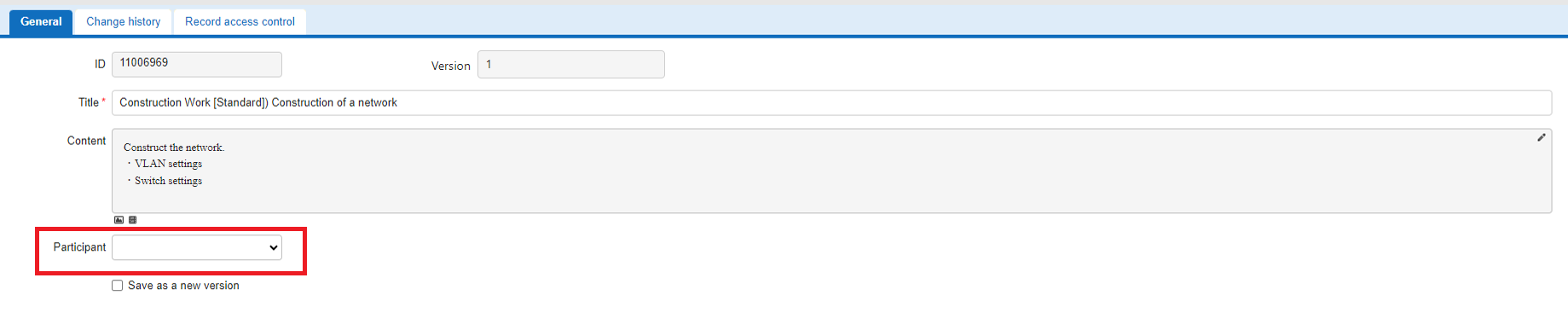
In the images below, "Participant" is the classification column for which "Multiple Selection" was enabled. The first and second rows on the list screen are records created after multiple selection was enabled. The third row on the list screen is a record created before multiple selection was enabled.
The data itself is saved correctly, so it is displayed correctly.

It is displayed as unselected.
Operation Procedure
To display the records correctly, convert the data storage format with the following procedure.
- Export the data on the "Grid" screen. When doing so, be sure to include the target classification as a column to be exported. Normally, the columns enabled on the "Grid" tab or the "Editor" tab of the "Manage Table" screen are output.
-
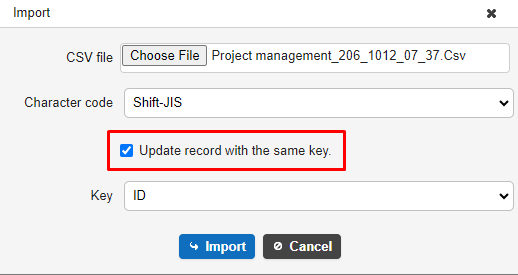
Import the exported file. When doing so, check "Update record with the same key" in the import dialog and click the "Import" button.
-
After the import is complete, the records created before multiple selection was enabled are also displayed with the values correctly selected.