I can't save the value of a text box I set with a script by pressing the update button
Answer
Please do one of the following.
- Use "$p.set" to set the value.
- Specify "always-send" in "Control CSS".
Overview
If you change the value of a text box in a script as $('ClassA').val('Changed value'); the value will not be registered even if you click the update button (register button). This is because Pleasanter uses a mechanism that sends only the columns on the screen whose values have been changed to the server, and if you change the value with the val method, the screen appearance will change, but it is not considered to be a column to be sent to the server. Here, we will show you how to save the value to the record even if you change the value of the screen display with a script like the one mentioned above.
Limitations
- When creating a new record, all screen columns are always subject to sending.
- If you set always-send and edit the index screen, all records in the index display will be subject to update, which may result in an unexpected large number of records being updated.
Operation Procedure
You can register data using one of the following methods.
1. Use the "$p.set" function.
When you use $p.set(), the column will be determined to be sent to the server along with the value change on the screen.
- Use always-send.
From Manage Table → Editor, set the "Control CSS" of the target column to "always-send".
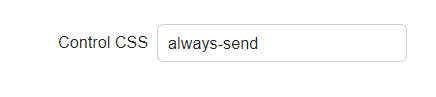
Columns with always-send set will always be sent to the server, so as mentioned above, you can save the value to the record even if you change the screen display with the val method.