I want to customize the options for the status column
Answer
Change the contents of the options list in the same way as for the "Classification" column.
Prerequisites
- Set the code value as a numerical value.
- If the code value is set to a numerical value equal to or greater than the value set in "CompletionCode" in "General.json", the option will be considered complete.
- The class name you set must start with "status-".
Overview
The standard contents of the "Status" column are as follows, but you can customize them as you like.

Operation Procedure
-
Open the target table and click "Manage" →"Manage Table" from the navigation menu.

-
Open the "Editor" tab, select the "Status" column, and click the "Advanced Settings" button.

-
Change the contents of the "Option List".
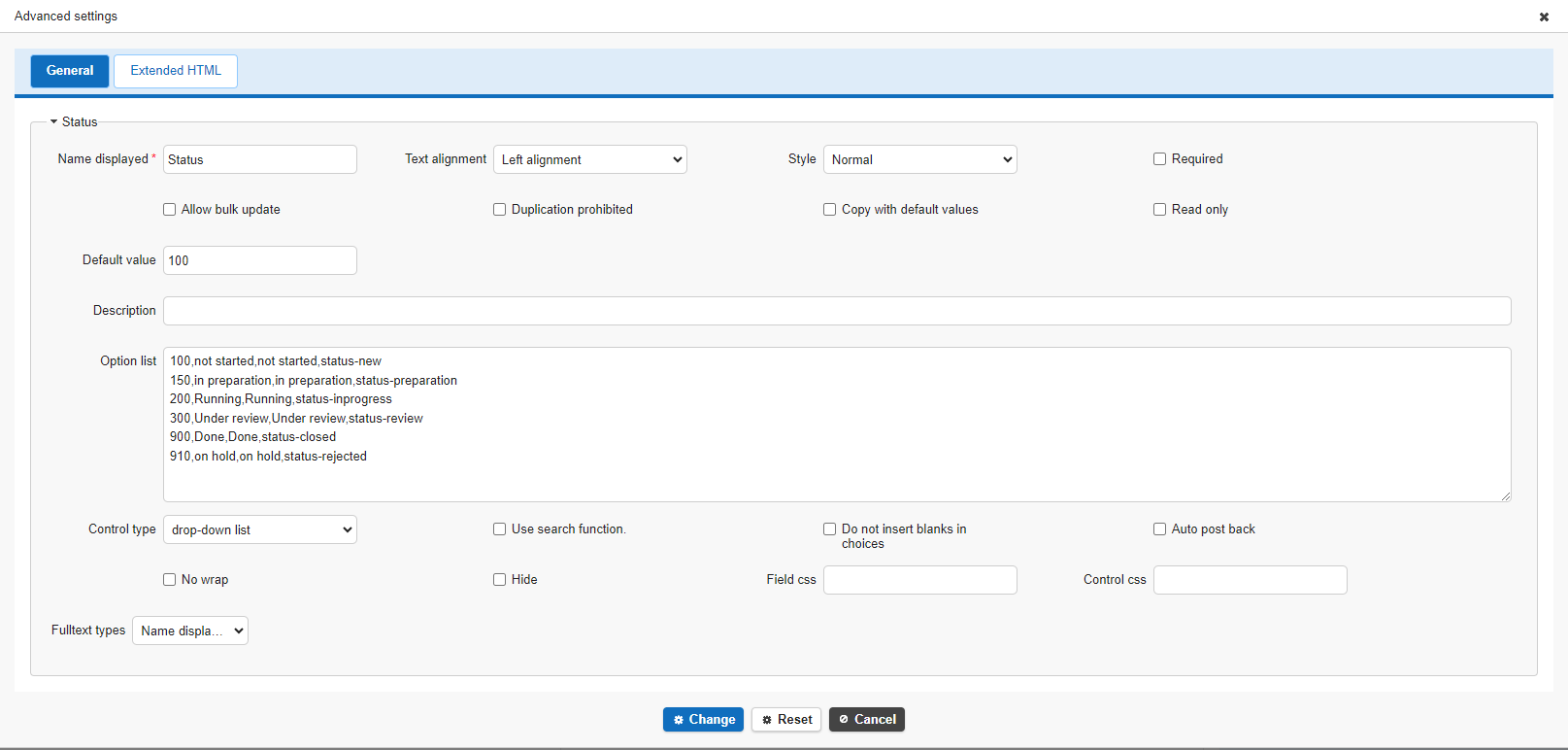
-
The format is as follows, separated by commas.
[Code value to register in database], [Editor screen display], [List screen display], [Style sheet class name]
You can freely change the style by creating a new style such as "status-original-color" and registering it in "Style".