I can create new files, but I can't update or delete files (Windows)
Answer
This is because WebDAV publishing is enabled.
Overview
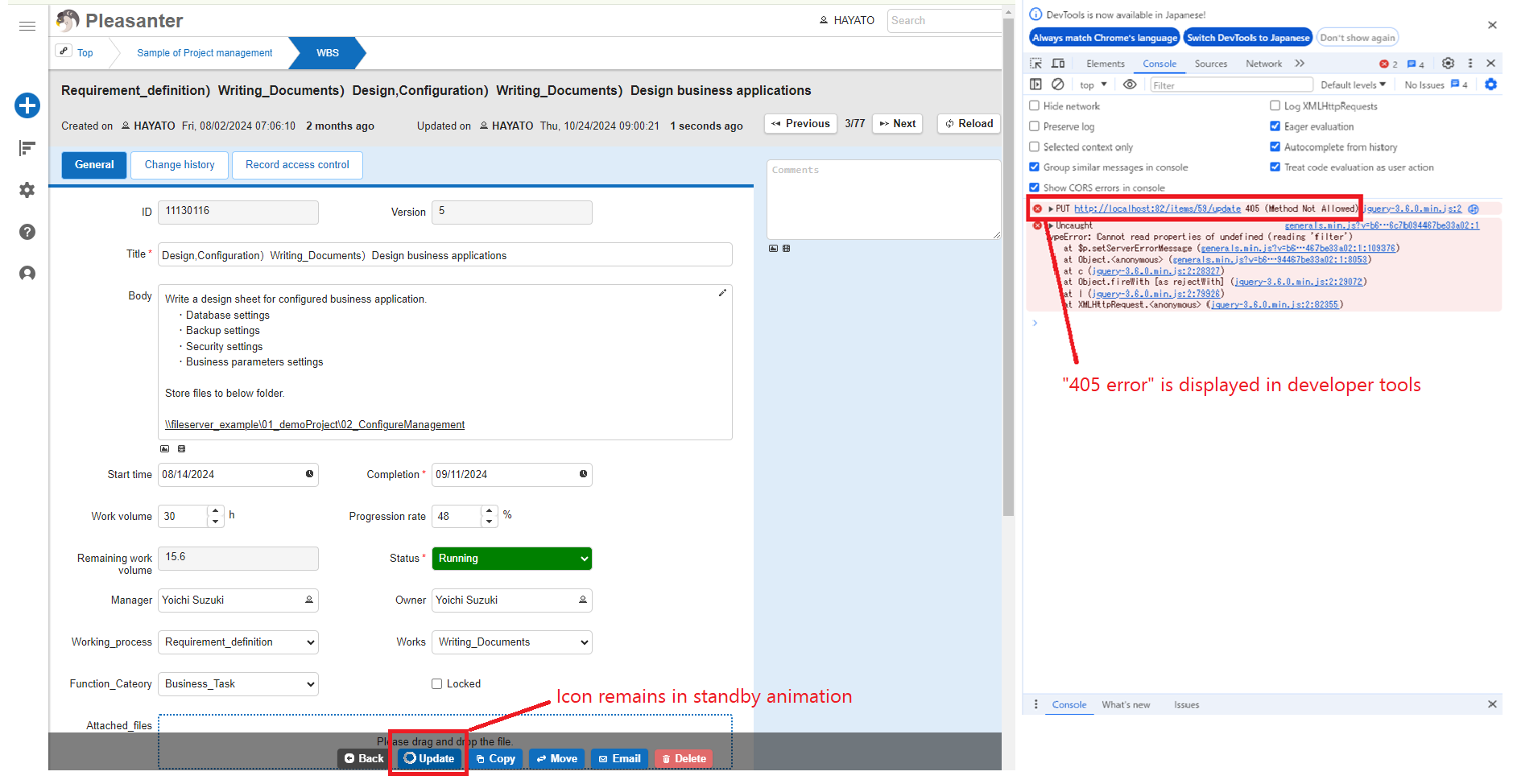
After building Pleasanter in a Windows OS environment, if you can successfully register new files to a table, but when you click the update or delete button, the button icon remains waiting and no progress is made, this is because "WebDAV publishing" is enabled.
Solutions
Please take steps 1 or 2 below.
-
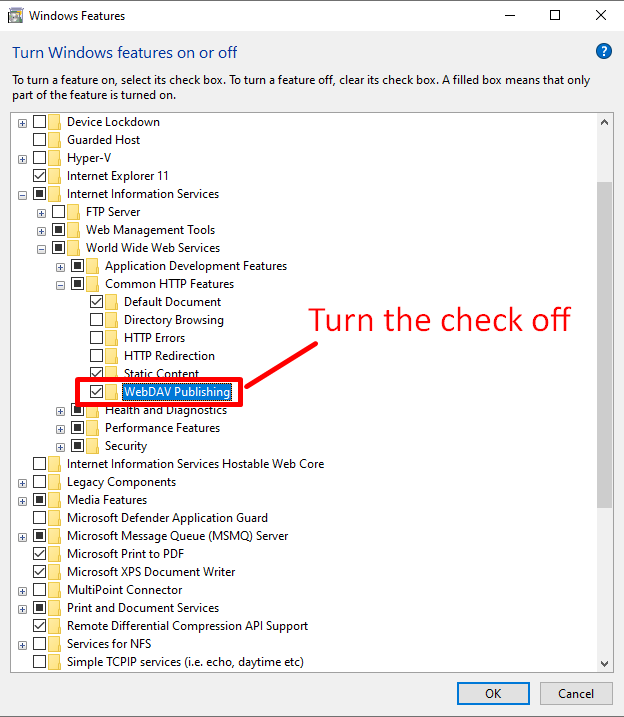
Uncheck "WebDAV Publishing" in "Turn Windows Features On or Off (or Add Roles and Features)".
-
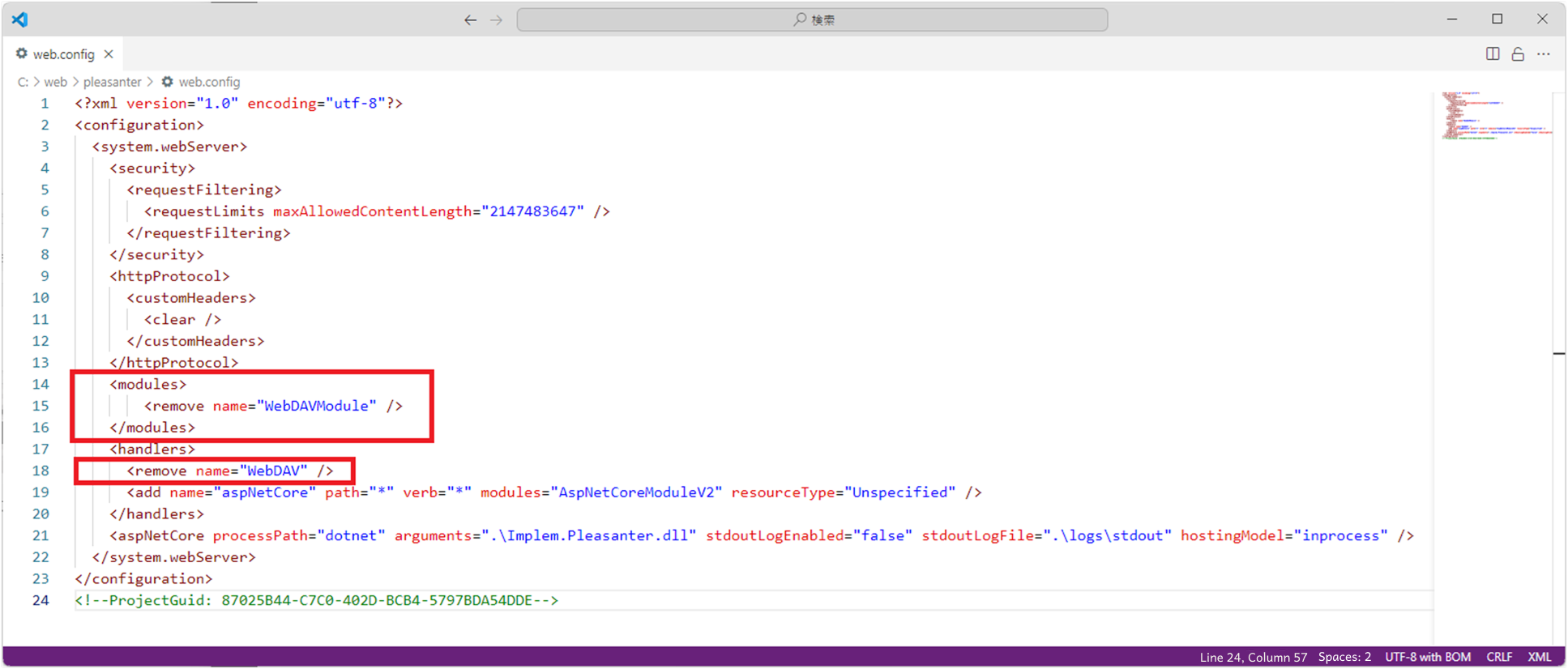
Add the following in the red box to \web\pleasanter\Implem.Pleasanter\web.config.
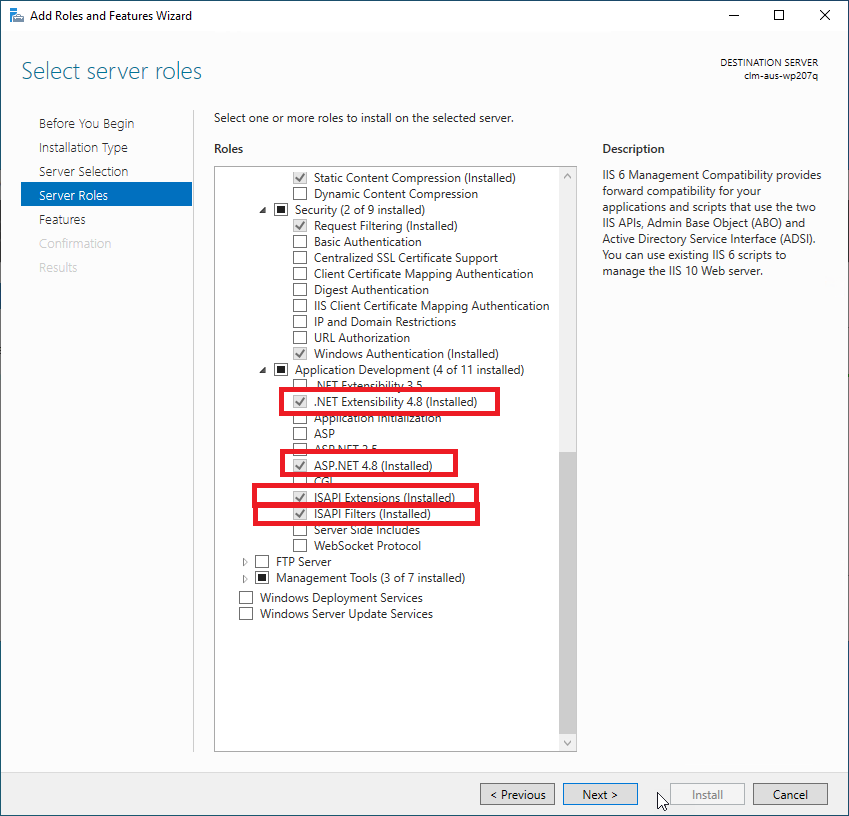
If an error message appears on the login screen after adding web.config, check the following four items in "Turn Windows Features On or Off (or Add Roles and Features)".
- .NET Extensibility 4.8 (Installed)
- ASP.NET 4.8 (Installed)
- ISAPI Extensions (Installed)
- ISAPI Filters (Installed)