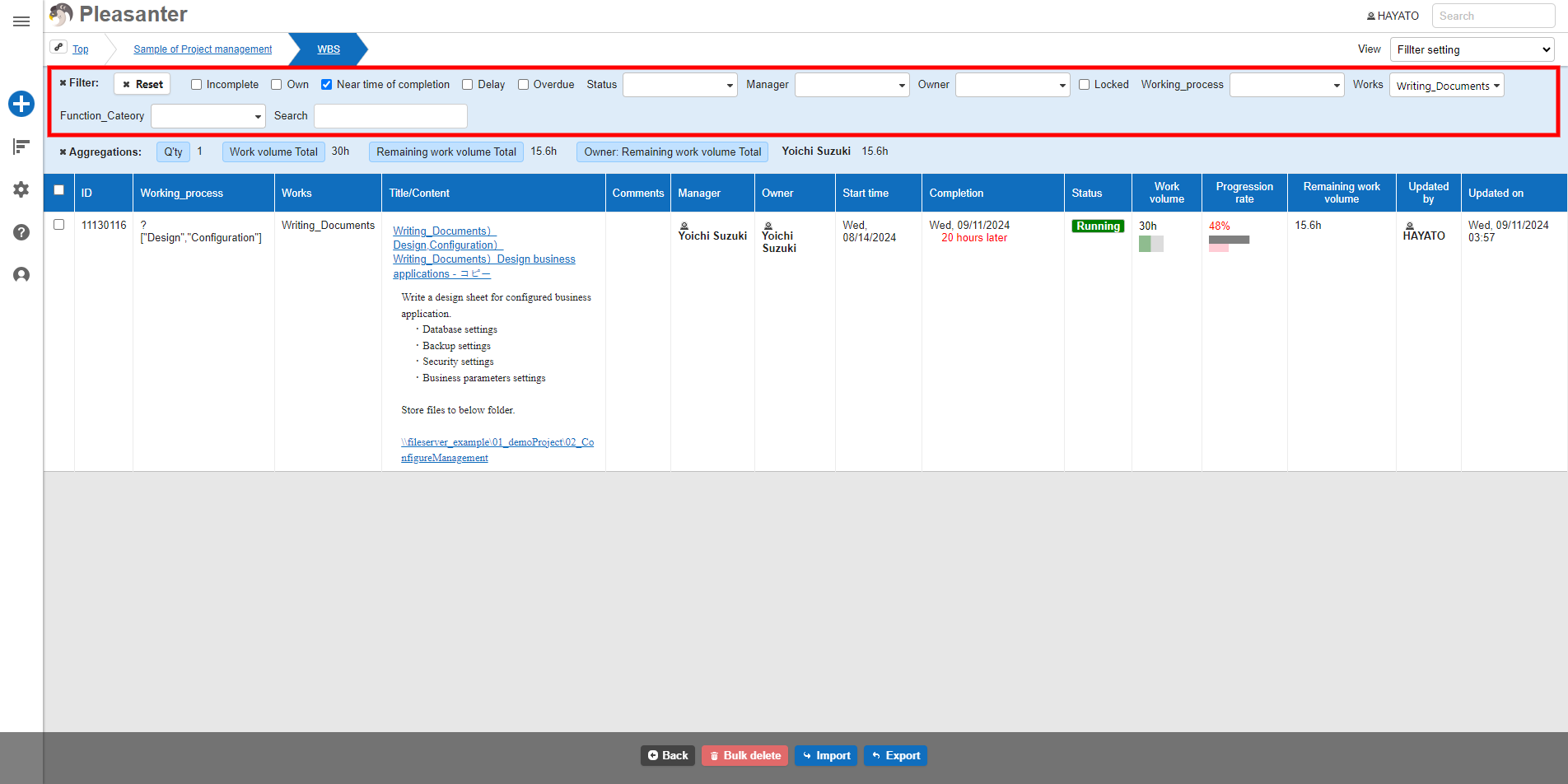
I want to enable filters when I open the list screen
Answer
Use "View".
Overview
If you want to display the list screen with the filter search conditions entered, such as when there are a large number of records, use "View".
Operation Procedure
-
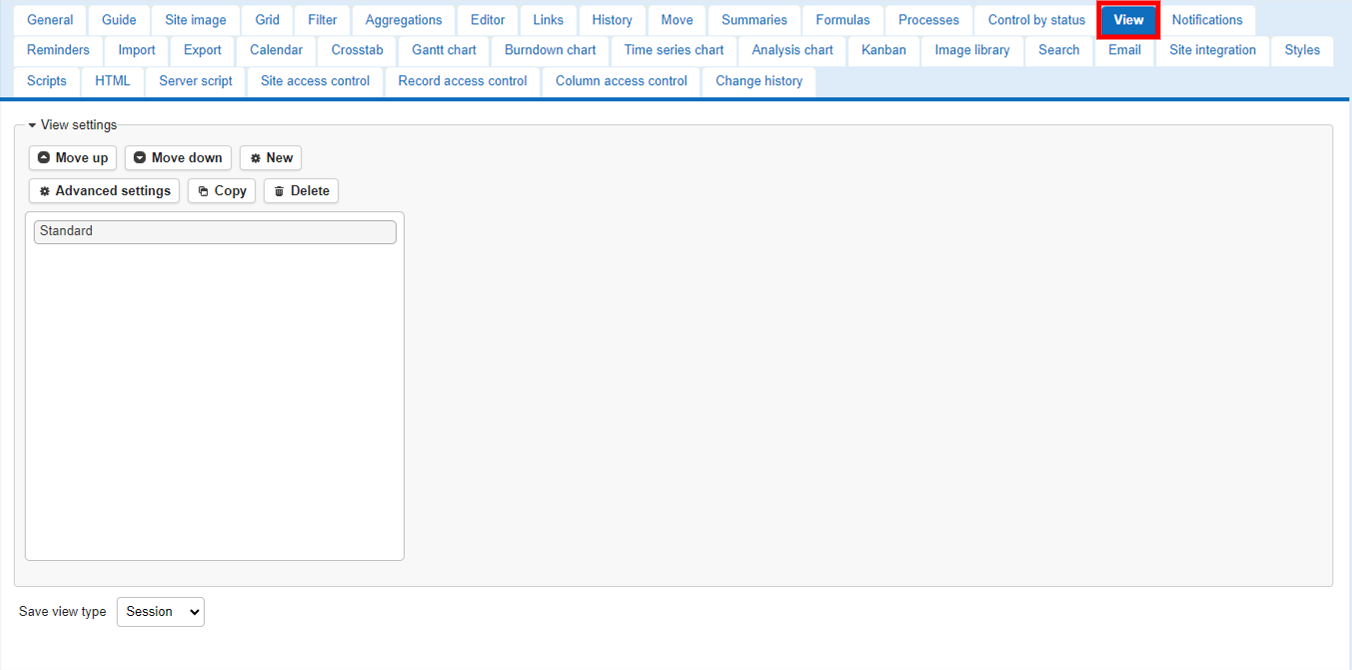
Open the relevant table, select "Manage" - "Manage Table" from the navigation menu, and open the "View" tab.
-
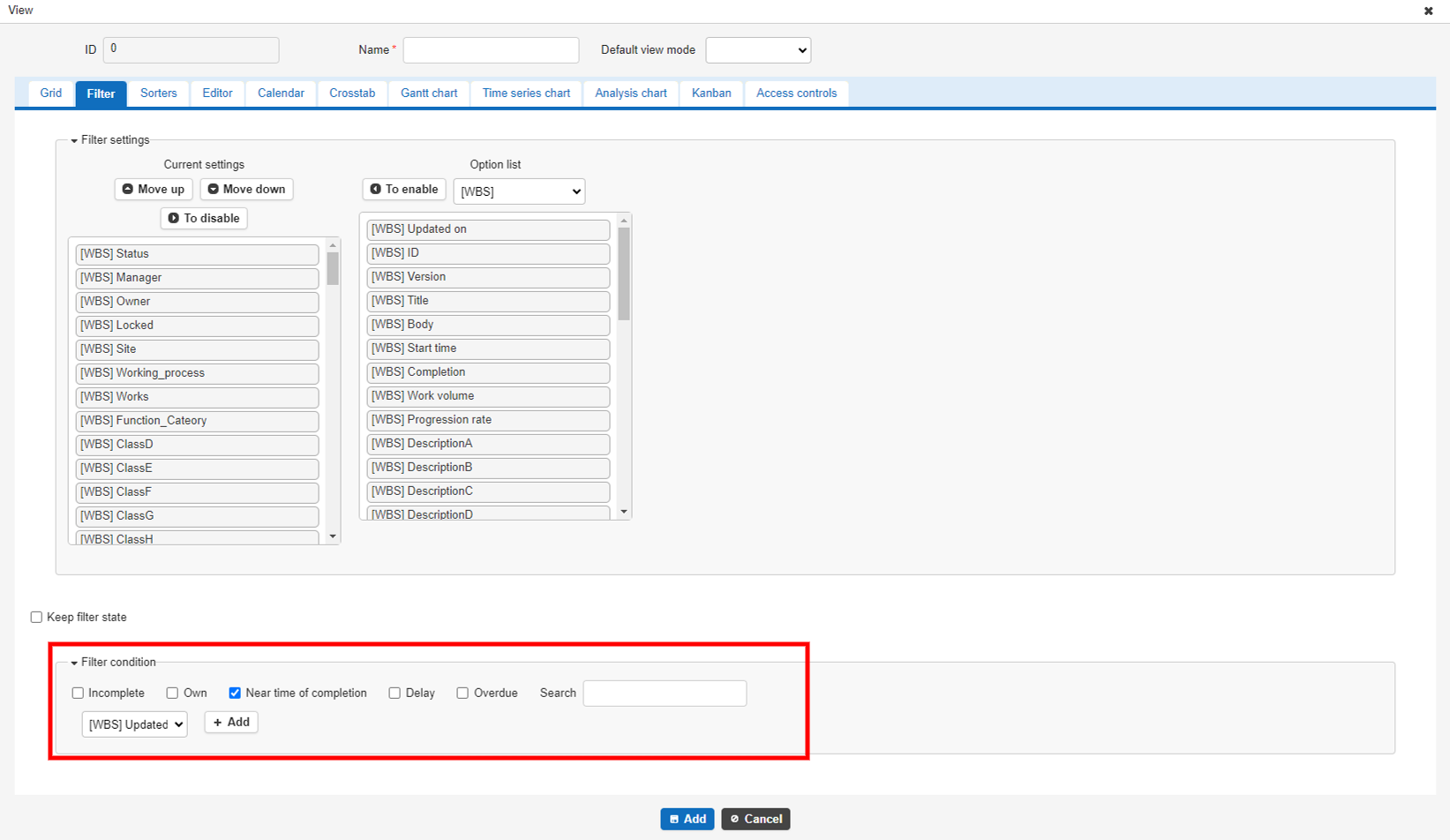
Click the "Create New" button, enter the display conditions for the list screen, such as filters and sorters (sort order), and click the "Add" button.
-
After adding the view, click the "Update" button and then the "Back" button to display the list screen.
-
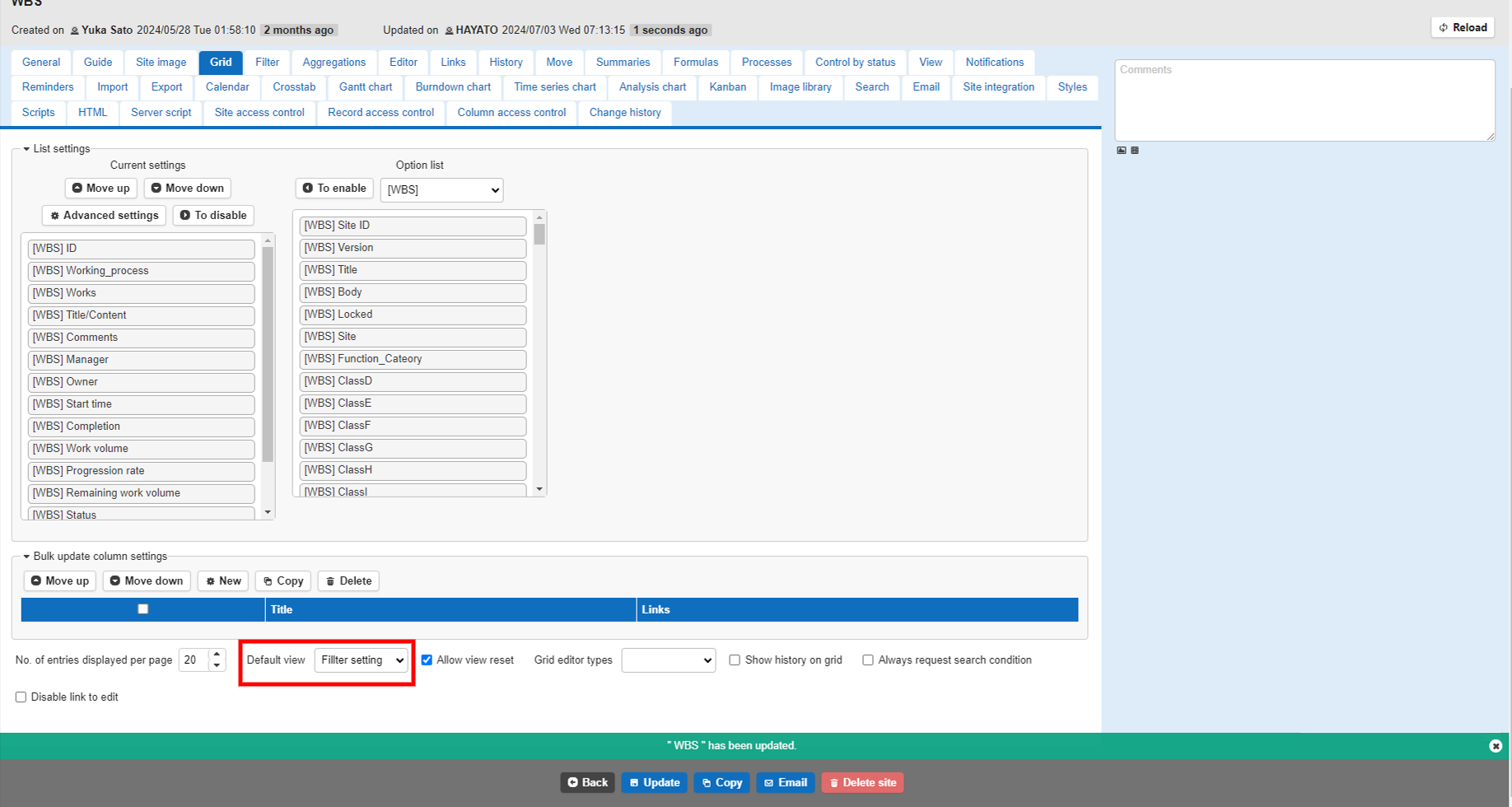
Select "Management" - "Manage Table" from the navigation menu again and open the "Grid" tab. Select the view you just registered in "Default View" and click the "Update" button.
-
Log out once, log back in, and then display the list screen. The records extracted by the filter conditions set in the specified view will be displayed in a list.