I want to set up a proxy for communications such as notifications from Pleasanter
Answer
Set the system environment variables and restart the server.
Overview
This can be done by setting the system environment variables and restarting the server.
Limitations
- This setting is available in version 1.4.0.0 or later.
- On Windows, configure this setting as needed. It is not necessary for Linux or macOS.
Operation Procedure
-
Open "Edit the system environment variables" from the Start menu.
-
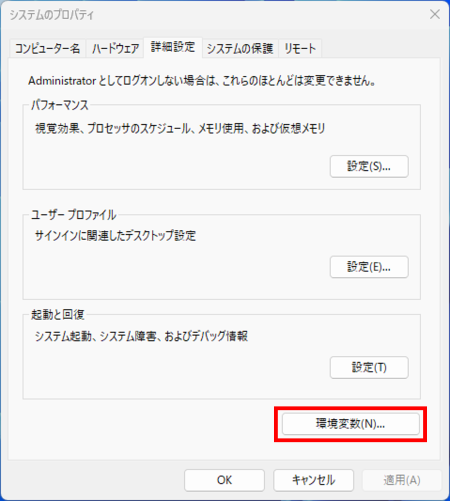
Open Environment Variable settings from "Environment Variables" in the "Advanced" tab.
-
Click "New".

-
Set two system environment variables as follows:


Variable Value Description HTTP_PROXY http://proxyserver:porthttp://<proxy server URL>:<proxy server port number>HTTPS_PROXY http://proxyserver:porthttp://<proxy server URL>:<proxy server port number>Please change the protocol to match your environment.
-
Confirm that the settings are complete, and then click "OK".

-
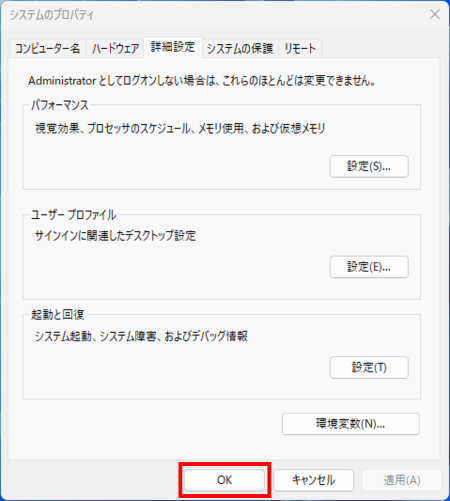
Click "OK".
-
Restart the server.