Conditions
Overview
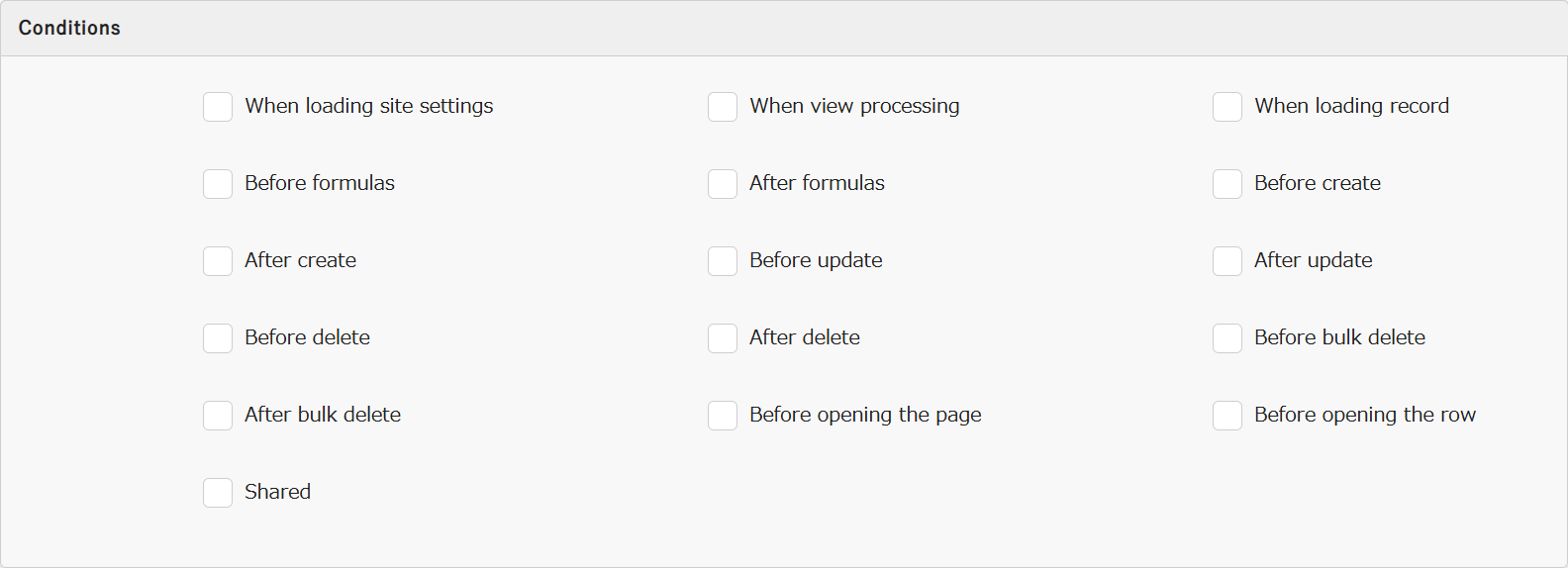
"Server Script" allows you to control the conditions for execution on the server side. Each condition will be explained below.
Limitations
- When "Bulk Delete" is selected, it will not be executed under either the "Before delete" or "After delete" conditions.
Setting Contents
| No | Condition | Description |
|---|---|---|
| 1 | When loading site settings | Used when changing "Default View". |
| 2 | When view processing | Used when setting "Filter" or "Sort" using "JSON Data Layout: View". |
| 3 | When loading record | Used when changing the contents of a column after loading "Record". |
| 4 | Before formulas | Used when changing the contents of a column before executing a formula. |
| 5 | After formulas | Used when changing the contents of a column after executing a formula. |
| 6 | Before create | Execute before a "Record" is created. |
| 7 | After create | Execute after a "Record" is created. |
| 8 | Before update | Execute before a "Record" is updated. |
| 9 | After update | Execute after a "Record" is updated. |
| 10 | Before delete | Execute before the "Record" is deleted. Not executed with "Bulk delete". |
| 11 | After delete | Execute after the "Record" is deleted. Not executed with "Bulk delete". |
| 12 | Before bulk delete | Executes before records are bulk deleted. Does not execute for single record "Delete". |
| 13 | After bulk delete | Executes after records are bulk deleted. Does not execute for single record "Delete". |
| 14 | Before opening the page | Used when changing the display content of a screen. Also executes after bulk operations via process buttons. |
| 15 | Before opening the row | Used when setting the "Style" or display content of rows or cells on the "Grid" screen. Also executes when displaying linked tables on the "Editor" screen. |
| 16 | Shared | Used as "Share Code". |
Conditions for Extended Server Scripts
In "Extended Server Scripts", you can specify the same conditions as in "Server Script", except for "Shared".
For how to specify conditions in "Extended Server Scripts", refer to the "Extended Server Scripts" manual.
Conditions for Extended Server Scripts in Pleasanter Code Assist
In extended server scripts of Pleasanter Code Assist, you can specify the same conditions as in "Server Script", except for "Shared".
For how to specify conditions in extended server scripts of Pleasanter Code Assist, refer to the "How to Use: Extensions" manual of Pleasanter Code Assist.
Supplementary Notes on "Before bulk delete" and "After bulk delete"
Usage Example: How to Get the IDs of Bulk Deleted Records
- Server script example for "Before bulk delete"
let ids = [];
if (context.ApiRequestBody) {
  const apiJson = JSON.parse(context.ApiRequestBody);
  // When bulk deleting by specifying IDs with Selected using the API or items.BulkDelete
  if (apiJson.Selected) {
    ids = apiJson.Selected.map(Number);
  }
  else {
    let data = {};
    // When bulk deleting all records with All using the API or items.BulkDelete
    if (apiJson.All) {
      const all = apiJson.All;
      data = { All: all };
    }
    // When bulk deleting by specifying conditions with View using the API or items.BulkDelete
    else if (apiJson.View) {
      const view = apiJson.View;
      data = { View: view };
    }
    const apiModels = items.Get(context.Id, JSON.stringify(data));
    for (let apiModel of apiModels) {
      // For a Results table, add apiModel.ResultId
      // For an Issues table, add apiModel.IssueId
      ids.push(apiModel.ResultId);
    }
  }
}
// When bulk deleting from the screen
else {
  for (let id of grid.SelectedIds()) {
    ids.push(id);
  }
}
if (ids && ids.length > 0) {
  // Pass the list of IDs to the server script for "After bulk delete"
  context.UserData.BulkDeleteIds = ids.join(',');
}
- Server script example for "After bulk delete"
if (context.UserData.BulkDeleteIds && context.UserData.BulkDeleteIds != '') {
  // Get the IDs passed from the server script for "Before bulk delete"
  const idsStr = context.UserData.BulkDeleteIds;
  const ids = idsStr.split(',').map(Number);
  for (let id of ids) {
    // Output the IDs of the bulk deleted records to the console log of the browser's developer tools
    context.Log(id);
  }
}
Relationship with the "Delete Child Records Simultaneously When Deleting" Setting
If the "Delete Child Records Simultaneously When Deleting" setting is configured in the "Option list" of a class column of a table, when child records are deleted together with the deletion of the parent record, the "Bulk Delete" process is executed on the table in which the child records are registered. Therefore, if a server script whose condition is "Before bulk delete" or "After bulk delete" is registered in the table in which the child records are registered, that server script will be executed.
Supported Versions
| Supported versions | Body |
|---|---|
| 1.4.16.0 and later | Added "Before bulk delete" and "After bulk delete" to the server script conditions |
Related Information
- Manage Table: Server Script
- Manage Table: Screen Index: Default View
- Manage Table: Filter
- Manage Table: Editor: Column Advanced Settings: Option List: Filter, Sort,
- Developer's Guide: JSON Data Layout: View
- Table Function: Bulk Delete Records
- Manage Table: Style
- Manage Table: Screen Index
- Developer's Guide: Server Script: Share Code