TryCatch
Overview
This function automatically converts code written in "Server Script" into a try-catch statement and executes it. By checking "TryCatch", the written code is set in a try block, and in the catch block, a process is set to output the error content in "logs.LogException". This displays the error content in the console on the browser's administrator tool and records it in the system log.
Limitations
- If "TryCatch" and "Function" are checked at the same time, the code will be made into an anonymous function and then converted into a try-catch statement.
Conversion image
Written server script
JavaScript
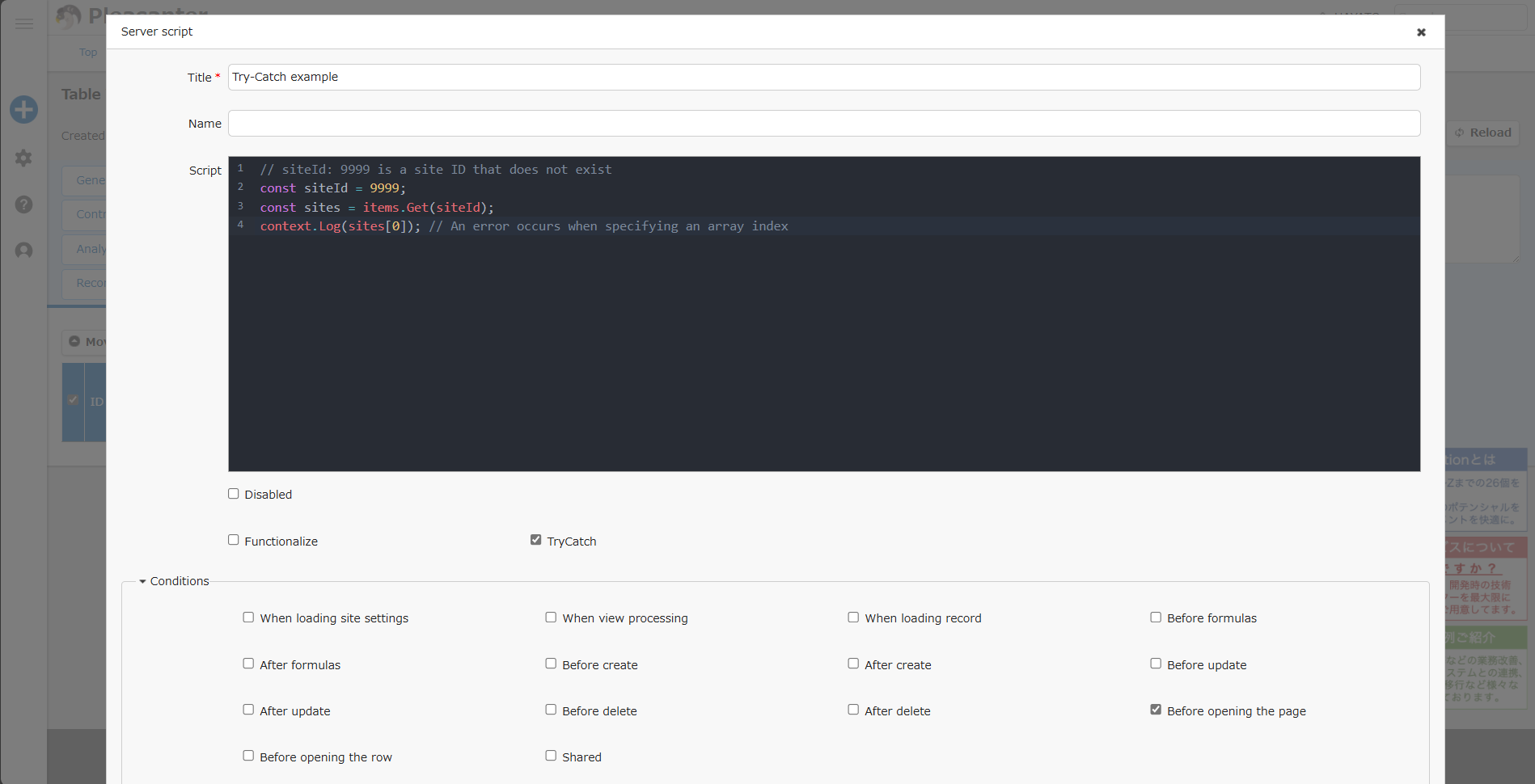
// siteId: 9999 is a site ID that does not exist
const siteId = 9999;
const sites = items.Get(siteId);
context.Log(sites[0]); // An error occurs when specifying an array index
Server script that is converted and executed by checking "TryCatch" ON
JavaScript
try {
    // siteId: 9999 is a site ID that does not exist
    const siteId = 9999;
    const sites = items.Get(siteId);
    context.Log(sites[0]); // An error occurs when specifying an array index
} catch(e) {
    log.LogException(※Server script information※\n + e.stack)
}
※Server script information※ is a string that combines the following information.
Fixed string "(Exception):", server script ID, title, name
Usage Examples
Set body
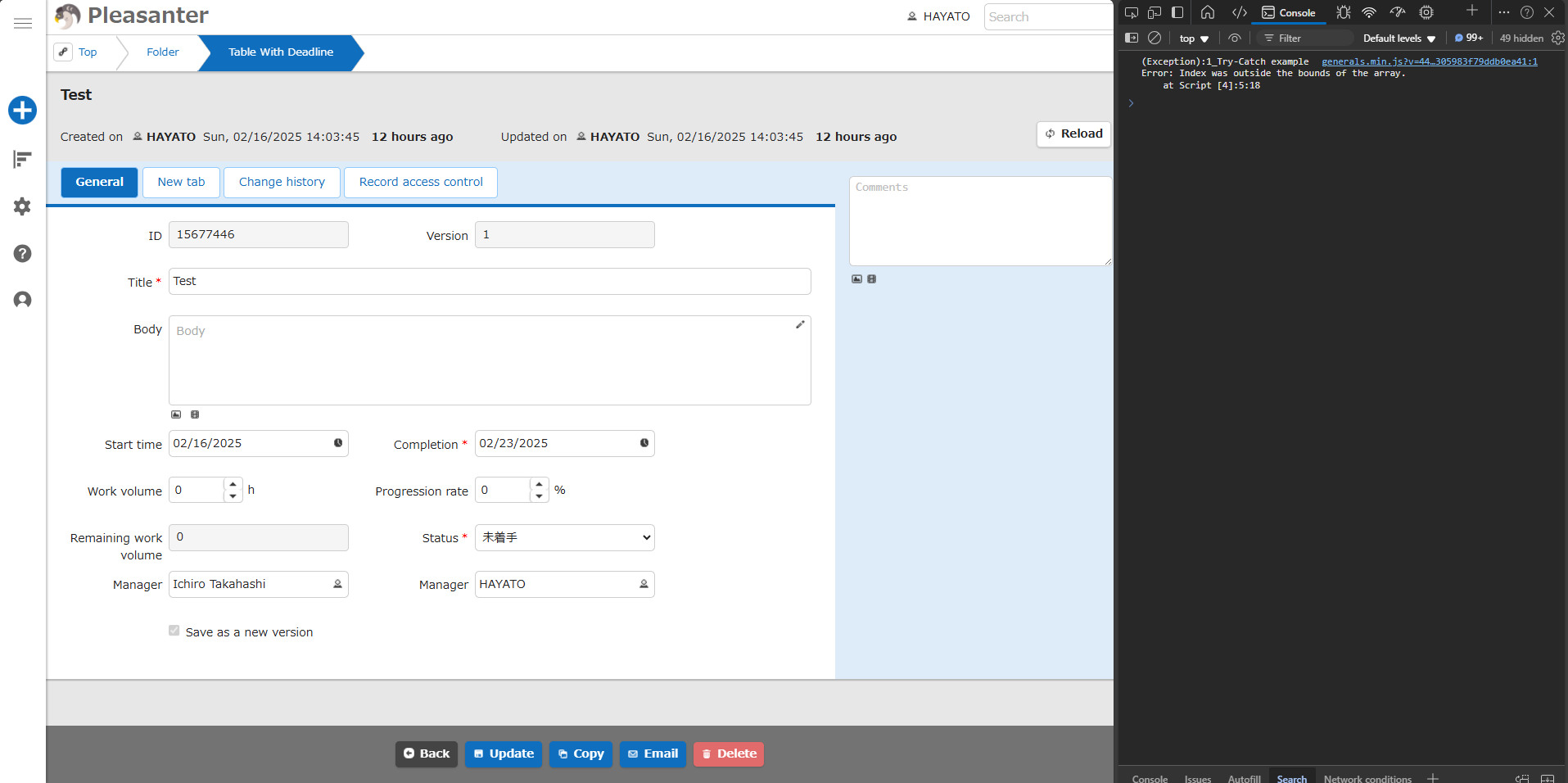
Execution Result
Supported Versions
| Supported versions | Body |
|---|---|
| 1.4.12.0 and later | Add function |