Site Functions: Breadcrumb list
Overview
This section explains the "Breadcrumb list," which is one of the site features.
The "Breadcrumb list" displays the hierarchical position of the currently displayed site as viewed from the "Home page."

"Breadcrumb list" Features
Each site name, including "Top," has a hyperlink, and clicking it navigates to the following URL (regardless of the "Default View" setting):
The screens that open for each site type are shown in the table below:
| Site Type | Screen That Opens |
|---|---|
| Folder | Site list |
| Table | Grid screen |
| Wiki | Wiki edit screen |
| Dashboard | Dashboard |
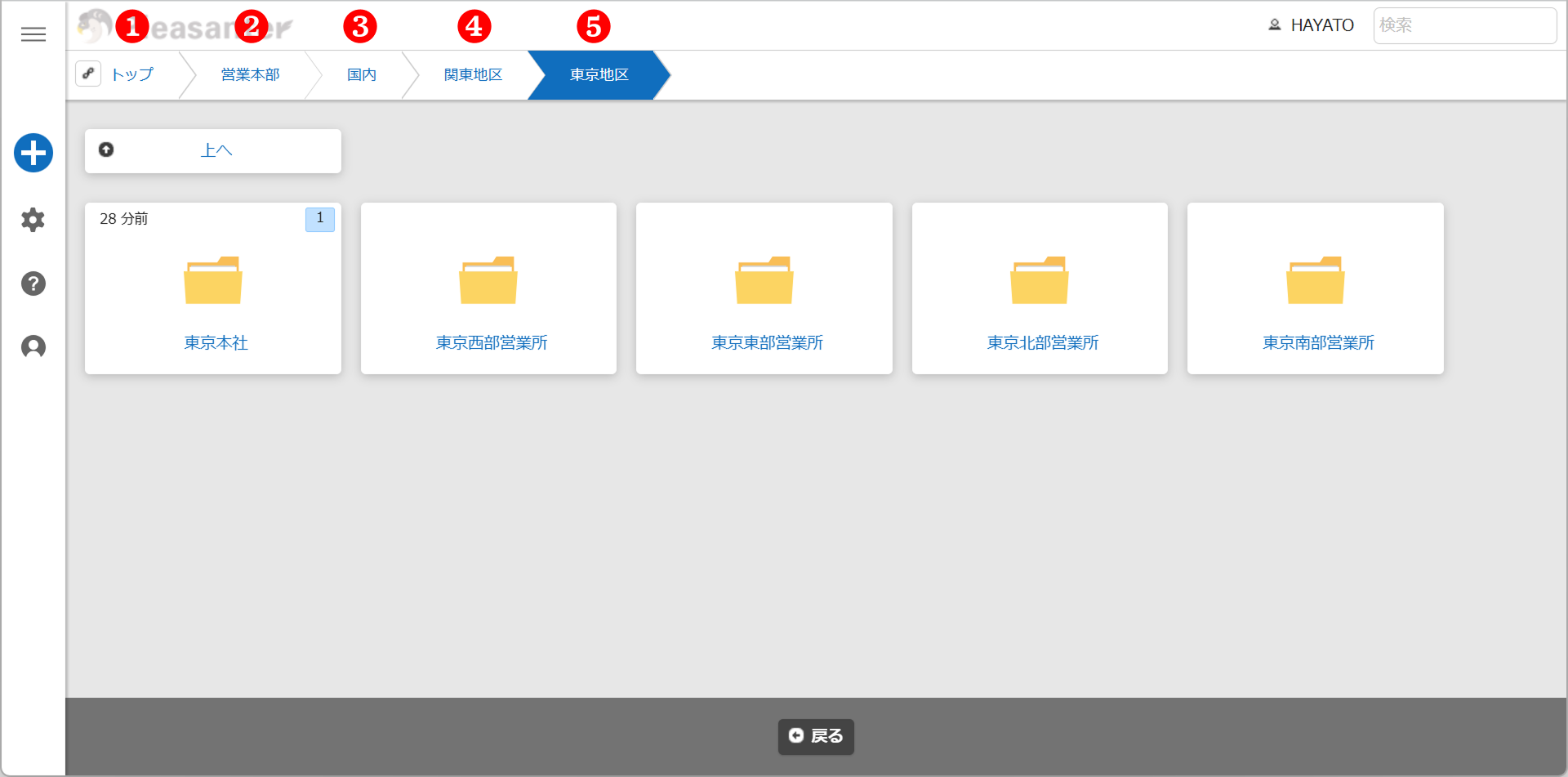
Complete site names are displayed up to the 5th level, with the top being the 1st level.
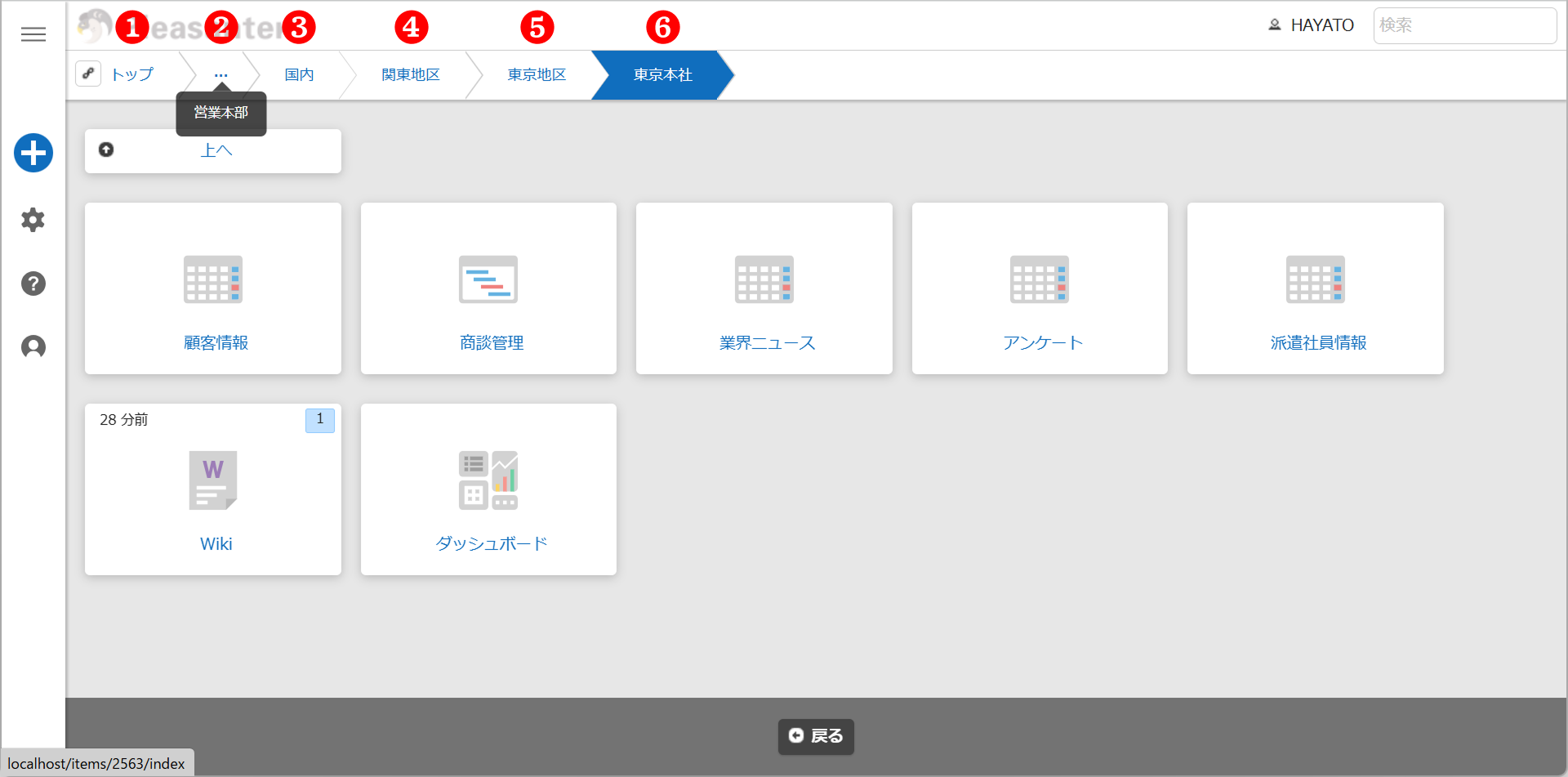
When opening a 6th level site, the 2nd level site name is displayed in abbreviated form. Hovering the cursor over "..." allows you to see the complete site name.
Note that if a long site name appears up to the 5th level, the long site name will be truncated from the end for display purposes. In this case, even if you hover over the "...", the complete site name will not be displayed (*In the first-generation interface, site names will not be truncated even when viewing the 6th level or deeper from the top screen).
Changing the Link Destination of "Top"
You can change the link destination of "Top" in the "Breadcrumb list".
For details, please refer to "FAQ: I want to set the top page to a specific page."
"Share current view" Button
When opening a site (folder, table, wiki, dashboard), a "Share current view" button is displayed at the left end of the "Breadcrumb list."

Clicking the "Share Current View" button copies to the clipboard the URL including the view selected in "View" and the search criteria specified in the filter. Note that in the case of complex views with many filter conditions selected, there may be cases where the URL copied with the "Share Current View" button cannot be opened. For details on how to address this, please refer to FAQ: In the case of complex views with many filter conditions selected, there may be cases where the URL copied with the "Share Current View" button cannot be opened.
Configuring Site Names to Be Searchable in Cross-Site Search
By using "Include breadcrumbs," you can make site names searchable in cross-site search.
Limitations
- The "Breadcrumb list" cannot be used when the "Information Publishing Feature" is enabled.
Related Information
- Manage Table: Screen Index: Default View
- User Management Function: Customize User Interface Themes
- FAQ: I want to set the top page to a specific page.
- FAQ: In cases of complex views with many filter conditions selected, there
- Manage Table: Search: Full Text Settings: Include Breadcrumbs
- Manage Table: Information Disclosure Function