Department Management Function
Overview
You can create departments to which users belong. A user can belong to only one department.
Department Administration
You can manage department information such as department names and department codes.
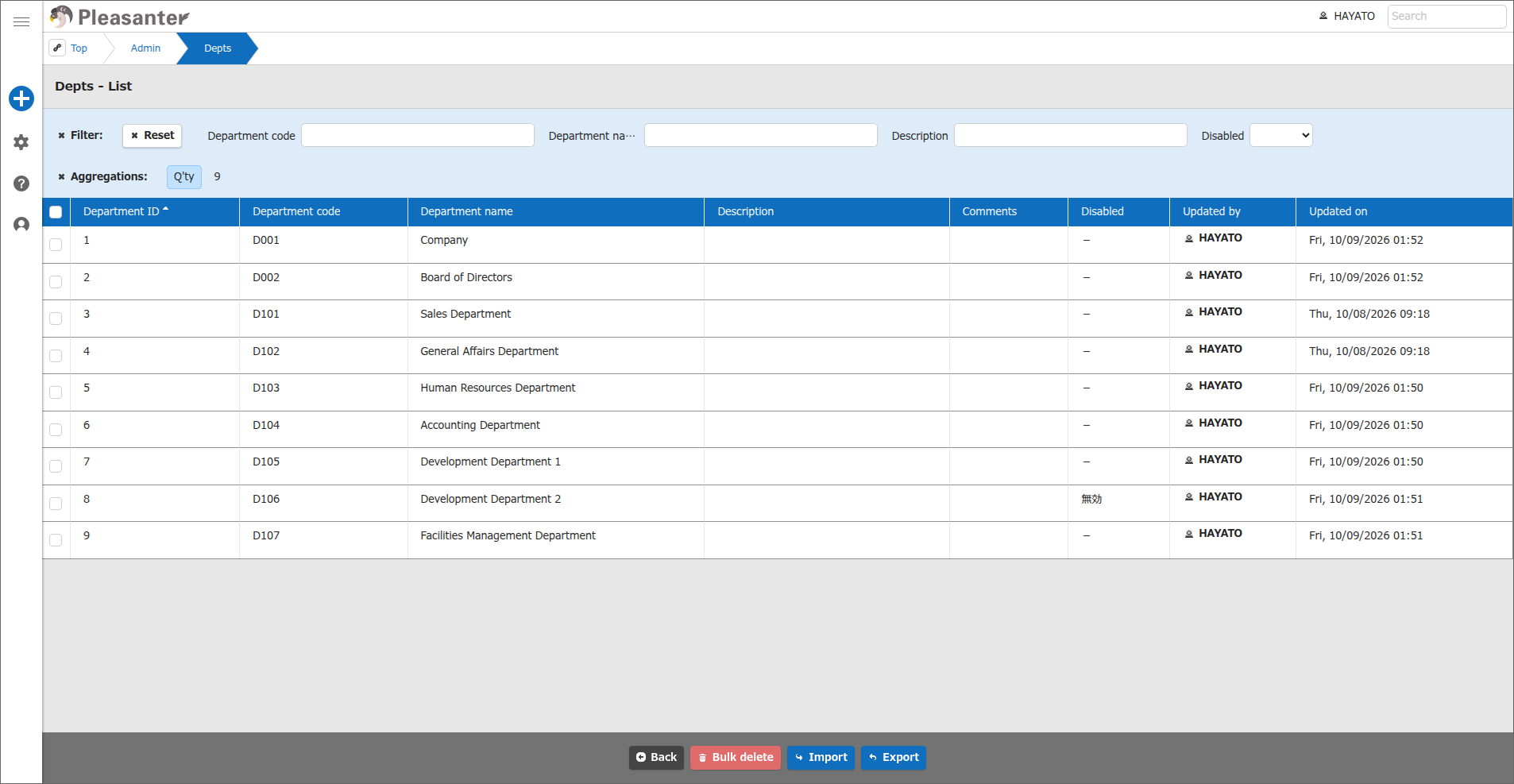
How to Set Up Department Administration
- Click "Manage" in the navigation menu.
- Click "Department administration".
-
Enter the required items in the table below.
Item name Description Settings Department ID ID of the target department A unique number is assigned automatically Version Change history number Counted up automatically when updated Department code Code for managing the department Set any code Department name Name of the department Set any department name Description Field for entering a supplementary explanation Enter any text Disabled Whether the department is enabled or disabled Check to disable the department Save as a new version Whether to count up the version Check to count up the version -
Click the "Update" button in the command button area.
How to Use the Department Management Function
The department management function has various features. See the following for details.
- Department Management Function: Creation and Update
- Department Management Function: View Change History
- Department Management Function: View Department Differences
- Department Management Function: Disable and Enable
- Department Management Function: Delete
- Department Management Function: Bulk Deletion
- Department Management Function: Restore from Recycle Bin
- Department Management Function: Delete from Recycle Bin
- Department Management Function: Import
- Department Management Function: Export
- Permissions Viewer Function
Register Users to a Department
To register a user to a department or remove a user from a department, select the department in the user management function. For details, see User Management Function: Register to Department.
Limitations
Access Restrictions with Security.json
Security.json has a function that allows access to Pleasanter on a department basis when "AllowIpAddresses" and "IpRestrictionExcludeMembers" are set together. If you use this function to allow access on a department basis, deleting or disabling a department, or deleting a user who belongs to it, prevents the users who belong to the department from accessing Pleasanter.
If a user with important administrative privileges, such as a tenant manager, can no longer access Pleasanter, it may be necessary to change the IP address of the device in use or to reconfigure Security.json.
Tip
If you do not restrict access by IP address with "AllowIpAddresses" in Security.json, you do not need to consider the above limitation.
Related Information
- Department Management Function: Creation and Update
- Department Management Function: View Change History
- Department Management Function: View Department Differences
- Department Management Function: Disable and Enable
- Department Management Function: Delete
- Department Management Function: Bulk Deletion
- Department Management Function: Restore from Recycle Bin
- Department Management Function: Delete from Recycle Bin
- Department Management Function: Import
- Department Management Function: Export
- Permissions Viewer Function
- Security.json