View Change History
Overview
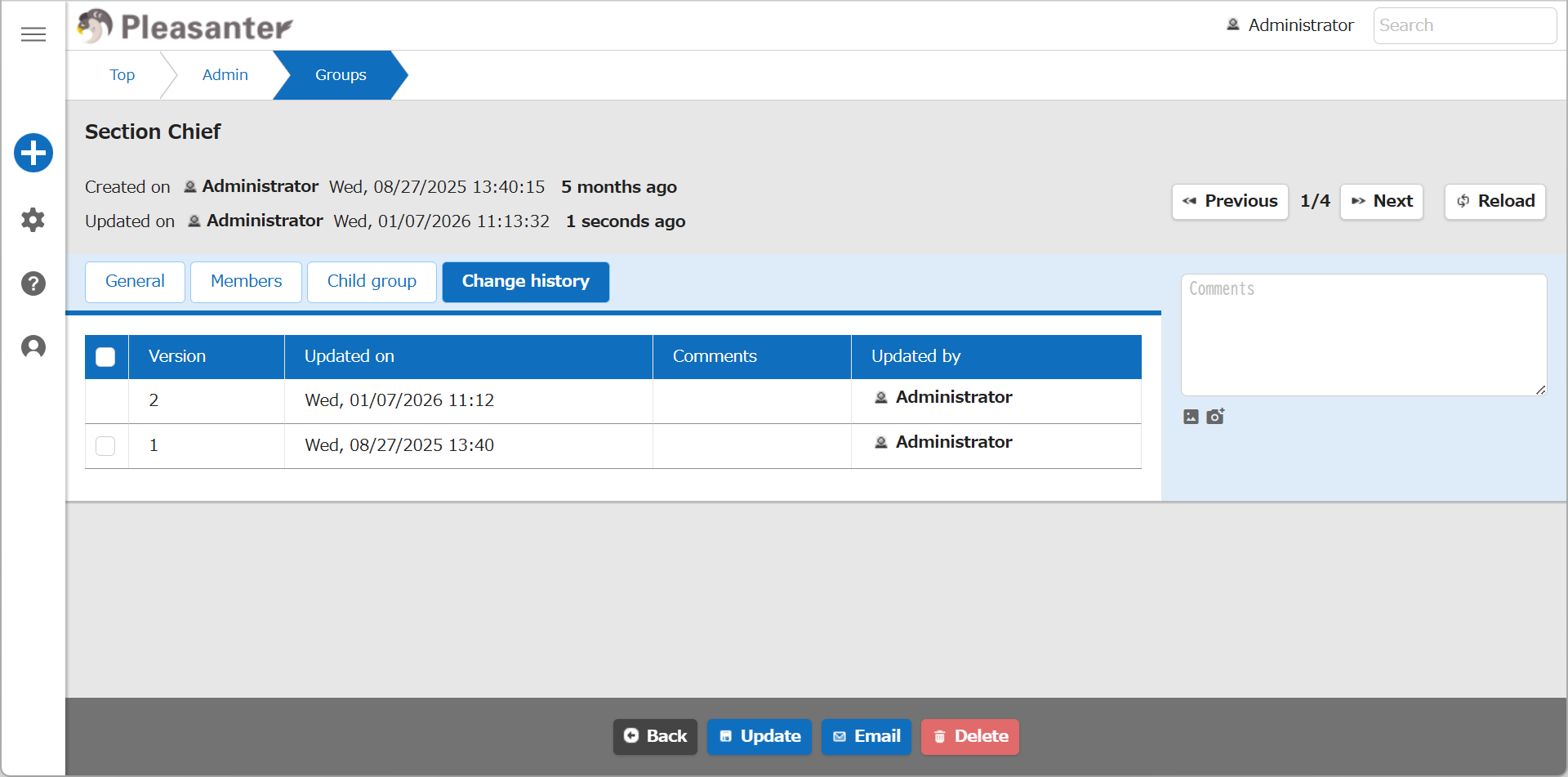
In the "Change history" tab of the "Manage Group" screen, you can check the history of the "Group name" and "Body" fields.
Limitations
- The information on the "Members" tab, which shows which users or departments belong to a group, is not managed as history.
- The child groups of a group are not managed as history.
- Change history cannot be edited. When you move to the change history, the "Update" button and other buttons are hidden.
- You cannot restore a group from the change history or delete its change history. The "Change history" tab has no "Restore" or "Delete change history" button.
Prerequisites
- The user performing this operation must have "Tenant manager" privileges enabled.
Operation Procedure
- Click "Manage" in the navigation menu.
- Click "Group administration".
- Click the target group in the list.
- Click the "Change history" tab. You can check the change history.
- To check the details of a specific version, click the target row from the change history list.
- The group information of the specified version is displayed, and the screen switches to the "Difference" tab. The "Difference" tab shows the comparison between the specified version and the version just before it. Information not managed as history shows the current settings. For details, see "Group Management Function: View Group Differences".
Supported Versions
| Supported Version | Description |
|---|---|
| 1.5.9.0 and later | Clicking a row in the change history now switches to the "Difference" tab |