Column Advanced Settings: Editor Format
Overview
Set the input format of the "Date Column" in the "Editor" to "Date Only" or "Date and Time".
Limitations
- Only available for "Start Column", "Complete Column", and "Date Column".
Prerequisites
- "Site Administration Permission" is required to configure settings.
Setting Content
| No | Options | Description |
|---|---|---|
| 1 | Year-Month-Day | The input format for the year, month, and day. |
| 2 | Date and Time (Minutes) | The input format for the year, month, day, hour, and minutes. |
| 3 | Date and Time (Seconds) | The input format for the year, month, day, hour, minutes, and seconds. |
Operation Image
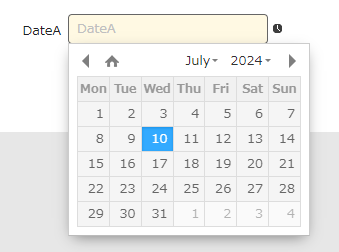
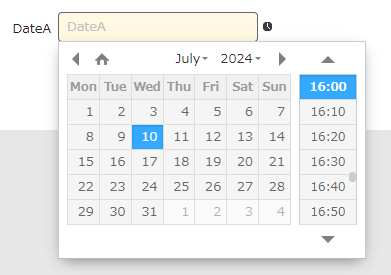
For date and time (seconds), seconds are displayed when the column is displayed.
Supported Versions
Date and Time (Seconds)
- Pleasanter 1.2.16.0 or later
- Pleasanter .NET Framework version 0.50.279 or later