Column Advanced Settings: Input Guide
Overview
Display input guide for text input columns.
Prerequisites
- "Site Administration Permission" is required to configure settings.
Limitations
- Can only be set for "Title Column", "Class Column", "Numerical Value", "Date Column", "Description Column", "Attachment Column", "Body Column", and "Comment Column".
Operation Procedure
- Open the target "Table".
- Click "Manage Table" from the "Manage" menu.
- Open the "Editor" tab.
- Enable the column you want to set an input guide for.
- Open the advanced settings for the enabled column.
- Enter the text you want to display in the input column in "Input Guide".
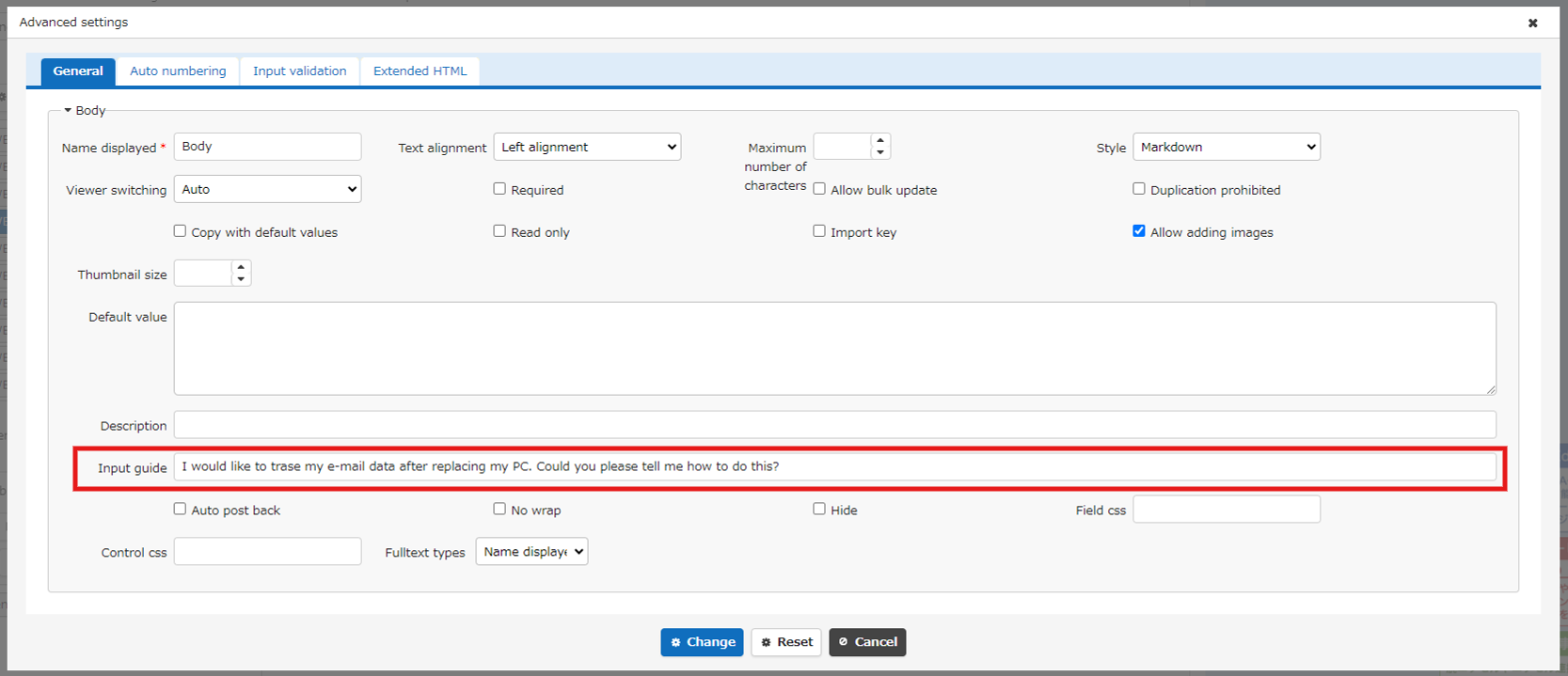
Screen Image
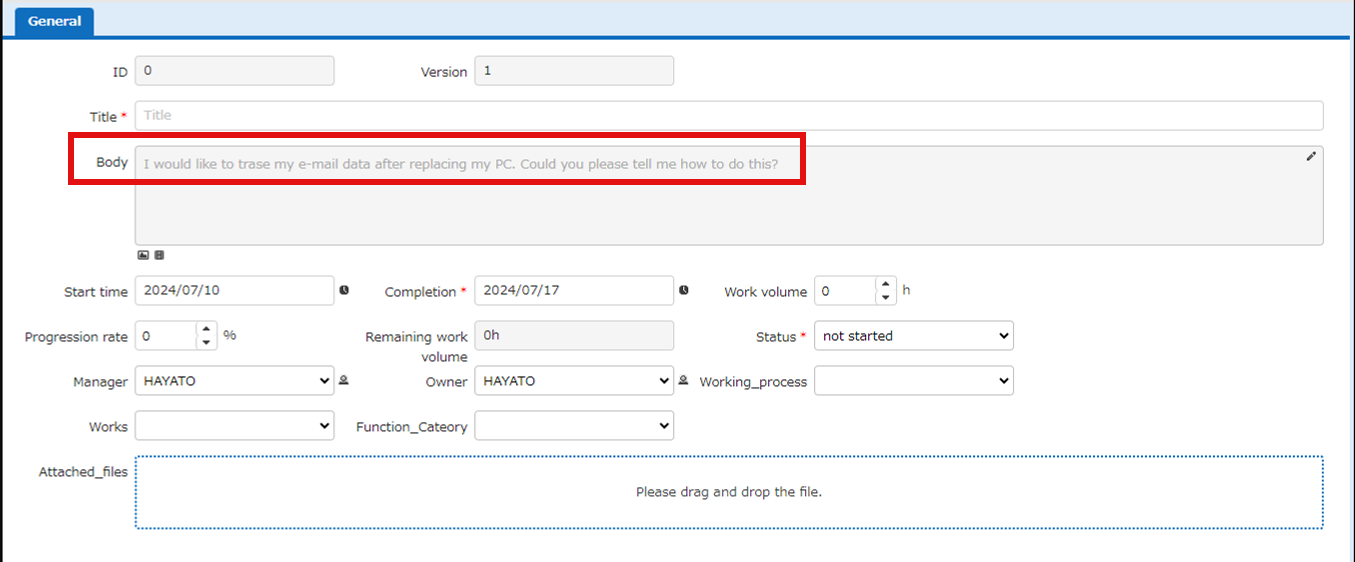
For New or Edit Screen
If you follow the steps above, you will get an image like the one below.
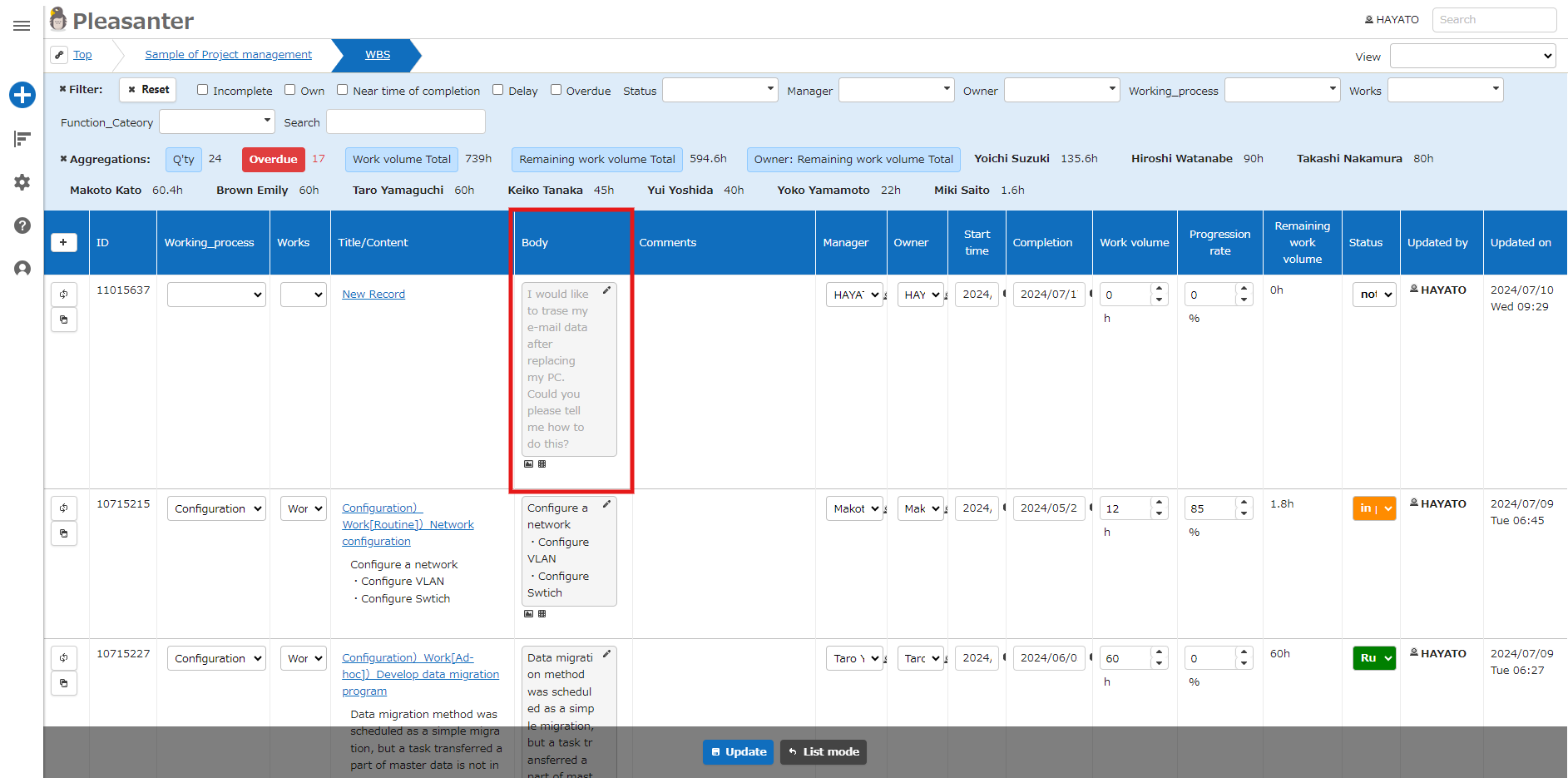
For List Screen
If you set "Edit on List Screen" in "Index Edit Type" from the Grid tab on the manage table screen, the following image will appear when you click "Edit Mode" on the List screen.