Comments
Overview
This is an input item that stores the "Comments" of the record. You can enter a string of free text. You can enter text using "Markdown" and register "Image" in the "Comment" item. Comments cannot be edited by default. To allow editing of comments, set "Allow Comment Editing".
Limitations
- The "Comment" item can contain up to 2GB of text (excluding images); however, due to factors such as web server request size limits, it is not possible to register 2GB of text.
- The placement of "Comment" item in the "Editor" cannot be changed. It is displayed on the right side of the screen.
- Comments cannot be added in "Dialog Edit" or "List Edit".
Prerequisites
- "Site Administration Permission" is required to configure settings.
Advanced Settings
For advanced settings, refer to "Input Column Advanced Settings".
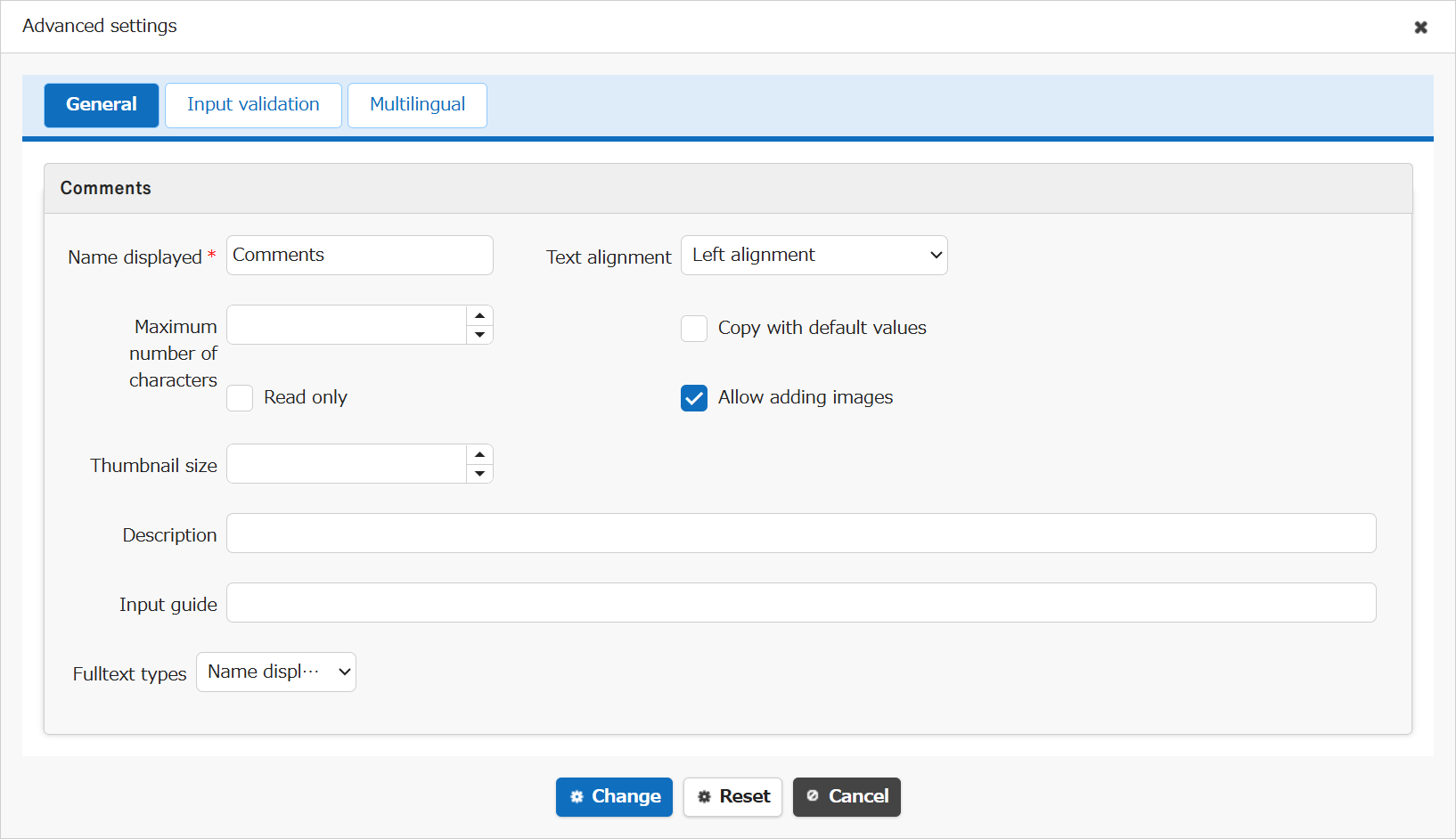
| Setting item name | Default value | Description |
|---|---|---|
| Name displayed | Comments | "Name Displayed" is read only. It cannot be made editable. |
| Text alignment | Left alignment | Set the "Text Alignment" |
| Maximum number of characters | (Blank) | Set the "Maximum Number of Characters" |
| Copy with default values | Unchecked | Set the "Copy with Default Values" |
| Read only | Unchecked | Set the "Read Only" |
| Allow adding images | Checked | Set the "Allow Adding Images" |
| Thumbnail size | (Blank) | Set the "Thumbnail Size" |
| Description | (Blank) | Set the string ("Description") to display in the item's "Tooltip". |
| Input guide | (Blank) | Set the "Input Guide" |
| Fulltext types | Name displayed | Set the "Fulltext Types" |
Adding, Updating, and Deleting Comments
- Adding comments requires "Update Permission" for the record.
- Editing comments requires the "Allow editing comments" setting. You can edit only the comments you registered yourself. You cannot edit comments registered by other users.
- Deleting comments requires "Update Permission" for the record. Users with update permission can delete not only the comments they registered themselves but also comments registered by other users.
Related Information
- Common Function: Markdown
- Table Function: Register Image to Record
- Manage Table: Editor
- Table Function: Edit An Index Of Records
- Manage Table: Editor: Column Advanced Settings
- Manage Table: Editor: Column Advanced Settings: Name Displayed
- Manage Table: Editor: Column Advanced Settings: Read-only
- Manage Table: Editor: Column Advanced Settings: Alignment
- Manage Table: Editor: Column Advanced Settings: Maximum Number of Characters
- Manage Table: Editor: Column Advanced Settings: Copy with Default Value
- Manage Table: Editor: Column Advanced Settings: Allow Adding Images
- Manage Table: Editor: Column Advanced Settings: Thumbnail Size
- Manage Table: Editor: Column Advanced Settings: Description
- Common Function: Tooltip Display When Selecting User Or Group
- Manage Table: Editor: Column Advanced Settings: Fulltext Types