Completion
Overview
This is an input item that stores the completed date and time that indicates the deadline for the record. It is used for the "Completed Datetime" of the "Calendar" and "Gantt Chart". A "Record" that has passed the completion date and time is treated as "Overdue". If "Year/Month/Date" is selected in "Editor Format", the deadline will be the same day as the entered date. For example, if you enter "2021/6/1", the deadline will not expire until "2021/6/1 23:59:59.997". If you select "Date and Time (minutes)" in "Editor Format", the entered date and time will be the deadline.
Limitations
- Only available in "Time limited table".
- The "Input Required" constraint of Completion item cannot be removed in "Time limited table". If you want to leave Completion item blank, use "Date Item" in "Recorded Table".
- Dates and times outside the range of 1900/1/1 to 2099/12/31 23:59:59 cannot be entered.
- When entering from the calendar, years outside the range of 1950 to 2050 cannot be selected.
Prerequisites
- "Site Administration Permission" is required to configure settings.
Advanced Settings
For advanced settings, refer to "Input Column Advanced Settings".
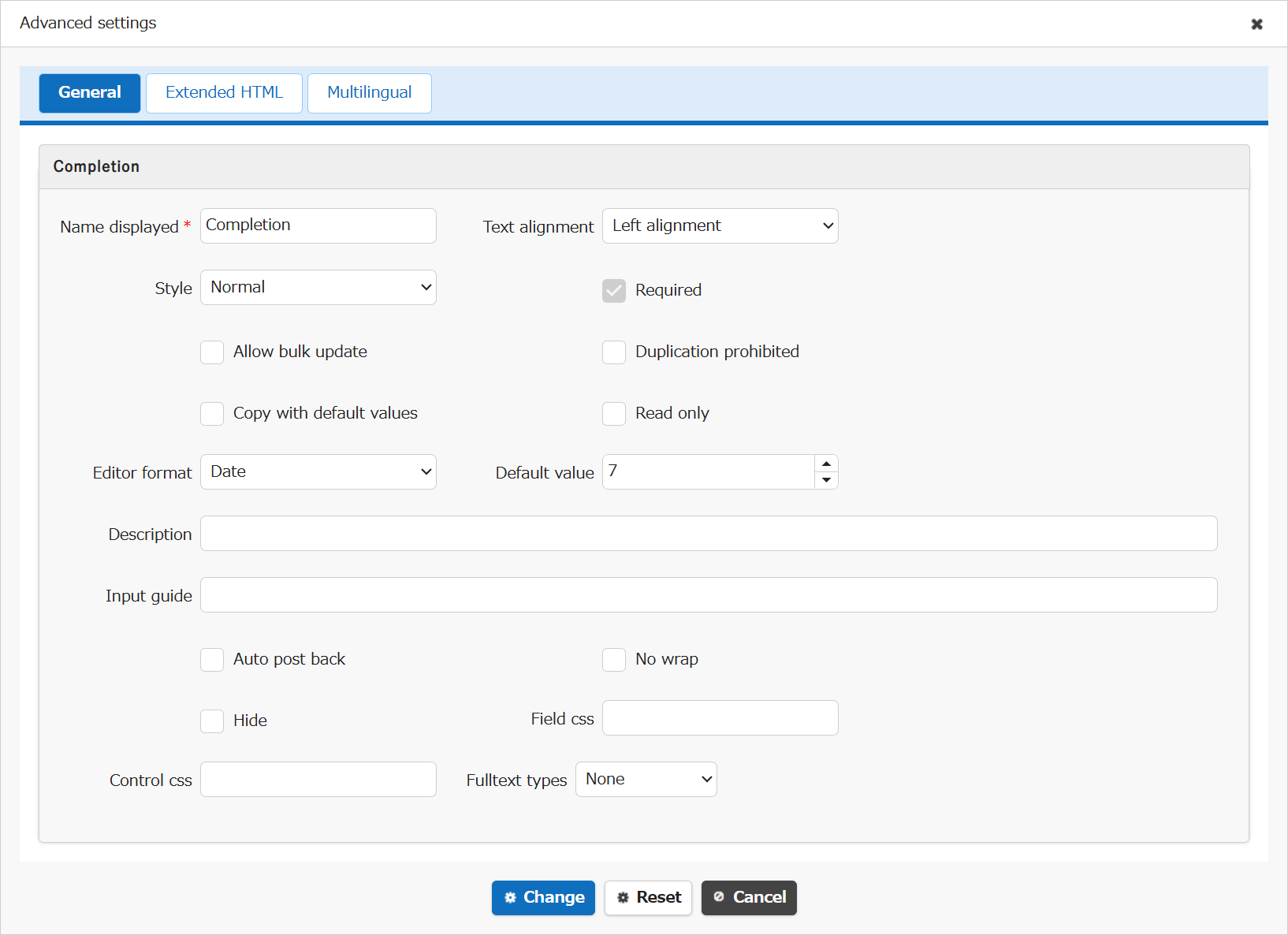
| Setting item name | Default value | Description |
|---|---|---|
| Name displayed | Completion | "Name Displayed" is read only. It cannot be made editable. |
| Text alignment | Left alignment | Set the "Text Alignment" |
| Style | Normal | Set the "Style" |
| Required | Checked(Cannot unchecked) | Set the "Required" |
| Allow bulk update | Unchecked | Set the "Allow Bulk Update" |
| Duplication prohibited | Unchecked | Set the "Duplication Prohibited" |
| Copy with default values | Unchecked | Set the "Copy with Default Values" |
| Read only | Unchecked | Set the "Read Only" |
| Editor format | Date | Set the "Editor Format" |
| Default value | 7 | Set the "Default Value" |
| Description | (Blank) | Set the string ("Description") to display in the item's "Tooltip". |
| Input guide | (Blank) | Set the "Input Guide" |
| Auto post back | Unchecked | Set the "Auto post back" |
| No wrap | Unchecked | Set the "No Wrap" |
| Hide | Unchecked | Set the "Hide" |
| Field css | (Blank) | Set the "Field CSS" |
| Control css | (Blank) | Set the "Control CSS" |
| Fulltext types | None | Set the "Fulltext Types" |
Related Information
- Table Function: Calendar Display of Records
- Manage Table: Gantt Chart
- Manage Table: Editor: Column Advanced Settings: Editor Format
- Manage Table: Editor: Column Advanced Settings: Input Required
- Manage Table: Items: Date
- Manage Table: Editor: Column Advanced Settings
- Manage Table: Editor: Column Advanced Settings: Name Displayed
- Manage Table: Editor: Column Advanced Settings: Read-only
- Manage Table: Editor: Column Advanced Settings: Alignment
- Manage Table: Style
- Manage Table: Editor: Column Advanced Settings: Allow Bulk Update
- Manage Table: Editor: Column Advanced Settings: Duplication Prohibited
- Manage Table: Editor: Column Advanced Settings: Copy with Default Value
- Manage Table: Editor: Column Advanced Settings: Description
- Common Function: Tooltip Display When Selecting User Or Group
- Manage Table: Editor: Column Advanced Settings: Auto post back
- Manage Table: Editor: Column Advanced Settings: No Wraparound
- Manage Table: Editor: Column Advanced Settings: Hidden
- Manage Table: Editor: Column Advanced Settings: Field CSS
- Manage Table: Editor: Column Advanced Settings: Control CSS
- Manage Table: Editor: Column Advanced Settings: Fulltext Types