Locked
Overview
This is a input item for "Lock Record". It must be enabled if you want to use "Lock Record".
Prerequisites
- "Site Administration Permission" is required to configure settings.
Advanced Settings
For advanced settings, refer to "Input Column Advanced Settings".
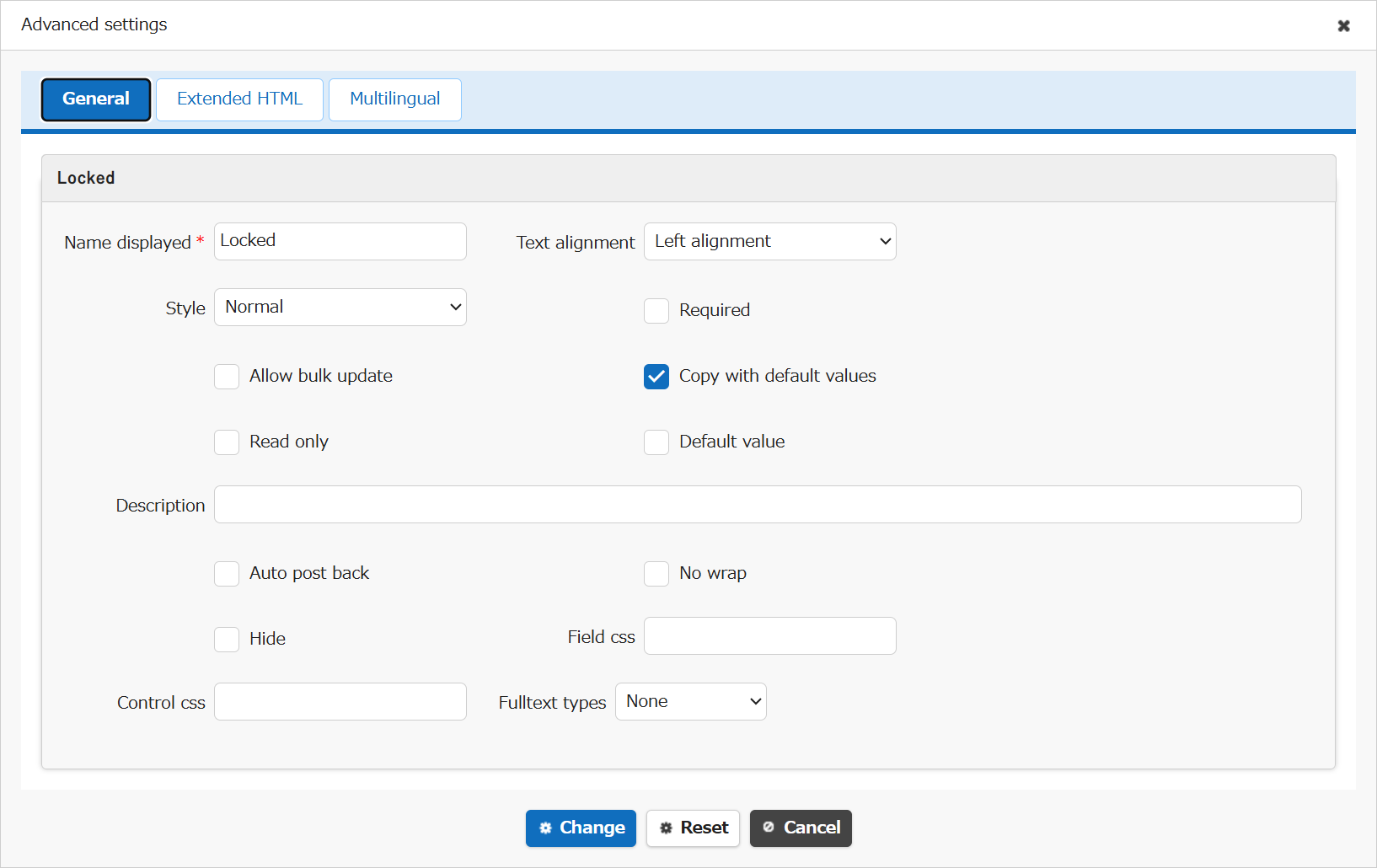
| Setting item name | Default value | Description |
|---|---|---|
| Name displayed | Locked | "Name Displayed" is read only. It cannot be made editable. |
| Text alignment | Left alignment | Set the "Text Alignment" |
| Style | Normal | Set the "Style" |
| Required | Unchecked | Set the "Required" |
| Allow bulk update | Unchecked | Set the "Allow Bulk Update" |
| Copy with default values | Checked | Set the "Copy with Default Values" |
| Read only | Unchecked | Set the "Read Only" |
| Default value | Unchecked | Set the "Default Value" |
| Description | (Blank) | Set the string ("Description") to display in the item's "Tooltip". |
| Auto post back | Unchecked | Set the "Auto post back" |
| No wrap | Unchecked | Set the "No Wrap" |
| Hide | Unchecked | Set the "Hide" |
| Field css | (Blank) | Set the "Field CSS" |
| Control css | (Blank) | Set the "Control CSS" |
| Fulltext types | None | Set the "Fulltext Types" |
Related Information
- Table Function: Lock Record
- Manage Table: Editor: Column Advanced Settings
- Manage Table: Editor: Column Advanced Settings: Name Displayed
- Manage Table: Editor: Column Advanced Settings: Read-only
- Manage Table: Editor: Column Advanced Settings: Alignment
- Manage Table: Style
- Manage Table: Editor: Column Advanced Settings: Input Required
- Manage Table: Editor: Column Advanced Settings: Allow Bulk Update
- Manage Table: Editor: Column Advanced Settings: Copy with Default Value
- Manage Table: Editor: Column Advanced Settings: Description
- Common Function: Tooltip Display When Selecting User Or Group
- Manage Table: Editor: Column Advanced Settings: Auto post back
- Manage Table: Editor: Column Advanced Settings: No Wraparound
- Manage Table: Editor: Column Advanced Settings: Hidden
- Manage Table: Editor: Column Advanced Settings: Field CSS
- Manage Table: Editor: Column Advanced Settings: Control CSS
- Manage Table: Editor: Column Advanced Settings: Fulltext Types