Status
Overview
This is an input item that stores the status of a record. The input value of the "Status" item can determine whether the record is "Completed" or "Incompleted".
Limitations
- You must set a "Option List" with "Value" as a numerical value.
- When creating a new style, the style class name must start with "status-".
Prerequisites
- "Site Administration Permission" is required to configure settings.
Advanced Settings
For advanced settings, refer to "Advanced Settings".
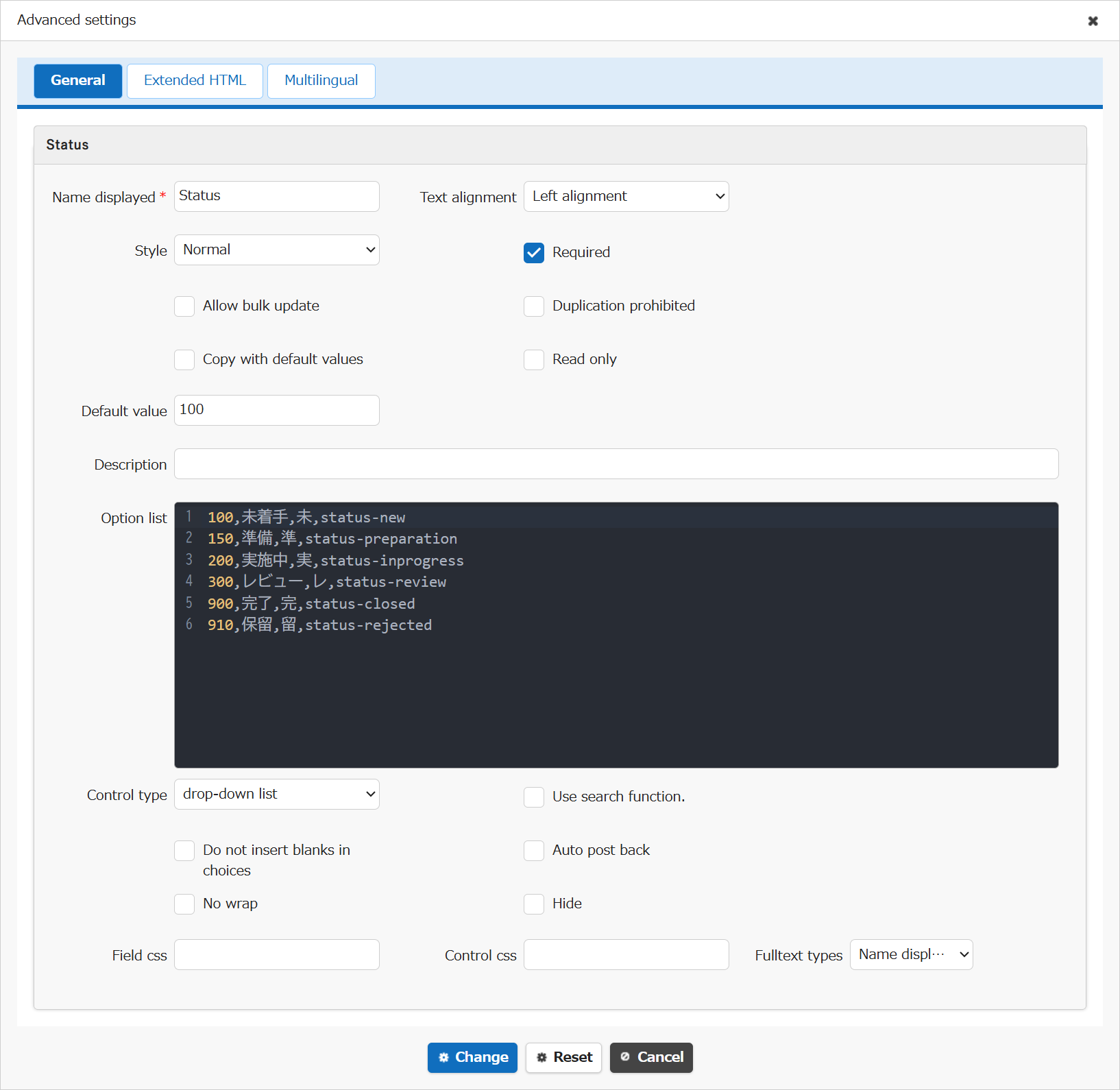
| Setting item name | Default value | Description |
|---|---|---|
| Name displayed | Status | "Name Displayed" is read only. It cannot be made editable. |
| Text alignment | Left alignment | Set the "Text Alignment" |
| Style | Normal | Set the "Style" |
| Required | Checked | Set the "Required" |
| Allow bulk update | Unchecked | Set the "Allow Bulk Update" |
| Duplication prohibited | Unchecked | Set the "Duplication Prohibited" |
| Copy with default values | Unchecked | Set the "Copy with Default Values" |
| Read only | Unchecked | Set the "Read Only" |
| Default value | 100 | Set the "Default Value" |
| Description | (Blank) | Set the string ("Description") to display in the item's "Tooltip". |
| Option list | ※See below | Set the "Option List" |
| Control type | drop-down list | Set the "Control Type" |
| Use search function. | Unchecked | Set the "Use Search Function" |
| Do not insert blanks in choices | Unchecked | Set the "Do Not Insert Blanks in Choices" |
| Auto post back | Unchecked | Set the "Auto post back" |
| No wrap | Unchecked | Set the "No Wrap" |
| Hide | Unchecked | Set the "Hide" |
| Field css | (Blank) | Set the "Field CSS" |
| Control css | (Blank) | Set the "Control CSS" |
| Fulltext types | Name displayed | Set the "Fulltext Types" |
Default Value of Option List
The default value of the "Option List" for the "Status item" is as follows. You can add, change, or delete the "Option List". Change it as appropriate to suit your business. A "Value" of 900 or more is treated as "Completed", and a value of less than 900 is treated as "Incomplete". You can also create a new "Style".
| No | Value | Name displayed | Short name | Style |
|---|---|---|---|---|
| 1 | 100 | Not started | Not started | status-new |
| 2 | 150 | In preparation | In preparation | status-preparation |
| 3 | 200 | Running | Running | status-inprogress |
| 4 | 300 | Under review | Under review | status-review |
| 5 | 900 | Done | Done | status-closed |
| 6 | 910 | On hold | On hold | status-rejected |
Related Information
- Manage Table: Editor: Column Advanced Settings: Option List
- Manage Table: Editor: Column Advanced Settings: Name Displayed
- Manage Table: Editor: Column Advanced Settings: Read-only
- Manage Table: Editor: Column Advanced Settings: Alignment
- Manage Table: Style
- Manage Table: Editor: Column Advanced Settings: Input Required
- Manage Table: Editor: Column Advanced Settings: Allow Bulk Update
- Manage Table: Editor: Column Advanced Settings: Duplication Prohibited
- Manage Table: Editor: Column Advanced Settings: Copy with Default Value
- Manage Table: Editor: Column Advanced Settings: Description
- Common Function: Tooltip Display When Selecting User Or Group
- Manage Table: Filter: Check Column Filter Control Type
- Manage Table: Editor: Column Advanced Settings: Use Search Function
- Manage Table: Editor: Column Advanced Settings: Do Not Insert Blanks in Choices
- Manage Table: Editor: Column Advanced Settings: Auto post back
- Manage Table: Editor: Column Advanced Settings: No Wraparound
- Manage Table: Editor: Column Advanced Settings: Hidden
- Manage Table: Editor: Column Advanced Settings: Field CSS
- Manage Table: Editor: Column Advanced Settings: Control CSS
- Manage Table: Editor: Column Advanced Settings: Fulltext Types