Updated On
Overview
This item stores the updated date and time of a record. It is automatically recorded when the record is updated.
Limitations
- The "Updated on" item is "Read only". It cannot be made editable.
- The placement of the "Updated on" item in the "Editor" cannot be changed. It is displayed at the top of the screen.
- "Updated on" item is always recorded whenever a record is updated. It cannot be restricted to specific conditions, such as recording only when the status changes.
Prerequisites
- "Site Administration Permission" is required to configure settings.
Advanced Settings
For advanced settings, refer to "Input Column Advanced Settings".
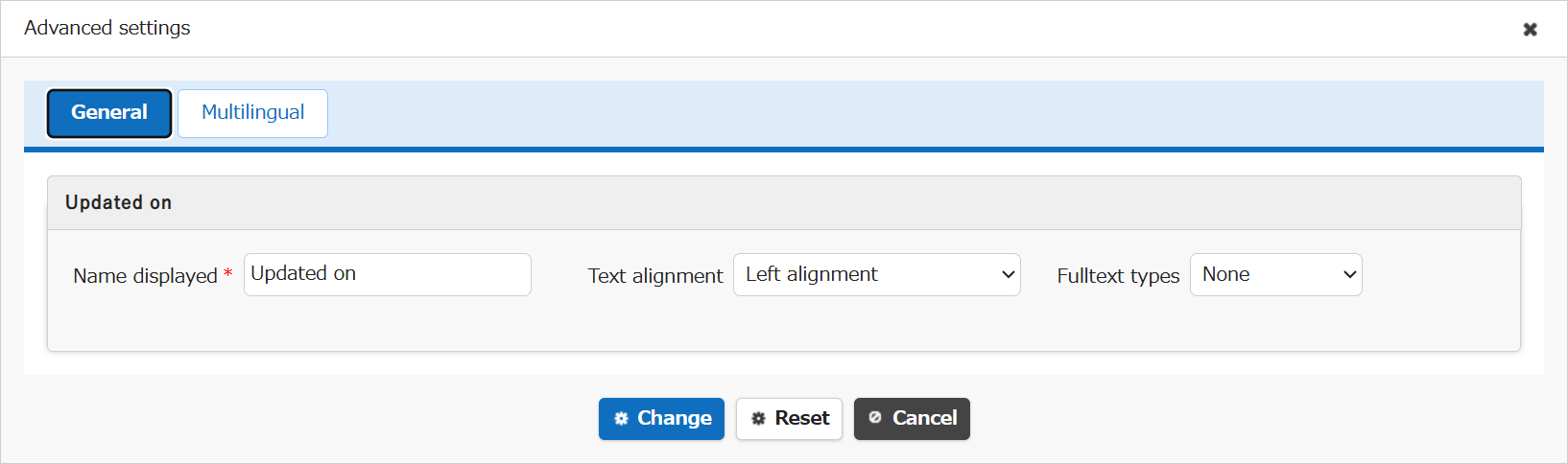
| Setting item name | Default value | Description |
|---|---|---|
| Name displayed | Updated on | Set the "Name Displayed". |
| Text alignment | Left alignment | Set the "Text Alignment". |
| Fulltext types | None | Set the "Fulltext Types". |
Related Information
- Manage Table: Editor: Column Advanced Settings: Read-only
- Manage Table: Editor
- Manage Table: Editor: Column Advanced Settings
- Manage Table: Editor: Column Advanced Settings: Name Displayed
- Manage Table: Editor: Column Advanced Settings: Alignment
- Manage Table: Editor: Column Advanced Settings: Fulltext Types