Version
Overview
This item stores the version number of the record. The version number increases by 1 when upgrading. The contents of the old version can be checked from "Change History". If you want to change the behavior of the version upgrade, please set "Automatic Version Upgrade".
Limitations
- "Version item" is "Read-only". It cannot be made changeable.
- Versions cannot be assigned manually.
Prerequisites
- "Site Administration Permission" is required to configure settings.
Advanced Settings
For advanced settings, refer to "Input Column Advanced Settings".
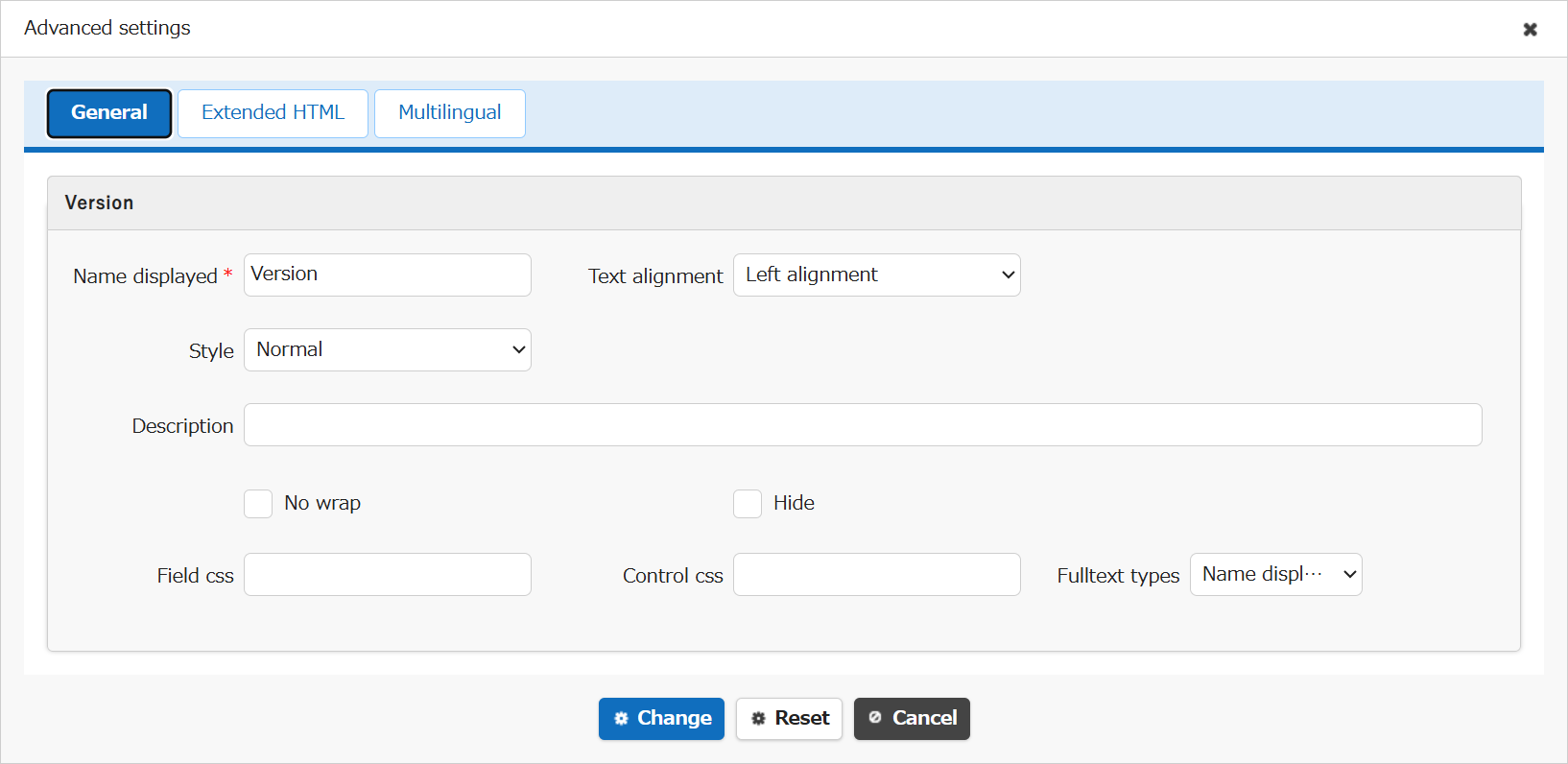
| Setting item name | Default value | Description |
|---|---|---|
| Name displayed | Version | "Name Displayed" is read only. It cannot be made editable. |
| Text alignment | Left alignment | Set the "Text Alignment" |
| Style | Normal | Set the "Style" |
| Description | (Blank) | Set the string ("Description") to display in the item's "Tooltip". |
| No wrap | Unchecked | Set the "No Wrap" |
| Hide | Unchecked | Set the "Hide" |
| Field css | (Blank) | Set the "Field CSS" |
| Control css | (Blank) | Set the "Control CSS" |
| Fulltext types | Name displayed | Set the "Fulltext Types" |
Related Information
- Table Function: View Record Change History
- Manage Table: Editor: Automatic Version Upgrade
- Manage Table: Editor: Column Advanced Settings: Read-only
- Manage Table: Editor: Column Advanced Settings
- Manage Table: Editor: Column Advanced Settings: Name Displayed
- Manage Table: Editor: Column Advanced Settings: Alignment
- Manage Table: Style
- Manage Table: Editor: Column Advanced Settings: Description
- Common Function: Tooltip Display When Selecting User Or Group
- Manage Table: Editor: Column Advanced Settings: No Wraparound
- Manage Table: Editor: Column Advanced Settings: Hidden
- Manage Table: Editor: Column Advanced Settings: Field CSS
- Manage Table: Editor: Column Advanced Settings: Control CSS
- Manage Table: Editor: Column Advanced Settings: Fulltext Types