Overview
On the "Email" tab of the "Manage table" screen, you set the email addresses used when sending email from the edit screen.
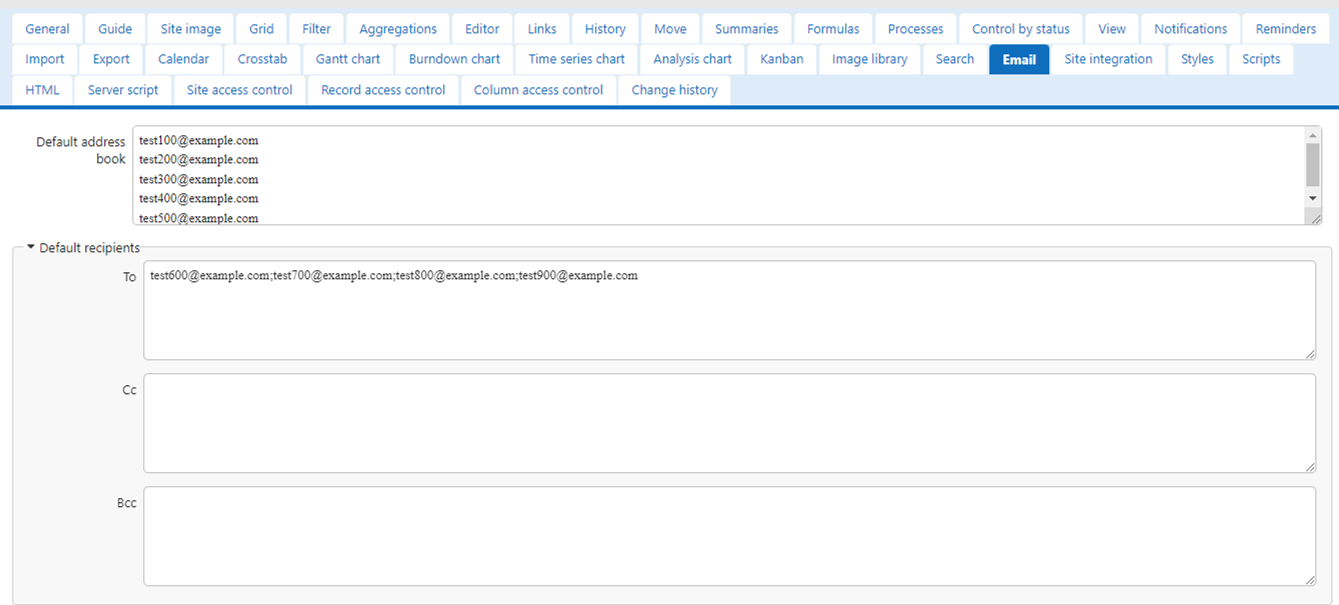

When using the "Email" function in Pleasanter, the email address will use the address book registered in advance by the manager to prevent incorrect address input.
If "Default Address Book" is blank, the email address of the user registered in Pleasanter will be the address book.
When registering multiple addresses, please enter them separated by line breaks.
"Default Destination" is a column for setting addresses to To, Cc, and Bcc when creating a new "Email".
It is convenient to set this in advance if the destination is a specific mailing list.
When registering multiple destinations, please enter them separated by semicolons.
The destination registered in the "Default Destination" setting will be set to "To".

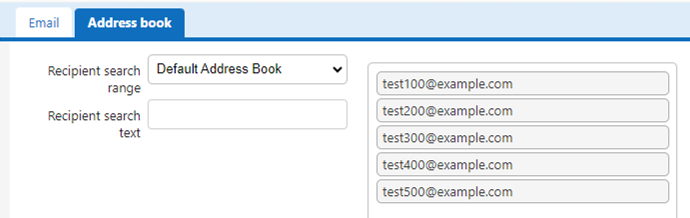
The address registered in "Default Address" will be displayed in the "Address Book".
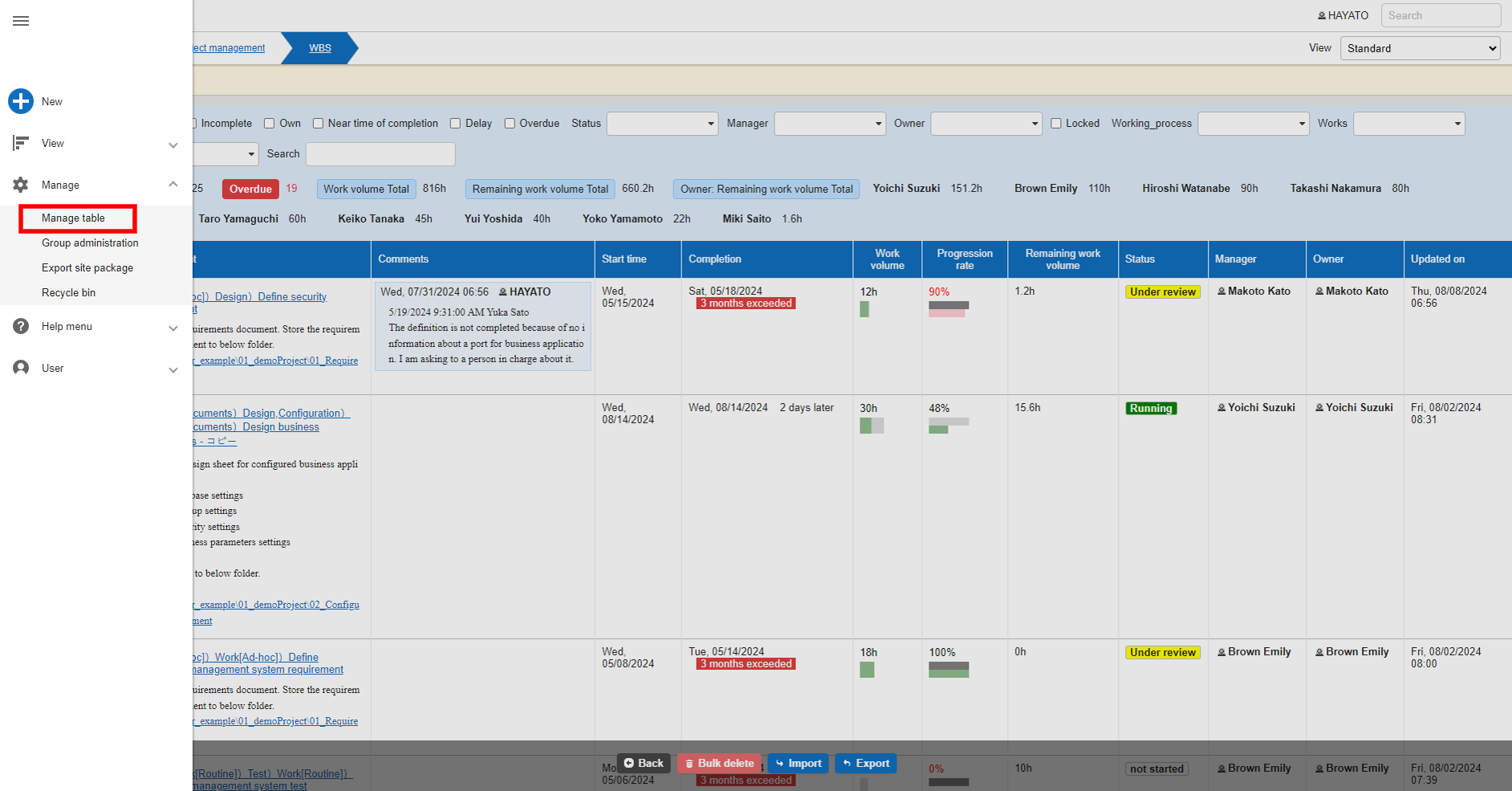
With the table open, click "Manage" > "Manage Table" from the navigation menu.
*This will not be displayed to users who do not have "Site Administration Permission".
Set up to send emails from Pleasanter
Required Permission
"Site Administration Permission"