Filter: Relating Column
Overview
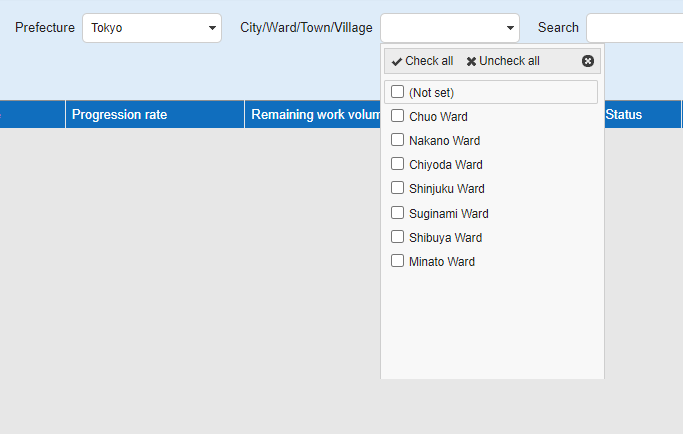
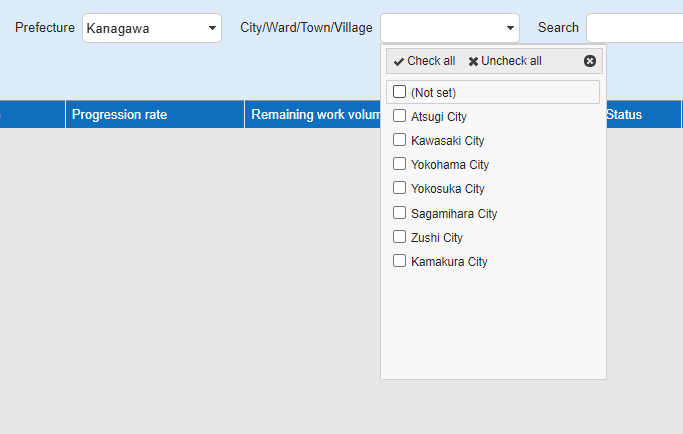
You can set parent-child relationships between the "Class Column" in the "Filter" of the "Screen Index". If the "Filter" ClassA is prefectures and the "Filter" ClassB is city, ward, town, and village, when you select Tokyo in the "Filter" ClassA, it is possible to display only city, ward, town, and village in Tokyo in ClassB.
Sample Data
- Tokyo
   - Suginami Ward
   - Shibuya Ward
   - Minato Ward
   - Chuo Ward
   - Chiyoda Ward
   - Shinjuku Ward
   - Nakano Ward

- Kanagawa
   - Atsugi City
   - Sagamihara City
   - Zushi City
   - Kamakura City
   - Yokosuka City
   - Kawasaki City
   - Yokohama City
Limitations
- "Use Filter On Grid Header" cannot be turned on at the same time.
Prerequisites
- "Site Administration Permission" is required to configure.
- This setting assumes that "Relating Column" for "Class Column" has been completed, and is a setting to apply "Relating Column" to "Column" on "Filter".
Operation Procedure
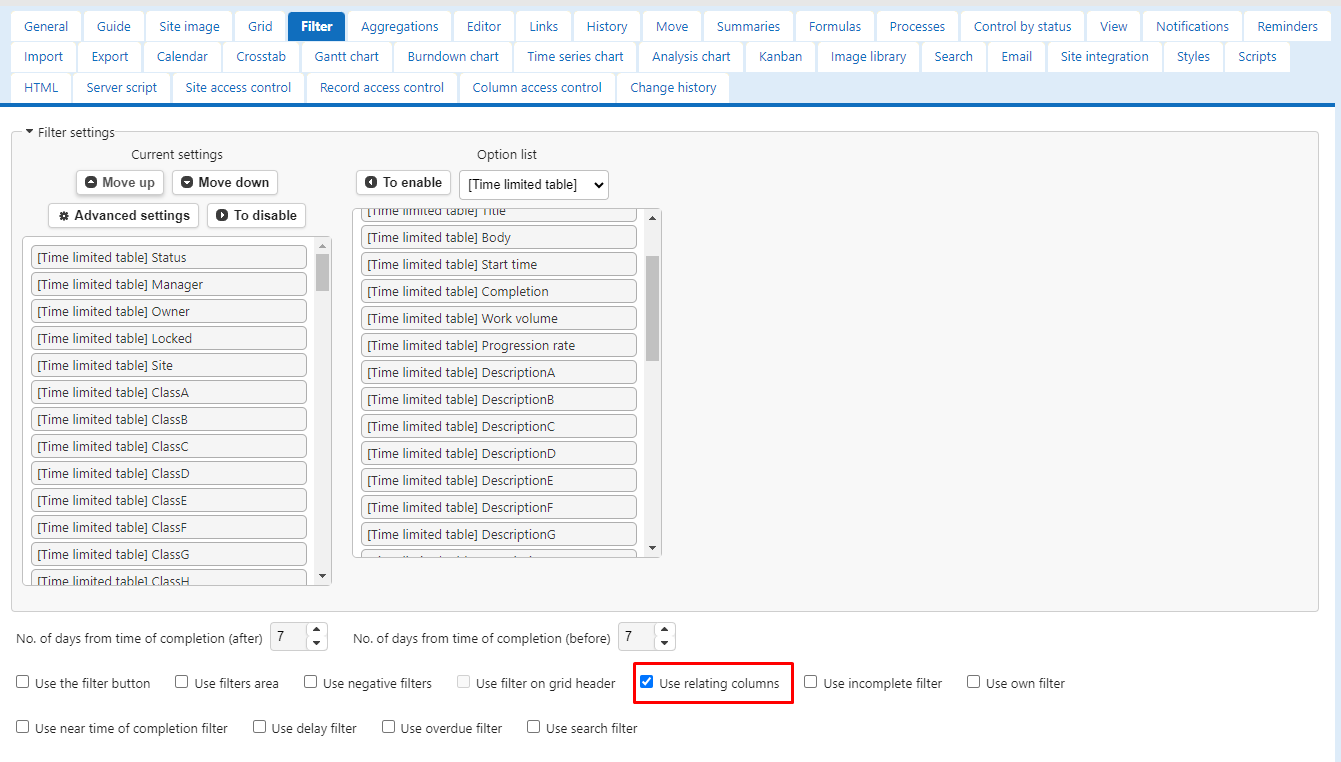
- Select Manage Table and click the Filter tab.
-
Select "Use Relating Columns" at the bottom of the screen.
("Use Relating Columns" and "Use Filter On Grid Header" cannot be enabled at the same time.)
-
Press the "Update" button at the bottom of the screen to return to the Screen Index.
- When you select "Prefecture" on the filter, confirm that only the data narrowed down according to the selection is displayed in "City/Ward/Town/Village".