Filter: Use Delay Filter
Overview
Turn this on if you want to display a filter function on the "Screen Index" to display only records whose status is not Completed and whose completion date has passed. This can be set in a time-limited table.
- Incomplete (the number set in the status field is less than 900)
- If the current time has passed the completion date and time and the progression rate is less than 100%
- If the progress status does not meet the schedule completion rate
Progress status = (current time - start column) / (completed column - start column) x 100
※If the start column is not entered, it will be the record creation date and time.
Prerequisites
- "Site Administration Permission" is required to configure settings.
Setting Method
- From Manage Table, select the Filter tab and check "Use Delay Filter" as shown below to display it in the Screen Index filter. If unchecked, it will not be displayed in the list Screen Index.
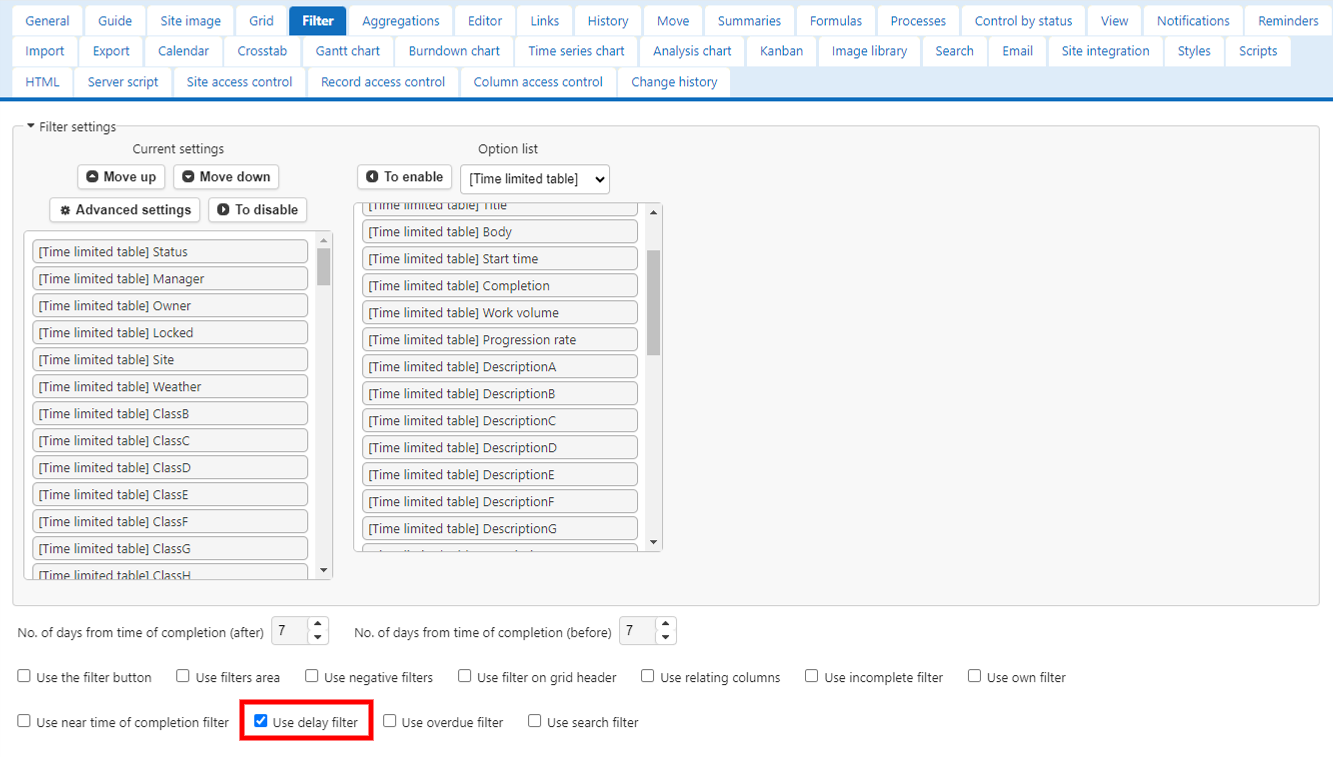
Operation Image
When On

When Off

Supported Versions
- Pleasanter 1.3.5.0 or later