Formula (Extended): $DATETIME Function
Overview
Calculate the date and time for the specified year, month, day, hour, minute, and second.
Syntax
Parameters
| Parameter | Type | Required | Description |
|---|---|---|---|
| Year | 4-digit half-width numerical value | Required | Specify 1900 or higher. An error occurs if the number is less than 1900. An error occurs if the string is not a half-width numerical value. |
| Month | Half-width numeric value | Required | If a value other than 1 to 12 is entered, the past or future month is calculated using the input value. An error occurs if the string is not a half-width numeric value. A blank is considered to be 0. |
| Day | Half-width numeric value | Required | If a value other than 1 to 31 is entered, the past or future day is calculated using the input value. An error occurs if the string is not a half-width numeric value. A blank is considered to be 0. |
| Hour | Half-width numeric value | Required | If a value other than 1 to 23 is entered, a past or future date will be calculated using the entered value. An error occurs if a string other than a half-width numeric value is entered. A blank is considered to be 0. |
| Minute | Half-width numeric value | Required | If a value other than 1 to 59 is entered, a past or future date will be calculated using the entered value. An error occurs if a string other than a half-width numeric value is entered. A blank is considered to be 0. |
| Second | Half-width numeric value | Required | If a value other than 1 to 59 is entered, a past or future date will be calculated using the entered value. An error occurs if a string other than a half-width numeric value is entered. A blank is considered to be 0. |
Column Usable as Parameters
| Parameter | Classification | Numeric Value | Date | Description | Check |
|---|---|---|---|---|---|
| Year | Yes | Yes | No | Yes | No |
| Month | Yes | Yes | No | Yes | No |
| Day | Yes | Yes | No | Yes | No |
| Hour | Yes | Yes | No | Yes | No |
| Minute | Yes | Yes | No | Yes | No |
| Second | Yes | Yes | No | Yes | No |
Return Value
Date and time in yyyy/MM/dd hh:mm:ss format.
Return Value Display Content
| Target | Display Content of Return Value |
|---|---|
| Classification (including title, status, manager, owner) | Display return value. |
| Numeric Value (including work volume, progression rate, remaining work volume) | Do not display. |
| Date (including start and completion) | Display return value. |
| Description (including content) | Display return value. |
| Check (including lock) | Do not display. |
Usage Example ①
Specify parameters by screen column name (name displayed)
Calculation formula

Parameters

Calculation Result

Usage Example ②
When month is 0
Parameters

Calculation Result

Usage Example ③
When the day is a negative value
Parameters

Calculation Result
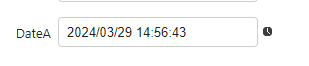
Usage Example ④
When the hour is greater than 23
Parameters

Calculation Result
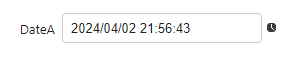
Usage Example ⑤
When minutes is a negative value
Parameters

Calculation Result
