Formula (Extended): $TODAY Function
Overview
Get the current date.
Syntax
Parameters
None.
Return Value
Current date (yyyy/mm/dd format).
Return Value Display Content
| Target | Display Content of Return Value |
|---|---|
| Classification (including title, status, manager, owner) | Display return value. |
| Numerical Value (including work volume, progression rate, remaining work volume) | Do not display. |
| Date (including start and completion) | Display return value. If the editor format is "Date and time (minutes)" or "Date and time (seconds)", 00:00:00 is automatically completed. |
| Description (including content) | Display return value. |
| Check (including lock) | Do not display. |
Usage Example ①
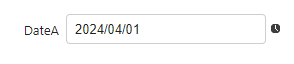
If the current date is 2024/04/01
Formula

Calculation Result