Enable Site Settings Cache


(This feature can be tried with the Pleasanter Extensions Trial.)
Overview
This setting enables the cache of the site settings (SiteSettings) to speed up some processes. This feature can also be used from API requests. For details, see "JSON Data Layout: Common".
Limitations
- The effect of this feature differs depending on the processing pattern. Verify it thoroughly before using it. For the cases where the effect is large and the cases where it is small, see "Enable Site Settings Cache" in Setup: Additional Settings: Performance.
Prerequisites
- This feature is available only to subscribers of the following plans of the Annual Support Service.
| Entry | Basic | Basic Plus | Business | Business Plus | Unlimited |
|---|---|---|---|---|---|
| 〇 | 〇 | 〇 |
Operation Procedure
- Open the target table.
- Click "Manage" in the navigation menu.
- Click Manage table.
- Turn on the "Enable site settings cache" check box on the "General" tab.
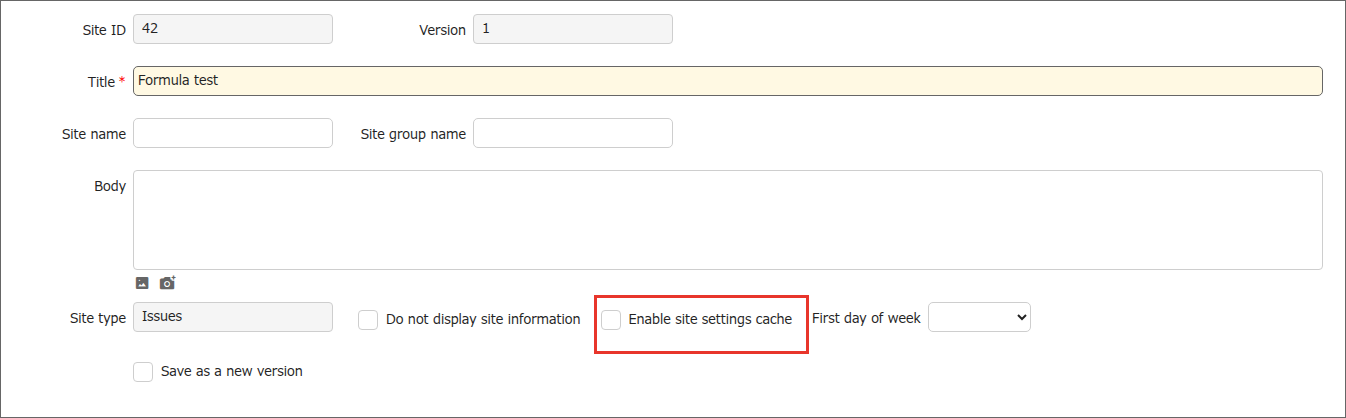
The site settings are cached by this operation.
Supported Versions
| Supported versions | Body |
|---|---|
| 1.5.6.0 and later | Added the feature |