Screen Index: Column Advanced Settings
Overview
The "Advanced settings" for items (columns) on the "Grid" page allow you to control in detail how each item is displayed on the "Grid" page.
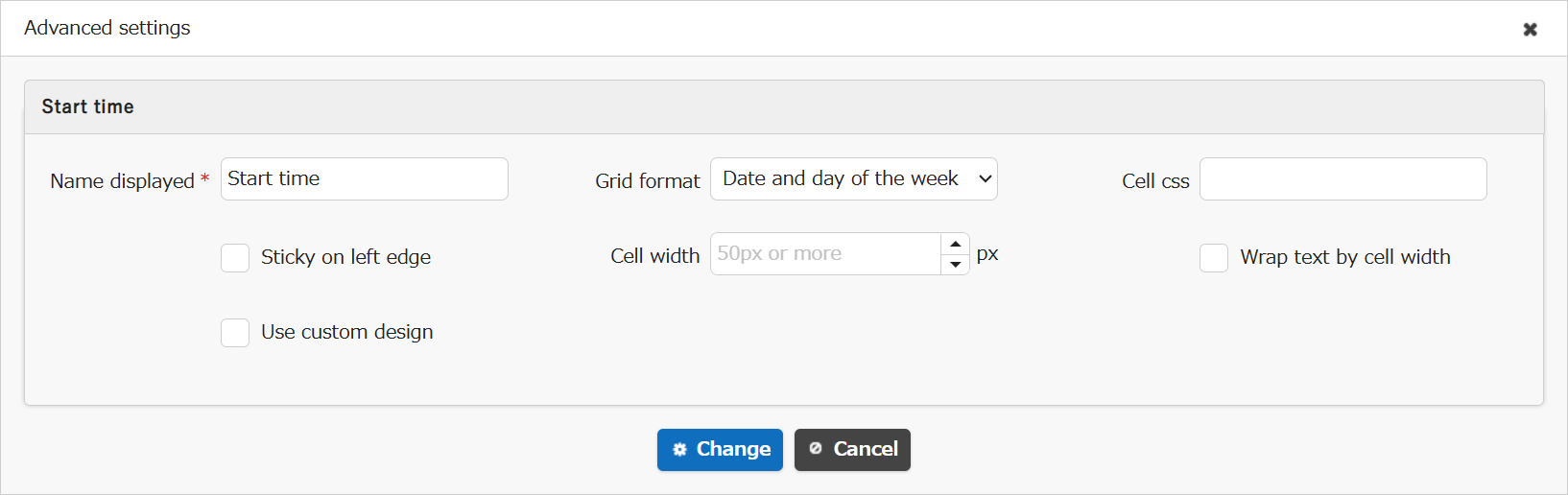
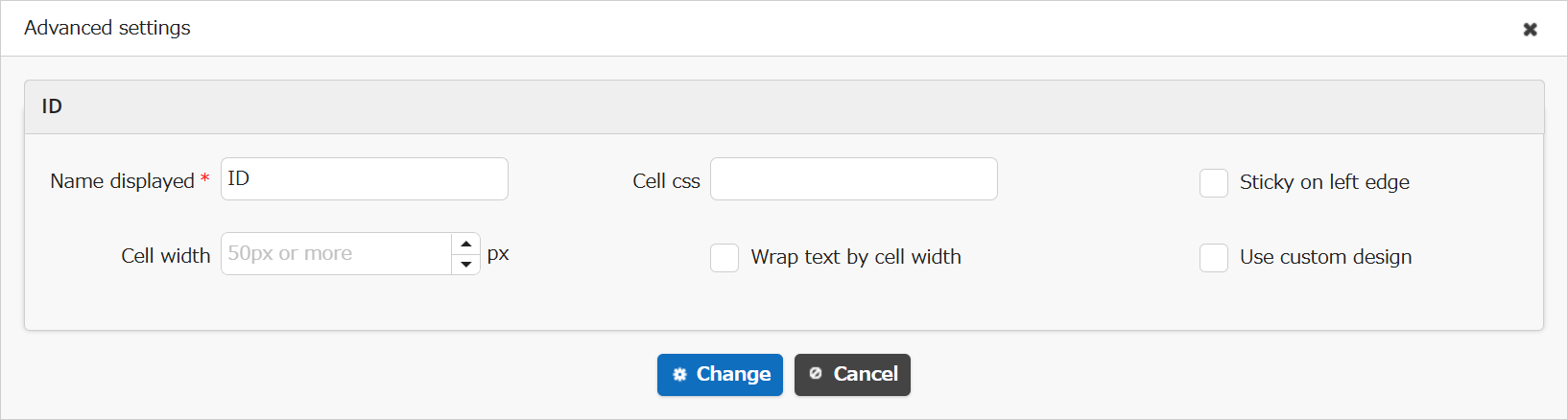
Except for the "Grid format" of "Date" items, the setting items are common.
"Advanced settings" dialog for "Date" Items
"Advanced settings" dialog for Other Items
Limitations
- You cannot configure "Advanced settings" for items in other tables. You need to move to the target table to configure them.
- "Cell width" is available from version 1.4.20.0 onwards.
- "Sticky on left edge" is available from version 1.4.20.0 onwards.
- "Wrap text by cell width" is available in version 1.4.22.0 and later.
Prerequisites
"Site Management Authority" is required to configure settings.
Operation Procedure
- Open the target table.
- Click "Manage table" from the "Manage" menu.
- Open the "Grid" tab.
- Select one target item from the "Current settings" list and click the "Advanced settings" button.
- A dialog for "Advanced settings" of input items will be displayed. Make the necessary settings and click the "Change" button.
- Click the "Update" button at the "Command button area" (bottom of the screen).
Configuration Items of "Advanced settings"
The following configuration items are available:
| Configuration Items | Descriptions |
|---|---|
| Name displayed | Specify the string to display in the item header on the "Grid" page. |
| Grid format | Set the display format for date items on the "Grid" page ("Date" items only). |
| Cell css | Set the CSS class name to output to th and td elements of items on the "Grid" page. |
| Sticky on left edge | Scroll the "Search results list" on the "Grid" page while keeping specific items (columns) displayed. |
| Cell width | Specify the width of items on the "Grid" page in pixels. |
| Wrap text by cell width | When turned on, the item content is displayed with wrapping at the cell width |
| Use custom design | Display multiple items in "cells" on the "Grid" page. |
The options and display formats for "Grid format" are as follows.
The "Date" display format varies according to the user's "Language" setting.
| Options | Display Format When User's "Language" Setting is Japanese |
|---|---|
| Month and date | MM/dd |
| Month and year | yyyy/MM |
| Date | yyyy/MM/dd |
| Date abd day of the week | yyyy/MM/dd ddd |
| Date, day of the week, time(minutes) | yyyy/MM/dd ddd HH:mm |
| Date, day of the week, time(seconds) | yyyy/MM/dd ddd HH:mm:ss |
| Date and time (minutes) | yyyy/MM/dd HH:mm |
| Date and time (seconds) | yyyy/MM/dd HH:mm:ss |
Supported Versions
| Supported Version | Description |
|---|---|
| Version 1.4.20.0 or later | Added "Cell width" and "Sticky on left edge" |
| Version 1.4.22.0 or later | Added "Wrap text by cell width" |
Related Information
- Manage Table: Screen Index: Column Advanced Settings: Wrap text by cell width
- Manage Table: Editor: Column Advanced Settings: Name Displayed
- Manage Table: Screen Index: Column Advanced Settings: Grid Format
- Manage Table: Screen Index: Column Advanced Settings: Cell CSS
- Manage Table: Screen Index: Column Advanced Settings: Sticky on left edge
- Manage Table: Screen Index: Column Advanced Settings: Cell width
- Manage Table: Screen Index: Column Advanced Settings: Use Custom Design