Screen Index: Index Edit Type
Overview
"Index Edit Type" is a setting that allows you to edit records on the Screen Index. By default, "Index Edit" is disabled. By selecting "Edit on Screen Index" and "Dialog Edit", you can edit records without switching to the "Editor". You can also add and delete attachments in the "Attachment Column".
Limitations
- "Title/Body Column" cannot be edited.
- "Comment Column" cannot be registered or edited.
- Create new record cannot be performed in "Edit in dialog".
- You cannot view or edit the linked source table or linked destination table in “Edit in dialog”.
- Columns displayed on the "Screen Index" from a "Linked Table" cannot be edited.
- Columns using "Custom Design" in "Edit on Screen Index" cannot be registered or edited.
Prerequisites
- "Site Administration Permission" is required to configure settings.
Operation Procedure
- Open the target "Table".
- Click "Manage Table" from the "Manage" menu.
- Open the "Index" tab.
- Select the desired setting from the "Index Edit Type" select box at the bottom of the screen.
- Click the "Update" button at the bottom of the screen.
Operation Image (Edit on Screen Index)
When "Index Edit Type" is set to "Edit on Screen Index", a button called "Edit mode" will be displayed in the control area at the bottom of the Screen Index.

Index Edit Mode
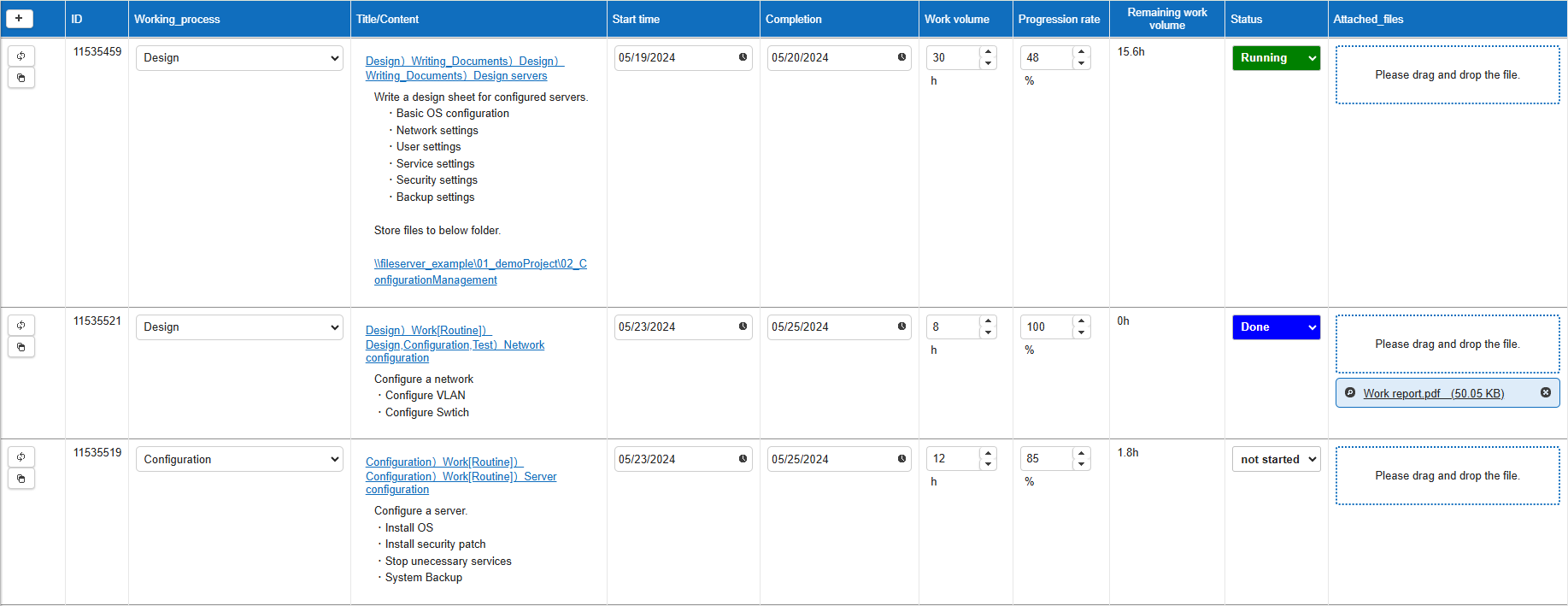
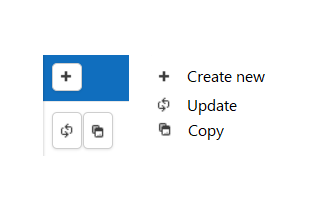
Icon Description
If someone else has updated the record first, you will not be able to update that record. In such cases, press the refresh icon to get the latest information on the record.

When "Display History on Index" and "Display History" is checked on the Screen Index
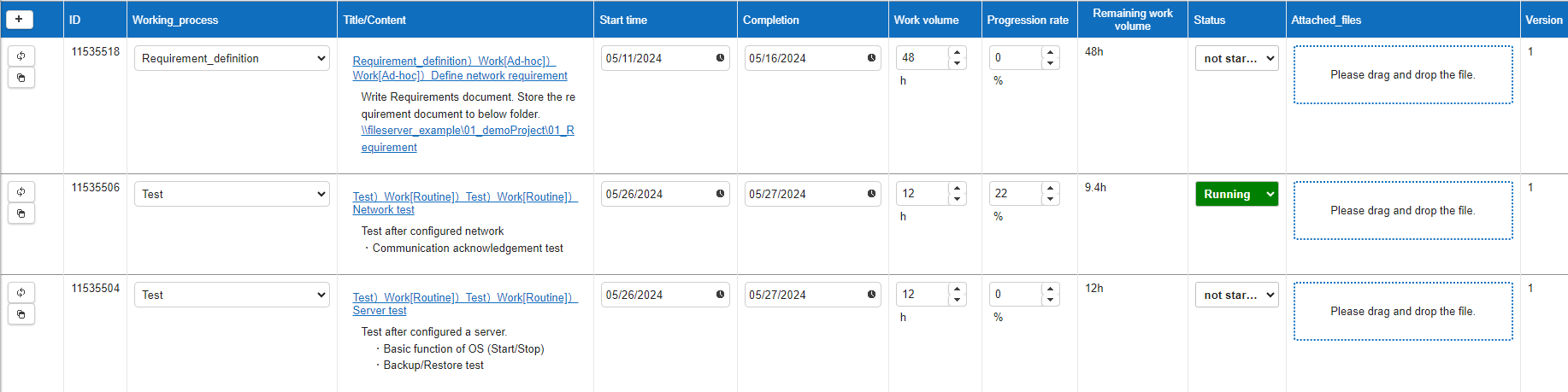
Operation Image (Dialog Editing)
When "Index Edit Type" is set to "Edit in Dialog", clicking a record from the Screen Index displays the editing screen as a dialog. This can be used when editing multiple records, as the Screen Index is not reloaded when moving between records.
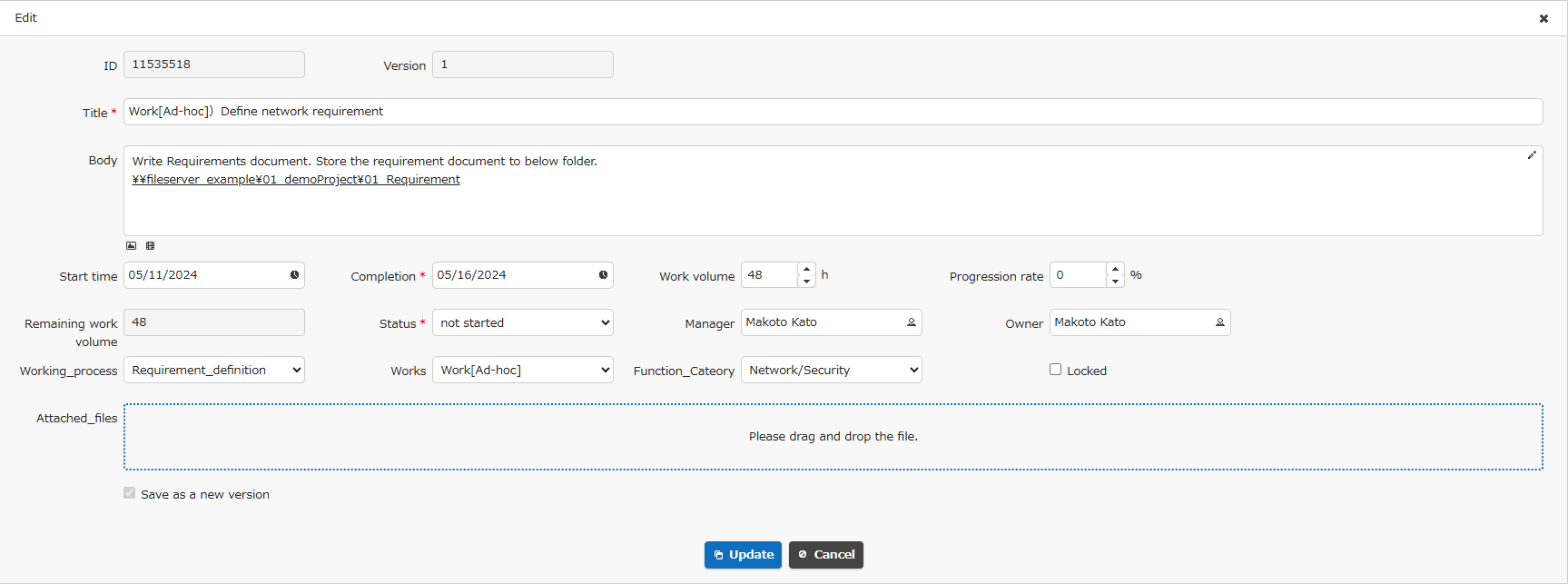
Supported Versions
| Supported Versions | Body |
|---|---|
| 1.4.1.0 or later | Added the ability to add and delete attachments on the editing screen index |