Screen Index: Allow View Reset
Overview
Set "Allow view reset" in "Screen Index". If you do not allow view reset, you will not be able to select the initial view.
"Allow View Reset" → Initial state view can be selected
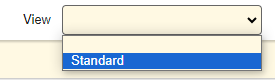
Do not "Allow View Reset " → Initial state view cannot be selected

For example, if a view that hides specific command buttons is prepared in the screen index, resetting to the initial state view will re-display the hidden buttons. By setting to disallow view reset, it is possible to control the use of specific buttons.
Limitations
- Set the "View" in "Manage Table" before use. If the view is not set, the function cannot be used correctly.
Prerequisites
- "Site Administration Permission" is required to be set.
- At least one "View" needs to be created.
The "Allow View Reset" option is only displayed when the view is set.

If the view is not set, "Allow View Reset" is not displayed.

Operation Procedure
- Open the target "Table".
- From the "Manage" menu, click "Manage Table".
- Open the "Index" tab.
- Set the "Allow View Reset" checkbox at the bottom of the screen.
- Click the "Update" button at the bottom of the screen.