HTML
Overview
This function inserts HTML to load external content (JavaScript, CSS libraries, etc.).
Prerequisites
- "Site Administration Permission" is required to configure the settings.
Operation Procedure
-
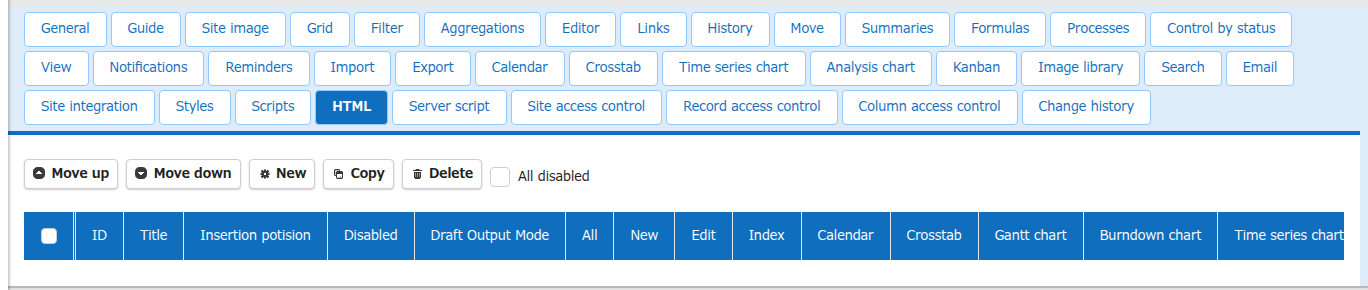
Select the "HTML" tab in "Manage Table" or "Manage Dashboard".
-
Click the "New" button or a registered HTML in the HTML list.
-
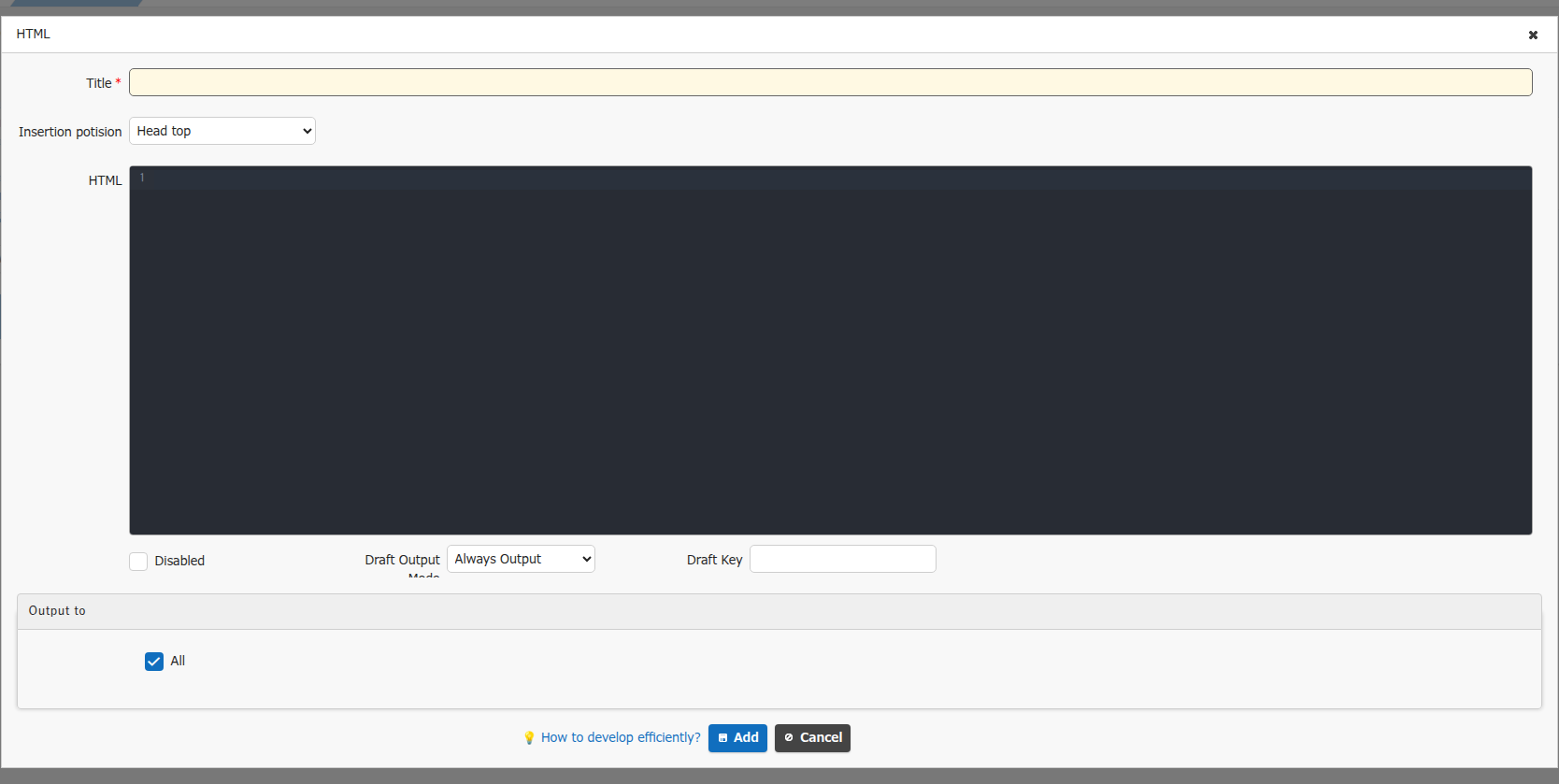
The dialog below is displayed.
-
Set each item and click the "Add" button or the "Change" button.
The available "Insertion position" values are as follows.Insertion position Description Head top Inserts HTML above the meta tag in the head tag. Head bottom Inserts HTML below the title tag in the head tag. Body script top Inserts HTML above the script tag. Body script bottom Inserts HTML below the script tag. -
Click the "Update" button in the command button area at the bottom of the screen.
Usage Examples
You can load external content by registering HTML like the one below.
-
Style
-
Script
<script src="https://cdnjs.cloudflare.com/ajax/libs/pivottable/2.23.0/pivot.min.js"></script>
<script src="https://cdnjs.cloudflare.com/ajax/libs/pivottable/2.23.0/pivot.jp.min.js"></script>
<script src="https://cdn.plot.ly/plotly-basic-latest.min.js"></script>
<script src="https://cdnjs.cloudflare.com/ajax/libs/pivottable/2.23.0/plotly_renderers.min.js"></script>
Draft Feature
In version 1.5.7.0 and later, you can use the draft feature to check the display with HTML under development enabled, without affecting the normal display. For details, see "Draft Feature".
"All disabled" Checkbox
Checking the "All disabled" checkbox at the top of the HTML list disables all the configured HTML.

Warning
This setting does not change the state of the "Disabled" checkbox of each HTML.
Using the Code Editor
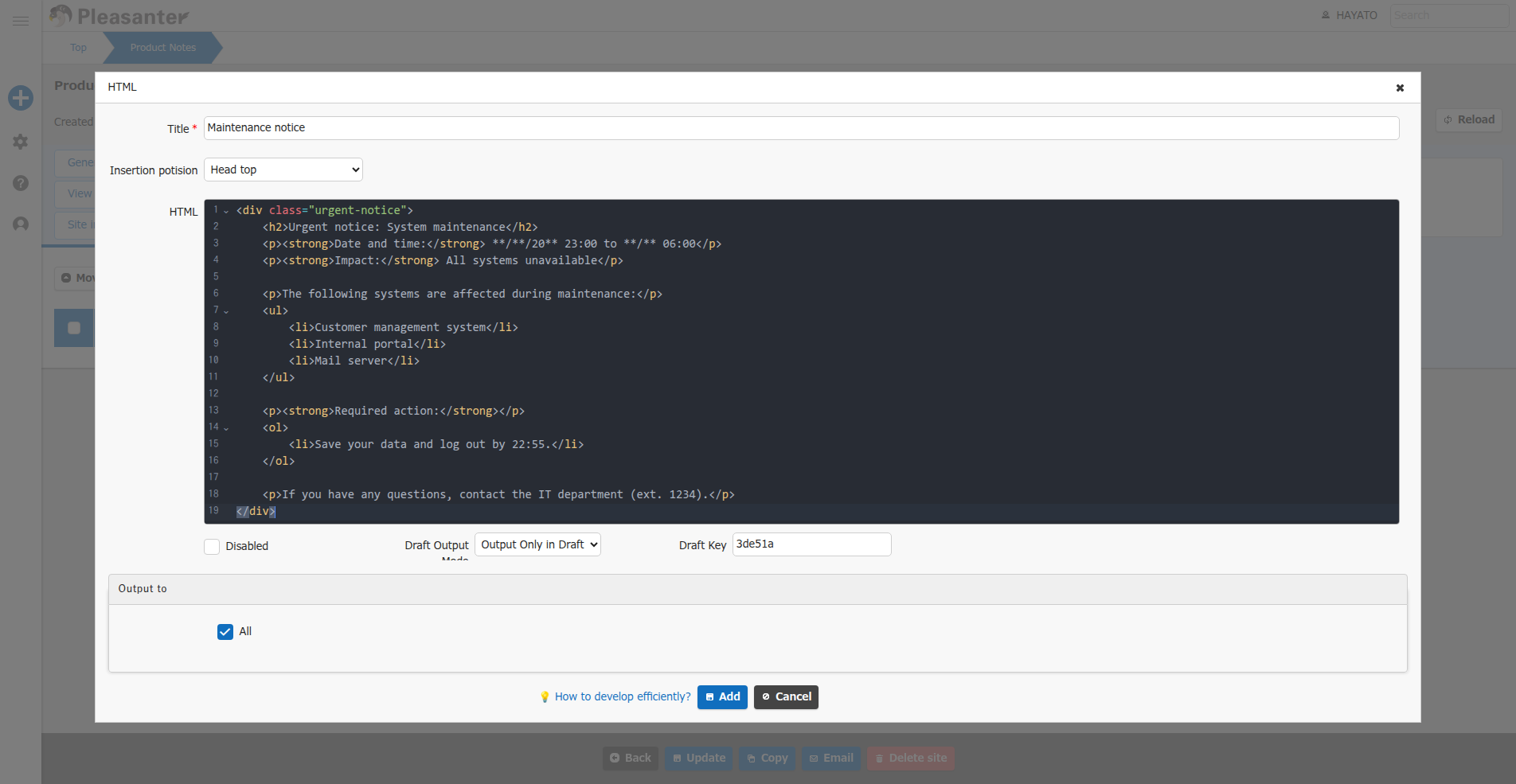
With the 2nd generation user interface theme, you can use a convenient code editor feature that supports highlighting, code hints, indentation with the Tab key, and more.
This is available by enabling "EnableCodeEditor" in General.json.
Supported Versions
| Supported versions | Body |
|---|---|
| 1.4.14.0 and later | Added the "All disabled" feature |
| 1.5.7.0 and later | Supported the "Draft Feature" |