The PHP and Node.js vulnerabilities disclosed on October 21, 2026 do not affect Pleasanter. Details (Japanese)

The Brotli compression library vulnerability disclosed on October 22, 2026 does not affect Pleasanter. Details (Japanese)

logo
Pleasanter User Manual
Time Series Charts
  • 日本語
  • English
Initializing search
    • Getting Started
    • Update Information
    • Product Information
    • Setup
    • AI Integration
    • User's Guide
    • Manager's Guide
    • Developer's Guide
    • FAQ
    • Notices
    • Help
    • Getting Started
    • Update Information
    • Product Information
    • Setup
    • AI Integration
    • User's Guide
    • Manager's Guide
      • Manage Table
        • General Tab
        • Guide
        • Site image
        • Grid
        • Filter
        • Aggregations
        • Editor
        • Form
        • Links
        • History
        • Move
        • Summaries
        • Formulas
        • Process
        • Control by status
        • View
        • Notifications
        • Reminders
        • Import
        • Export
        • Calendar
        • Crosstab
        • Gantt chart
        • Burndown chart
        • Time series chart
        • Analysis chart
        • Kanban
        • Image library
        • Site package
        • Publish
        • Search
        • Email
        • Site integration
        • Styles
        • Scripts
        • Html
        • Server script
        • Site access control
        • Record access control
        • Column access control
        • Common
      • Tenant Administration
      • User Administration
      • Group Administration
      • Department Administration
      • Permissions Viewer Function
      • System Log Administration
      • MCP Log Administration
      • Ops status check
    • Developer's Guide
    • FAQ
    • Notices
    • Help
    1. Manager's Guide
    2. Manage Table
    3. Time series chart

    Time Series Charts

    Dec 5, 2019Jun 17, 2024

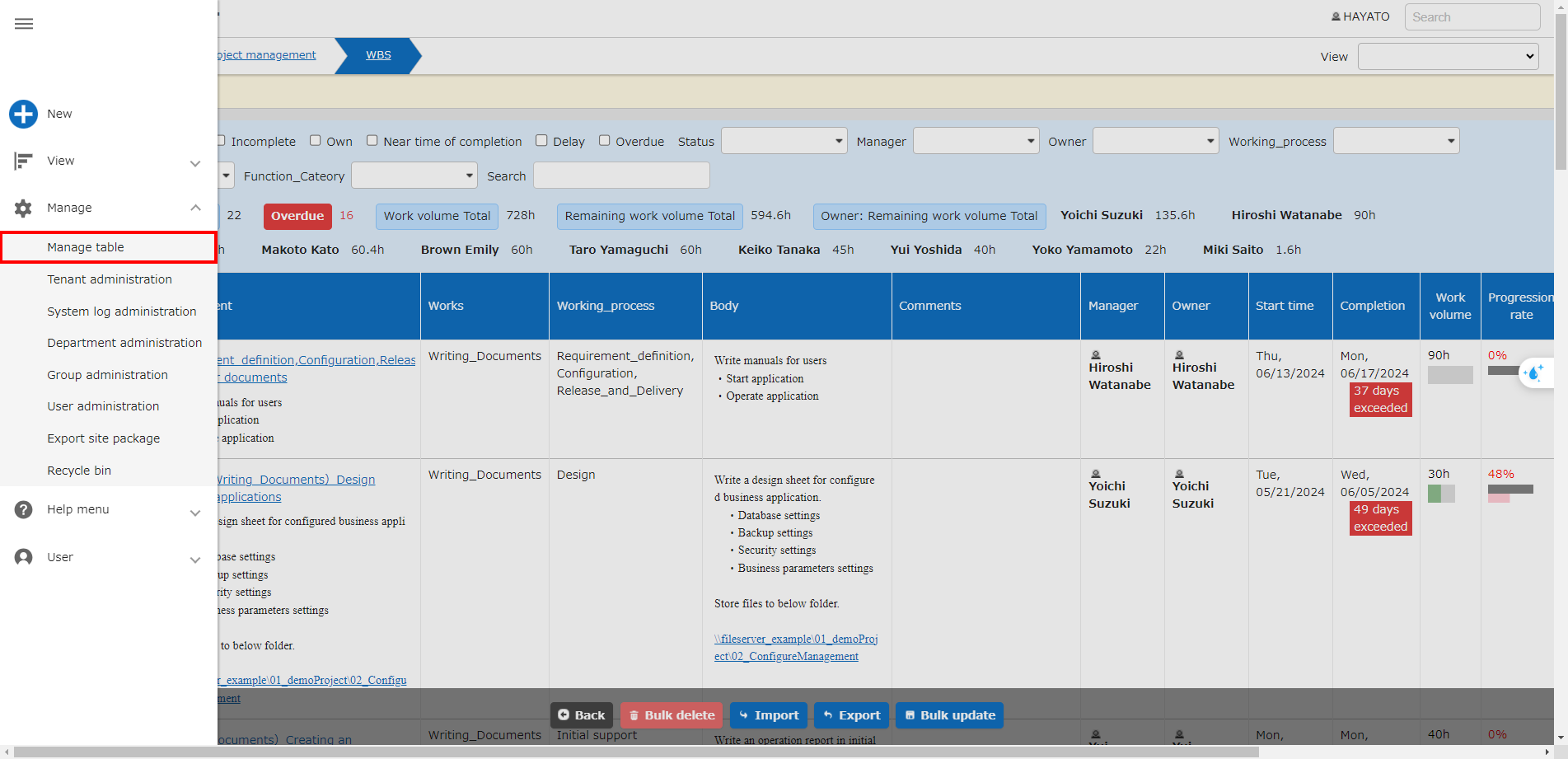
    Navigation menu with Manage - Manage Table
    With the table open, click "Manage" > "Manage Table" from the navigation menu.
    *This will not be displayed to users who do not have "Site Administration Permission".


    Time Series Chart tab of the Manage Table screen

    Column name Description Setting method
    Enabled Set to enable/disable the time series charts Check to enable
    Was this page helpful?
    Thanks for your feedback!
    Thanks for your feedback! We will use it to improve this page.
    Previous
    Burndown Chart
    Next
    Analysis Chart
    Copyright © 2017 - 2026 Implem Inc., All rights reserved.
    Made with MaterialX