Health Check Function
Overview
This is a function for checking the operating status of Pleasanter.
Prerequisites
Before using, you need to edit the HealthCheck > Enabled parameter in the "Security.json" file. For more details, please refer to Enable the Health Check function in Pleasanter.
Endpoint
The endpoint is /healthz. For example, if the host is http://localhost, the URL you would access is http://localhost/healthz.
Database Availability Monitoring
It is also possible to monitor the availability of the database simultaneously. Enabling the HealthCheck > EnableDatabaseCheck parameter in the "Security.json" file will monitor the database availability.
Controlling the Source of Monitoring
You can control the host (source) from which availability monitoring is performed. Only the host specified in the "Security.json" file under HealthCheck > RequireHosts can access the endpoint.
System Log Recording
Access to the endpoint is not recorded in the system logs.
Example Responses
Default
This is an example response when only HealthCheck > Enabled in the "Security.json" is activated (set to true).
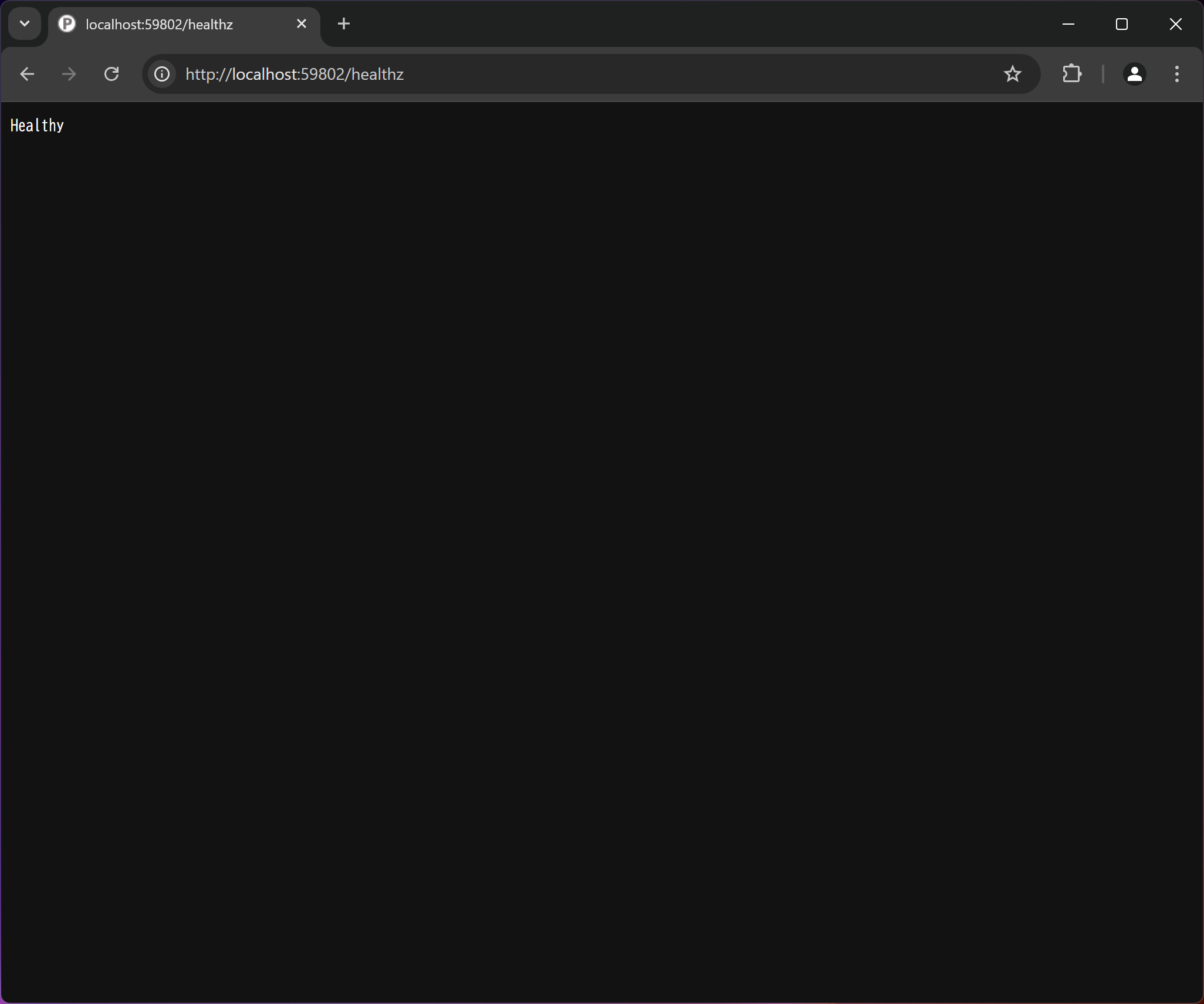
Normal Response
Browser http access result
curl Command Execution Result
> curl -v http://localhost:59802/healthz
* Host localhost:59802 was resolved.
* IPv6: ::1
* IPv4: 127.0.0.1
*   Trying [::1]:59802...
* Connected to localhost (::1) port 59802
> GET /healthz HTTP/1.1
> Host: localhost:59802
> User-Agent: curl/8.8.0
> Accept: */*
>
* Request completely sent off
< HTTP/1.1 200 OK
< Cache-Control: no-cache,no-store
< Pragma: no-cache
< Transfer-Encoding: chunked
< Content-Type: text/plain
< Expires: -1
< Server: Microsoft-IIS/10.0
< X-Frame-Options: SAMEORIGIN
< X-Xss-Protection: 1; mode=block
< X-Content-Type-Options: nosniff
< Set-Cookie: .AspNetCore.Session=CfDJ8BhRE%2F1n6gFEg%2FFi5QpkmjYBXzH3hLQuPSWT3%2FWSicn0%2FoTkvL0gQxL0PhIpEllpSThoIScuxLx%2BBkzflF7s6QtQ0KQbEZHNj6GFer1zDY31zIheRbyVqmuE%2FFCy3jFYe0YyRRwZCVcEDIngCpWN7ShO5eDwpYHh0rSTSwTqNrbg; path=/; samesite=lax; httponly
< Date: Fri, 30 Aug 2024 07:46:49 GMT
<
Healthy* Connection #0 to host localhost left intact
Abnormal Response
Browser http access result

curl Command Execution Result
> curl -v http://localhost:59802/healthz
* Host localhost:59802 was resolved.
* IPv6: ::1
* IPv4: 127.0.0.1
*   Trying [::1]:59802...
* Connected to localhost (::1) port 59802
> GET /healthz HTTP/1.1
> Host: localhost:59802
> User-Agent: curl/8.8.0
> Accept: */*
>
* Request completely sent off
< HTTP/1.1 503 Service Unavailable
< Cache-Control: no-cache,no-store
< Pragma: no-cache
< Transfer-Encoding: chunked
< Content-Type: text/plain
< Expires: -1
< Server: Microsoft-IIS/10.0
< X-Frame-Options: SAMEORIGIN
< X-Xss-Protection: 1; mode=block
< X-Content-Type-Options: nosniff
< Set-Cookie: .AspNetCore.Session=CfDJ8BhRE%2F1n6gFEg%2FFi5QpkmjbLLy0X9bkXSSPBceSDvwq0hxTGGAn%2BvIlQvdTzLl1MXvJdDKZ1pIIzHiRPLyQXvrbfMPZ%2FuRDj%2BY9yC60FDJ6X0s2nDzb%2B5cA234mlFzZCFd5lhEe6aO0u3V8T0OBdm1d5WOVj1QDxTX6iMSTLykpd; path=/; samesite=lax; httponly
< Date: Fri, 30 Aug 2024 09:31:56 GMT
<
Unhealthy* Connection #0 to host localhost left intact
Detailed Response
By enabling the HealthCheck > EnableDetailedResponse parameter in "Security.json" (true), detailed responses will be returned. Below is an example of the response when the parameter is enabled.
The detailed response includes the following parameters.
EnableDetailedResponse
| Parameter Name | Description |
|---|---|
| status | Indicates the aggregate status of all health checks. |
| totalDuration | Indicates the time taken by the health check. |
| entries | Indicates the result of each health check. For the parameters of each result, see "entries" below. |
entries
| Parameter Name | Description |
|---|---|
| data | Indicates additional key-value pairs that describe the health of the component. |
| description | Indicates the status of the component being checked. |
| duration | Indicates the execution time of the health check. |
| exception | Indicates the exception thrown while checking the status. |
| status | Indicates the health status of the component being checked. |
| tags | Indicates the tags associated with the health check. |
For details of the above parameters (properties), see the official Microsoft documentation.
- Routing in ASP.NET Core > Host matching in routes with RequireHost
- HealthReport Class (Microsoft.Extensions.Diagnostics.HealthChecks)
- HealthReportEntry Struct (Microsoft.Extensions.Diagnostics.HealthChecks)
The following are example responses when the parameter is enabled.
Normal Response
Browser http access result

curl Command Execution Result
> curl -v http://localhost:59802/healthz
* Host localhost:59802 was resolved.
* IPv6: ::1
* IPv4: 127.0.0.1
*   Trying [::1]:59802...
* Connected to localhost (::1) port 59802
> GET /healthz HTTP/1.1
> Host: localhost:59802
> User-Agent: curl/8.8.0
> Accept: */*
>
* Request completely sent off
< HTTP/1.1 200 OK
< Cache-Control: no-cache,no-store
< Pragma: no-cache
< Transfer-Encoding: chunked
< Content-Type: application/json
< Expires: -1
< Server: Microsoft-IIS/10.0
< X-Frame-Options: SAMEORIGIN
< X-Xss-Protection: 1; mode=block
< X-Content-Type-Options: nosniff
< Set-Cookie: .AspNetCore.Session=CfDJ8BhRE%2F1n6gFEg%2FFi5QpkmjaiitMqPqEs7TbYFEEFcn15Jp4YlUELnyMVYVOWv8Gxm9ulRUliba3n9iqP2LUPxXyjkAtR64tjpiU6KI6d8uvYTYwSuMQltVPqREVq0aIYJdZJz7MpPzwcgd%2FZfr49Vr20ivKL5xDaVY8UHGUNjapU; path=/; samesite=lax; httponly
< Date: Fri, 06 Sep 2024 04:33:53 GMT
<
{"status":"Healthy","totalDuration":"00:00:00.0034430","entries":{"sqlserver":{"data":{},"duration":"00:00:00.0032497","status":"Healthy","tags":[]}}}* Connection #0 to host localhost left intact
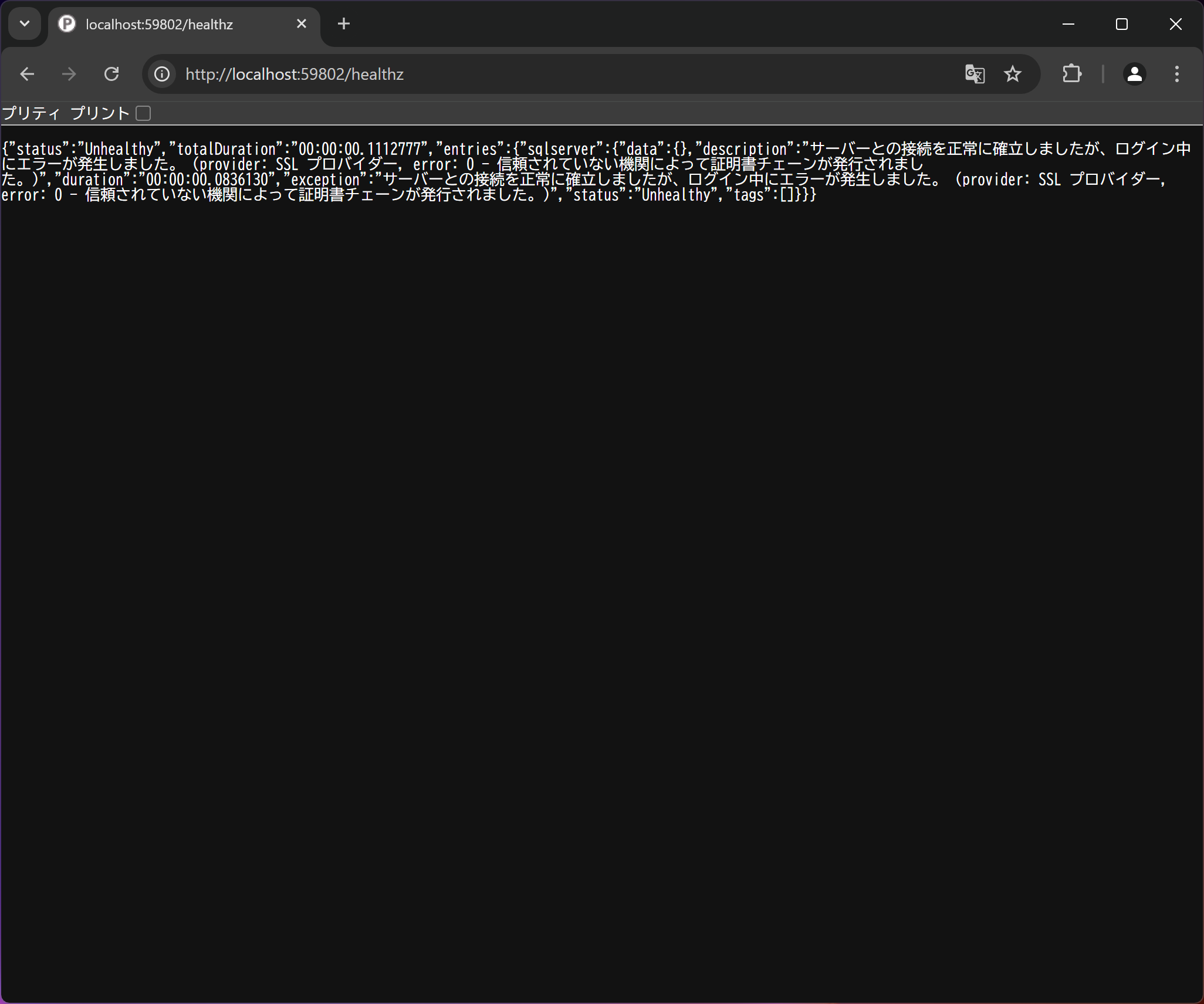
Abnormal Response
Browser http access result
curl Command Execution Result
> curl -v http://localhost:59802/healthz
* Host localhost:59802 was resolved.
* IPv6: ::1
* IPv4: 127.0.0.1
*   Trying [::1]:59802...
* Connected to localhost (::1) port 59802
> GET /healthz HTTP/1.1
> Host: localhost:59802
> User-Agent: curl/8.8.0
> Accept: */*
>
* Request completely sent off
< HTTP/1.1 503 Service Unavailable
< Cache-Control: no-cache,no-store
< Pragma: no-cache
< Transfer-Encoding: chunked
< Content-Type: application/json
< Expires: -1
< Server: Microsoft-IIS/10.0
< X-Frame-Options: SAMEORIGIN
< X-Xss-Protection: 1; mode=block
< X-Content-Type-Options: nosniff
< Set-Cookie: .AspNetCore.Session=CfDJ8BhRE%2F1n6gFEg%2FFi5QpkmjbdJ%2BduGBq4Z0W3jus8FOO73FKVvJnG3%2FLl7BY6xMs78%2BnhDKEqvQIPgzAzlQK0pmILAQNNw8nMUfSjdkW1QtGKMx%2Fklg95mZEo44NtHfsgKX5a7ikO%2BSpAe%2Bqqe7DuxAsNeDHxXdgFT8rOIur7ELB7; path=/; samesite=lax; httponly
< Date: Fri, 06 Sep 2024 04:31:31 GMT
<
{"status":"Unhealthy","totalDuration":"00:00:00.0096425","entries":{"sqlserver":{"data":{},"description":"Server connection was established, but an error occurred during login. (provider: SSL Provider, error: 0 - The certificate chain was issued by an untrusted authority.)","duration":"00:00:00.0081609","exception":"Server connection was established, but an error occurred during login. (provider: SSL Provider, error: 0 - The certificate chain was issued by an untrusted authority.)","status":"Unhealthy","tags":[]}}}* Connection #0 to host localhost left intact
Supported Versions
| Supported Versions | Body |
|---|---|
| 1.4.8.0 onward | Function added |