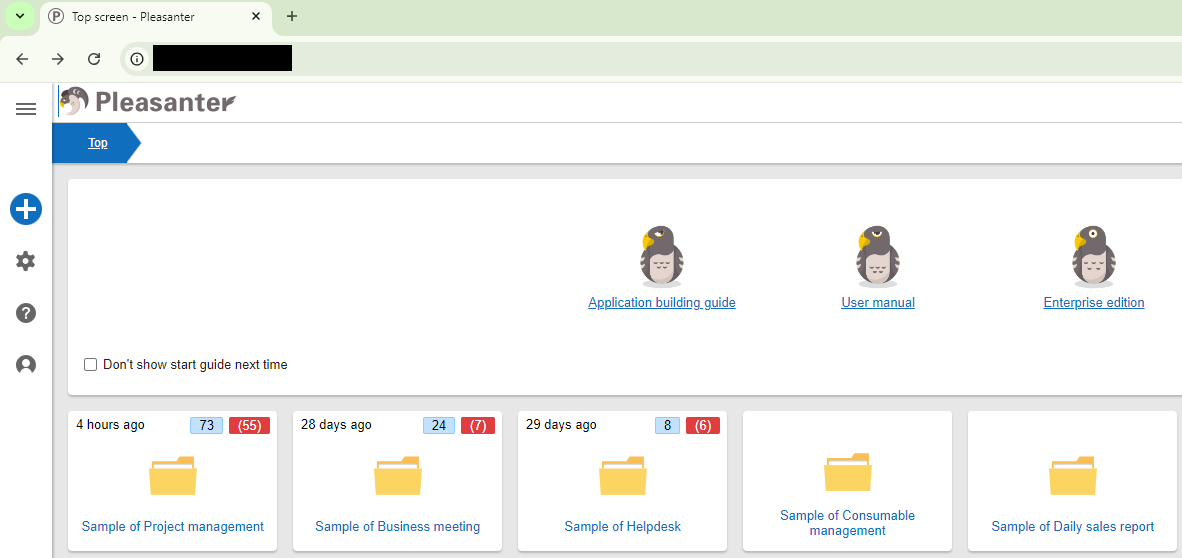
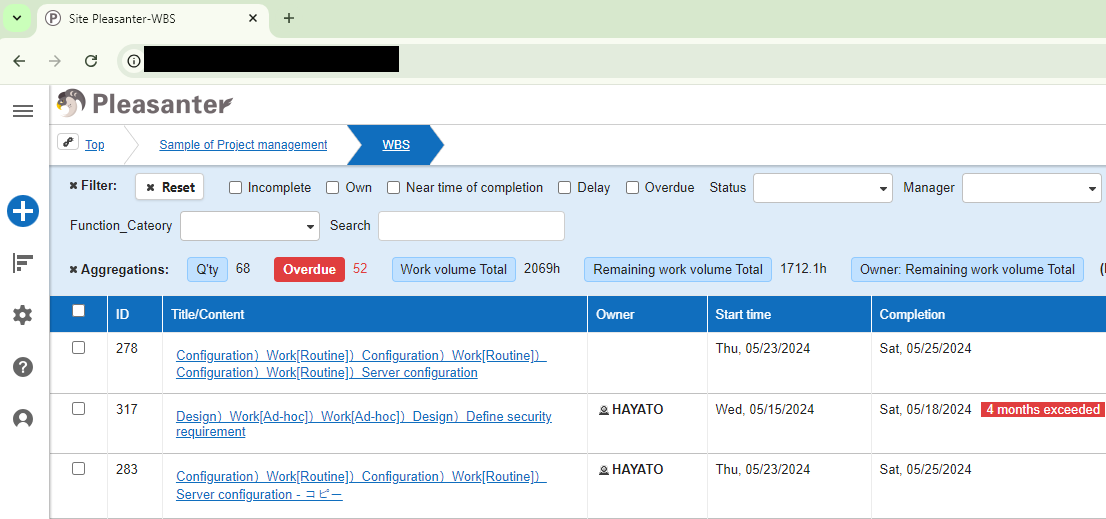
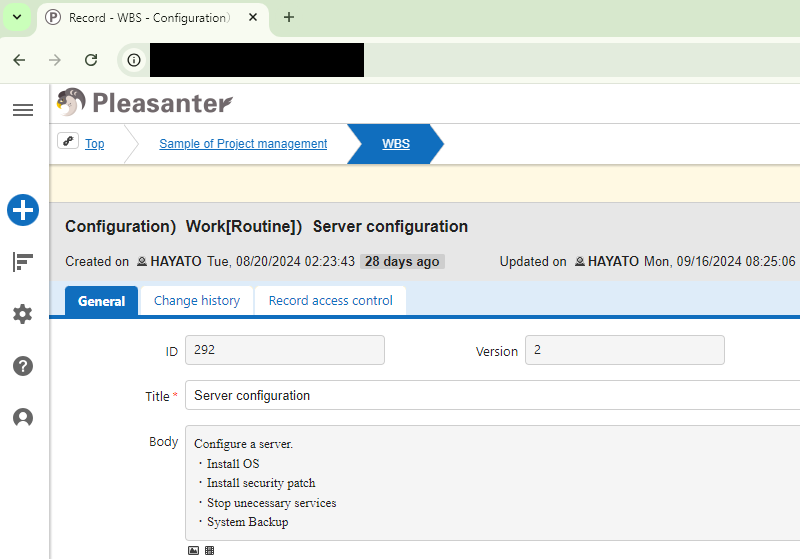
Tenant Management Function: HTML Title
Overview
This function sets the HTML title to be displayed on browser tabs, etc. You can set the display content for each of the three types: top page display, site (folder, table, wiki, dashboard) display, and edit screen display for each record.
Limitations
- The HTML title of the login screen cannot be changed. The product name*1 is displayed on the login screen.
- Various management functions ("Tenant", "System Log", "Depts", "Groups", "Users") are displayed according to the settings on the top page.
Prerequisites
- "Tenant Manager" privileges are required to configure settings.
Setting Content
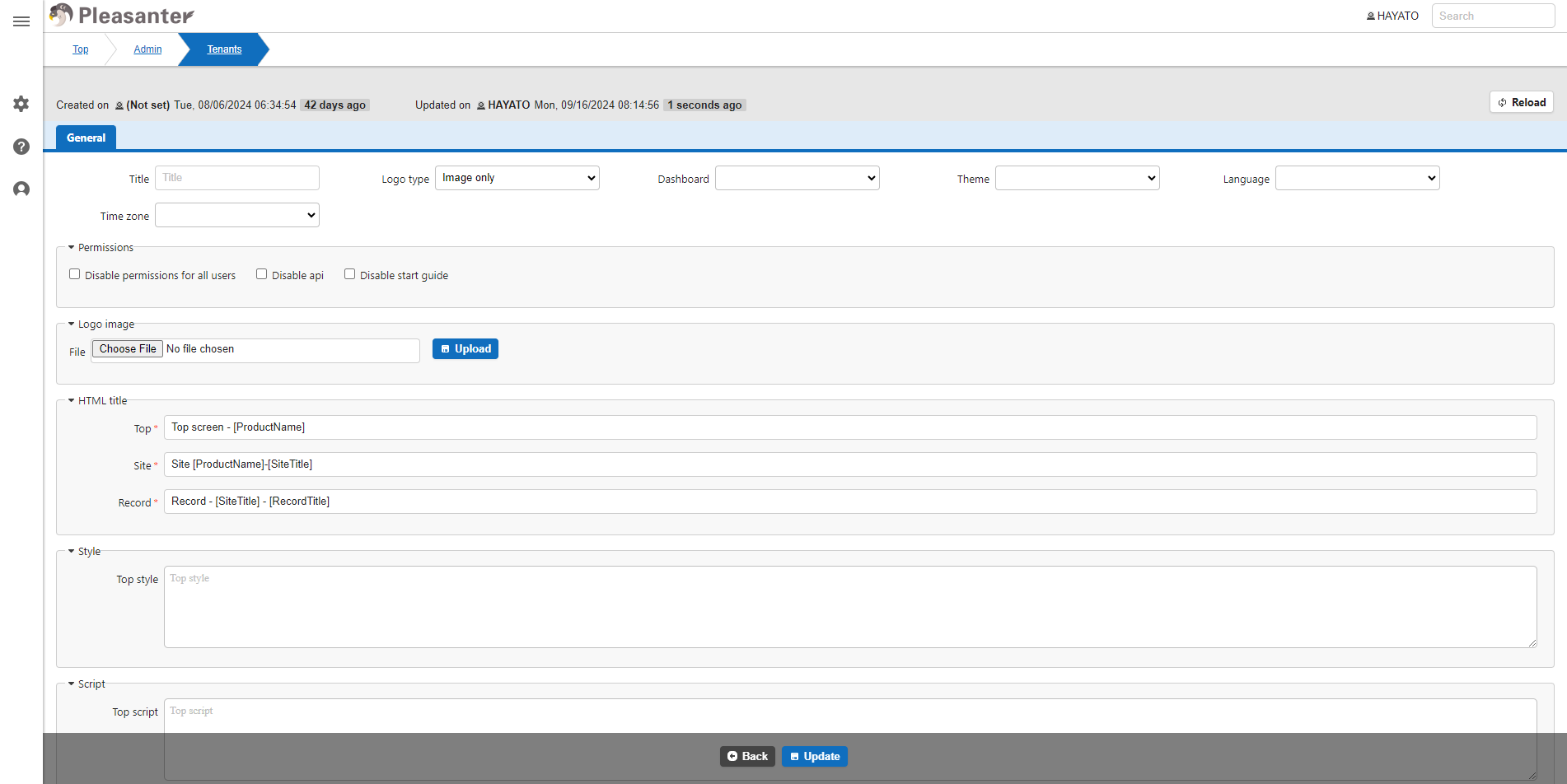
In addition to the optional string, the following keywords can be set. If the string is too long, it will be cut off in the tab display, so please adjust it accordingly.
| Settings | Description |
|---|---|
| [ProductName] | Display product name*1 |
| [TenantTitle] | Display tenant title |
| [SiteTitle] | Display site title |
| [RecordTitle] | Display record title |
*1: String set in "ProductName.json" under Implem.Pleasanter\App_Data\Displays
Setting Image
Display Result