User Management Function
Overview
You can manage user information such as names and login IDs. Users registered here can use Pleasanter. Multiple email addresses can be registered for each user.
Prerequisites
- To use the user management features, you must be a "Tenant manager" or a "Privileged user."
- The "Manage" - "User administration" option in the "Navigation menu" is displayed when the logged-in user is a "Tenant manager" or "Privileged user" and the "ShowProfiles" parameter in the Service.json file is set to true.
User administration
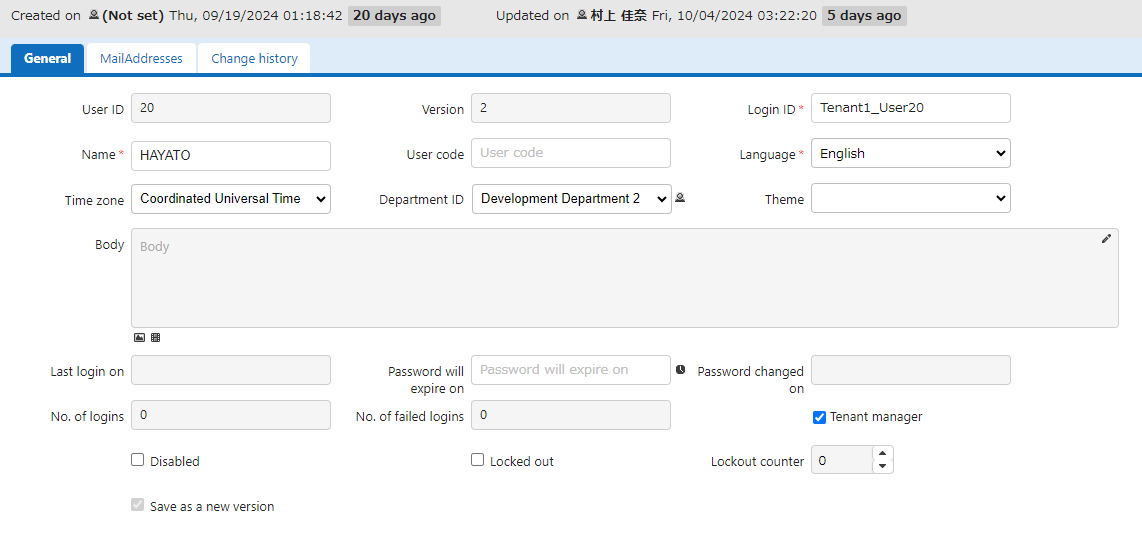
Configure "User administration"
- Open the "Manage" menu and click "User administration".
How to Use User Functions
Users have various features. Please refer to the following for details.
User Management Function: Creation and Update
User Management Function: View Change History
User Management Function: View User Differences
User Management Function: Add An Email Address
User regist to dept
User Management Function: Delete
User Management Function: Bulk Delete
User Management Function: Restore From Recycle Bin
User Management Function: Delete from Recycle Bin
User Management Function: Customize User Interface Themes
User Management Function: Multilingual Support
User Management Function: Tenant Manager Settings
User Management Function: Privileged User Settings
User Management Function: Switch User
User Management Function: Authentication
User Management Function: Invite User
User Management Function: Import/Export
User Management Function: Import/Export
User Management Function: Reset Password
Permissions Viewer Function
Types of users
There are multiple types of users, and the permissions available differ by type.
Administrative Permissions
| General User | Tenant Administrator | Privileged User | |
|---|---|---|---|
| Create Sites | ✓ | ✓ | ✓ |
| User administration | - | ✓ | ✓ |
| Department administration | - | ✓ | ✓ |
| Group administration | - | ✓ | ✓ |
| Access to Sites Without Permissions | - | - | ✓ |
Tenant manager
A user who can manage departments, groups, and users. Please refer to the following for details.
User Management Function: Tenant Manager Settings
Privileged user
A user who can manage departments, groups, and users, as well as perform operations on all sites and records, regardless of access permissions. Please refer to the following for details.
User Management Function: Privileged User Settings
About Pleasanter.net Users
- Some features are available in Pleasanter.net's Free Plan, Light Plan, and Standard Plan. For details, please refer to FAQ: What function are available in Pleasanter.net user management?.
- The "User administration" feature is available in Pleasanter.net Dedicated Environment.
Related Information
- Service.json
- User Management Function: Creation and Update
- User Management Function: View Change History
- User Management Function: View User Differences
- User Management Function: Add An Email Address
- User regist to dept
- User Management Function: Delete
- User Management Function: Bulk Delete
- User Management Function: Restore From Recycle Bin
- User Management Function: Delete from Recycle Bin
- User Management Function: Customize User Interface Themes
- User Management Function: Multilingual Support
- User Management Function: Tenant Manager Settings
- User Management Function: Privileged User Settings
- User Management Function: Switch User
- User Management Function: Authentication
- User Management Function: Invite User
- User Management Function: Import/Export
- User Management Function: Import/Export
- User Management Function: Reset Password
- Permissions Viewer Function
- FAQ: What function are available in Pleasanter.net user management?
- Pleasanter.net Dedicated Environment