Pleasanter Extensions Trial
Overview
This page explains the Pleasanter Extensions trial. You can try out the various functions that extend Community Edition for a limited period.
Trial period
You can use it for 90 days from the start of the trial.
Functions you can try
You can try the following functions in the trial.
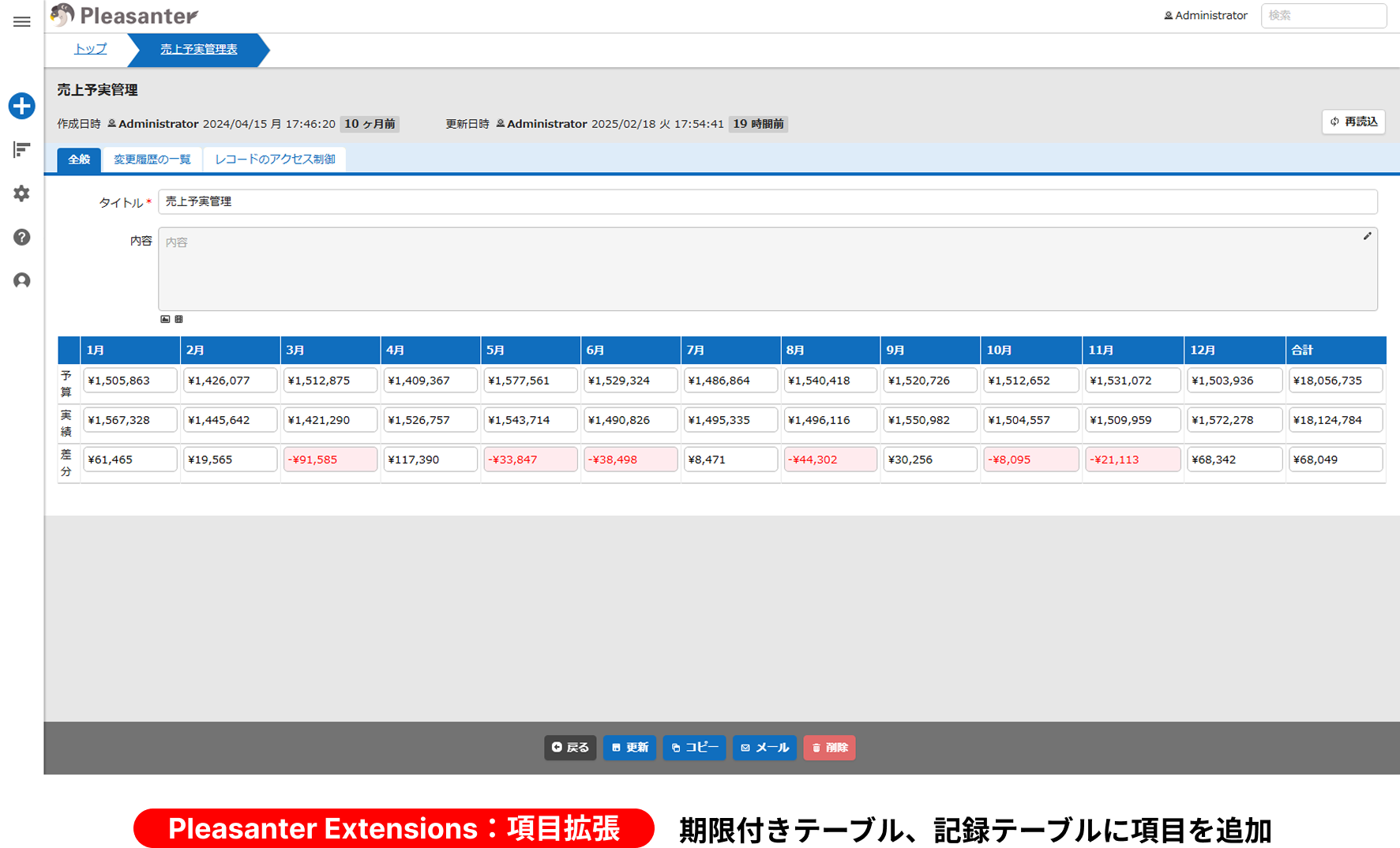
1. Pleasanter Extensions: Column expansion
You can start the trial with 100 classification columns added to the table with a deadline and to the record table. During the trial period you can also add columns other than classification columns. For the steps, refer to Extending and Reducing Columns During the Trial Period. For details of column expansion, refer to the "Overview", "Precautions" and "Prerequisites" of Column Expansion Procedure (ver.1.4.8 and later).
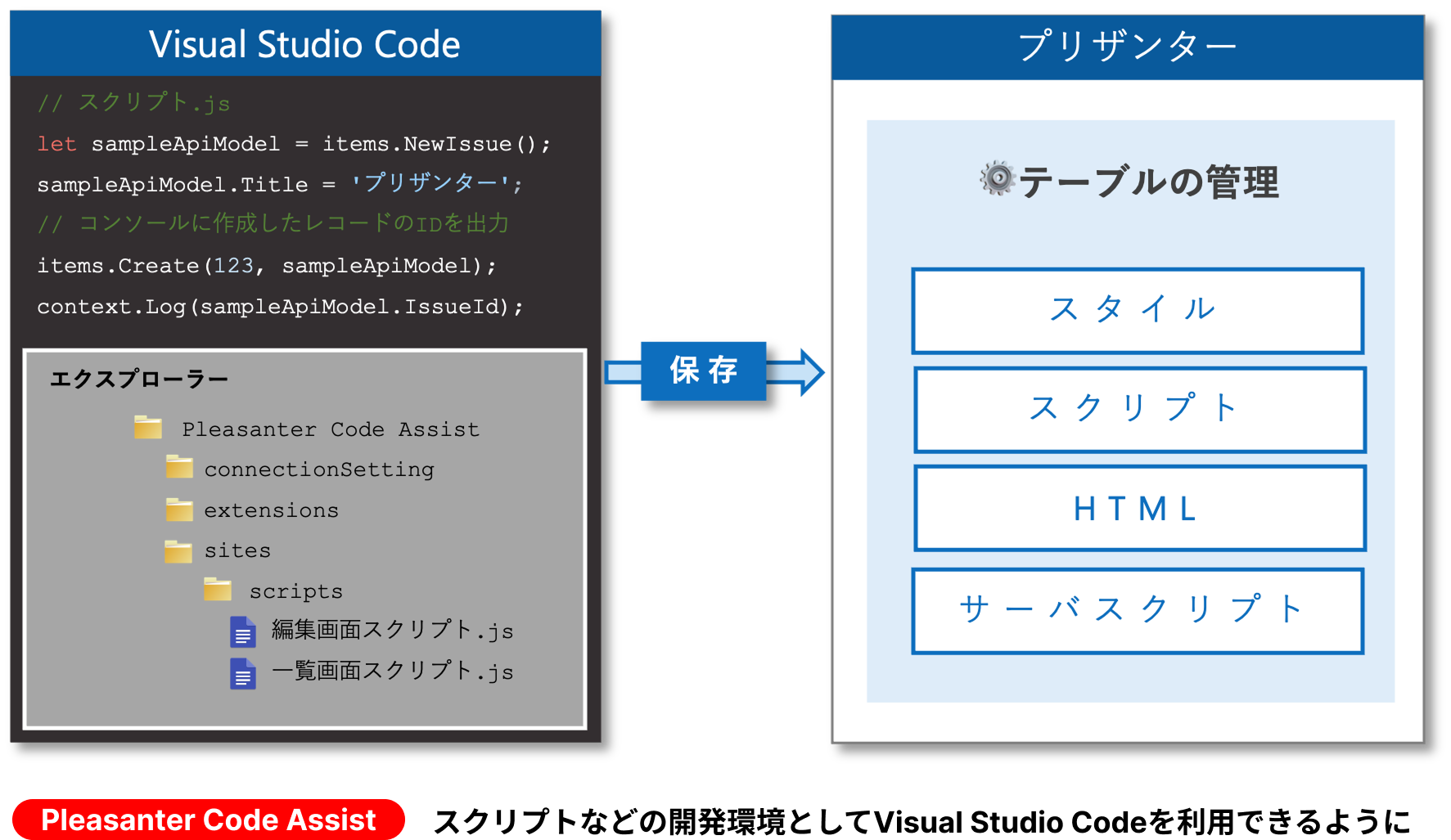
2. Pleasanter Extensions: Pleasanter Code Assist
You can try software that registers and updates source code such as scripts on Pleasanter at the same time as you save it in Visual Studio Code. For the features, the operating environment, the list of functions and other aspects of Pleasanter Code Assist, refer to Pleasanter Code Assist: Function Overview.
3. Pleasanter Extensions: Pleasanter Site Visualizer
You can try software that lists the setting information of Manage Table and downloads files, in the Chrome or Edge web browser. For the features, the operating environment, the list of functions and other aspects of Pleasanter Site Visualizer, refer to Pleasanter Site Visualizer: Function Overview.

4. Operations Tools
You can try a tool that supports the operation of Pleasanter by visualising the performance and the usage and by listing various kinds of information. For the features, the operating environment, the list of functions and other aspects of Operations Tools, refer to Operations Tools: Function Overview.

5. Permissions Viewer
1.5.9.0
You can try a function that lists, for each user, department and group, which permissions it has on which sites, and exports the list to a CSV file. This function is available with Enterprise Edition Basic plan or above.
Limitations
- During the trial period, the license of Pleasanter is AGPL (you try the column expansion while staying on Community Edition).
- In an environment upgraded to Enterprise Edition, the trial cannot be carried out regardless of the license state.
- The trial can be carried out only once per environment. You cannot carry out the trial again in an environment where the trial has expired.
- During the trial period, the trial information is displayed on the login screen and on the version information screen. This display remains even after the trial period has passed. (When you upgrade to Enterprise Edition, the trial information is hidden.)
- After the trial expires, the expanded columns are hidden. (You can upgrade to Enterprise Edition while keeping the expanded columns, either during the trial period or after it has expired.)
Preparation Before Starting the Trial
Back up the database before starting the trial. Refer to the manual for the environment you use.
Whether the Trial Can Be Started
The conditions for whether the trial can be started are as follows.
| License | State | Can the Trial Be Started | Remarks |
|---|---|---|---|
| Community Edition | The trial has not been carried out | Yes | The columns are expanded according to what you specify |
| Community Edition | The trial is in progress | Yes | The columns are expanded again according to what you specify. Depending on what you specify, the expanded columns themselves are deleted, so data can be lost |
| Community Edition | The trial has expired | No | The trial can be carried out only once |
| Enterprise Edition | - | No | On a Pleasanter upgraded to Enterprise Edition, the trial cannot be started regardless of the license state |
Starting the Trial
Refer to the following in order.
-
Starting the trial
There are two ways to start the trial.
- Extending and Reducing Columns During the Trial Period
- Check Pleasanter Version Upgrade and Upgrade to Enterprise Edition.
Supported Versions
| Supported Version | Description |
|---|---|
| 1.4.15.0 and later | Function added |
| 1.4.19.0 and later | Pleasanter Site Visualizer added to the functions you can try |
| 1.5.9.0 and later | Permissions Viewer added to the functions you can try |
Related Information
- Column Expansion Procedure (ver.1.4.8 and later)
- Class
- Pleasanter Extensions Trial: Extending and Reducing Columns During the Trial Period
- Pleasanter Code Assist: Creating a Work Folder by Command
- Pleasanter Code Assist: Function Overview
- Pleasanter Site Visualizer: How to Use: Site Settings Display
- Pleasanter Site Visualizer: Function Overview
- Operations Tools: Common Function: Export
- Operations Tools: Function Overview
- Permissions Viewer Function
- FAQ: PostgreSQL database backup and restore procedure
- FAQ: PostgreSQL database backup and restore procedure (using Docker)
- FAQ: MySQL database backup and restore procedure
- Pleasanter Extensions Trial: Starting the Trial with the Installer
- Pleasanter Extensions Trial: Starting the Trial with CodeDefiner
- Pleasanter Extensions Trial: Checking That the Trial Has Started
- Pleasanter Extensions Trial: Pleasanter Version Upgrade and Upgrade to Enterprise Edition