Queuing


Overview
Using Queuing in a Multi-Tenant Environment
To use queuing in a multi-tenant environment, follow the steps below.
- See the Multi-Tenant Management Function and create tenants.
- See Queuing and enable the queuing function.
- See this manual and set an appropriate value for the WorkerCount parameter of BackgroundJobs.json.
To use this function in a multi-node configuration, see the following manual.
The Work of a Worker in Queuing
A worker is a thread that starts the waiting jobs registered in the queue.
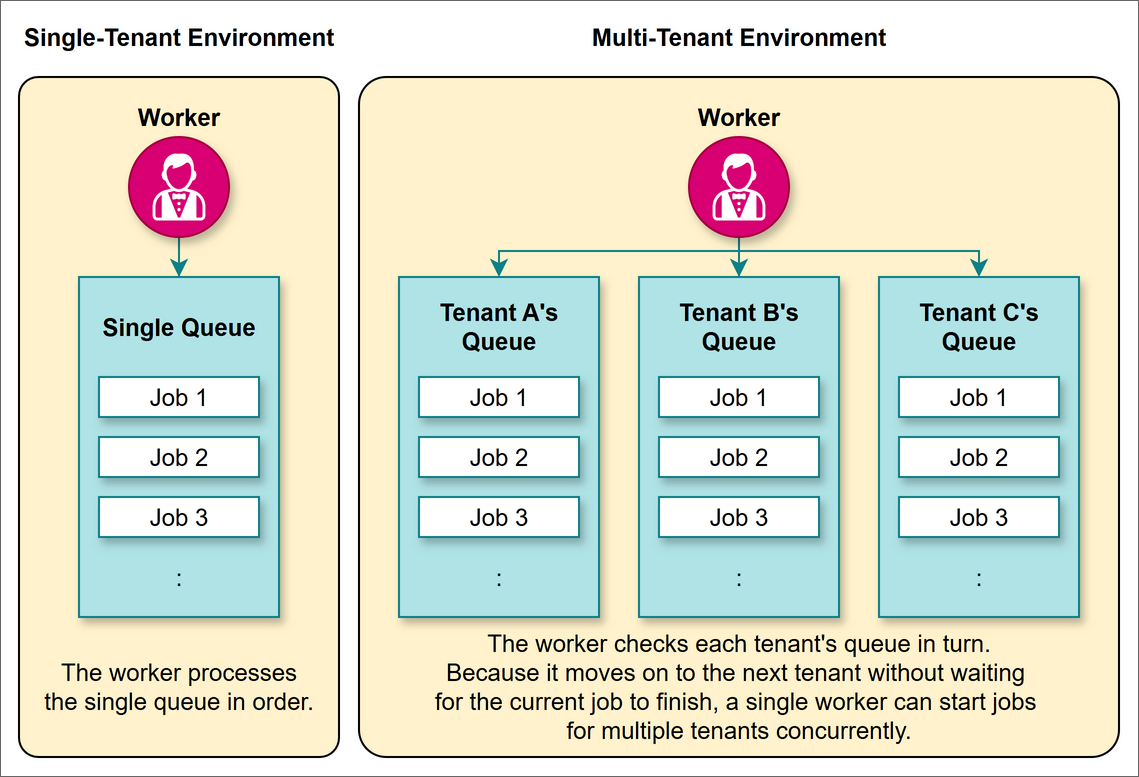
In a multi-tenant environment, an independent queue is provided for each tenant. A worker checks the queue of each tenant in turn and starts the waiting jobs. Because a worker moves on to the next tenant without waiting for a job to finish, even a single worker can start jobs of multiple tenants concurrently.
In a single-tenant environment, there is always one worker that processes the queue. You cannot change the number of workers with the settings. The worker processes the single queue in order.
Sharing the Load Across Multiple Workers
When there are many tenants in a multi-tenant environment, it takes a long time for one worker to go through all the tenants. Tenants later in the check order have their jobs started later.
To address this, increase the number of workers and have multiple workers share the tenants. This reduces the number of tenants that one worker handles and keeps such delays down.
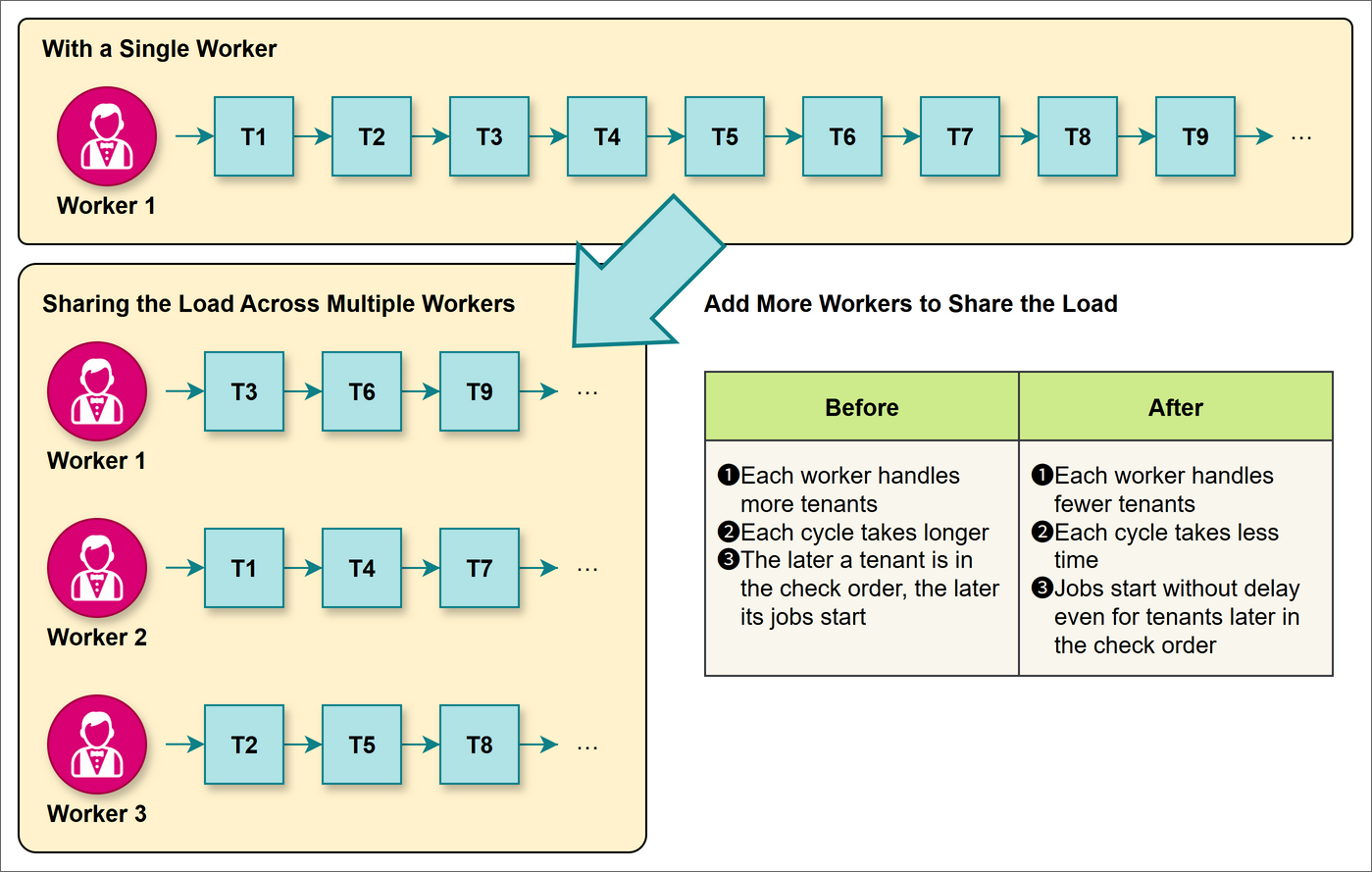
T1 to T9 in the figure above represent arbitrary tenants.
Controlling the Number of Workers
You can set the number of workers with the WorkerCount parameter of BackgroundJobs.json. WorkerCount works only with a license that enables multi-tenant. With a single-tenant license, the load is not shared: a WorkerCount of 2 or more is treated as 1, and this is recorded in the system log.
Number of Workers That Actually Run
The number of workers that actually run is determined from the setting value of WorkerCount according to the following rules.
| Setting value of WorkerCount | Number of workers |
|---|---|
| 1 (in a single-tenant configuration) | Always 1 |
| null | 1 |
| A value of 0 or less | 1 |
| A value L that is the safety limit or less | L |
| A value larger than the safety limit | Safety limit |
Safety Limit of the Number of Workers
The safety limit of the number of workers changes as shown in the table below, depending on whether the cluster configuration is enabled.
| Cluster configuration | Safety limit of the number of workers |
|---|---|
| Enabled | The value of the Clustering.MaxConcurrency parameter of Quartz.json (10 if it is 0 or less) |
| Disabled | 10 (fixed value) |
Limitations
- The amount of processing of each tenant is not taken into account, so tenants with heavy processing may be concentrated on the same worker.
- Workers share the threads that the server can use for background processing with periodic processes such as timeout monitoring and reminder notifications. For this reason, if you increase the number of workers too much, processes may have to wait their turn and job execution may be delayed.
Prerequisites
- This feature is available only to subscribers of the following plan of the Annual Support Service.
| Entry | Basic | Basic Plus | Business | Business Plus | Unlimited |
|---|---|---|---|---|---|
| 〇 |
Supported Versions
| Supported versions | Body |
|---|---|
| 1.5.8.0 and later | Made the queuing function support multi-tenant |