Multi-Tenant Management Function


Overview
Tenant
The multi-tenant management function lets you use multiple "tenants" (containers that hold everything, including users, groups, departments, and sites) in a single Pleasanter environment.
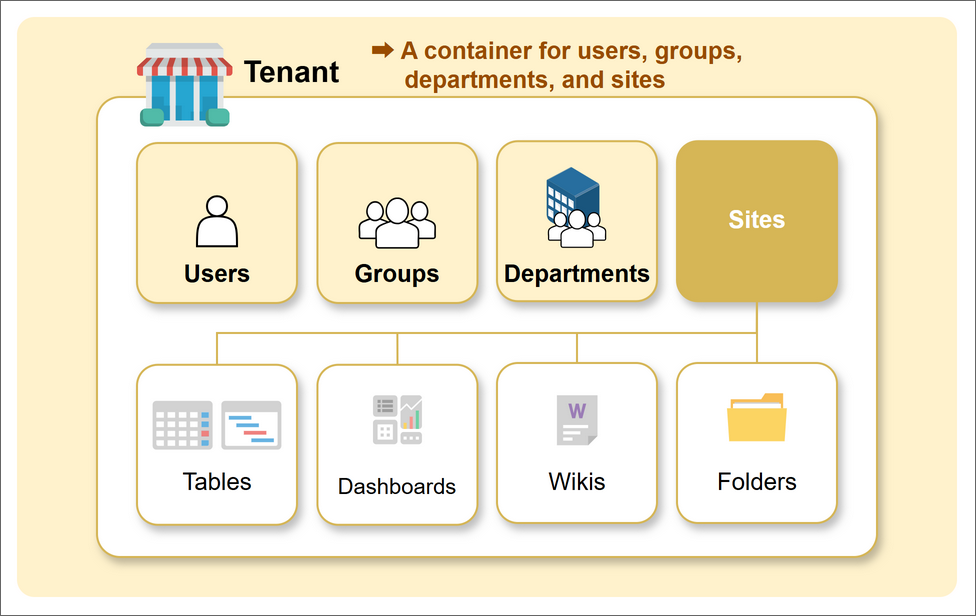
Single-Tenant and Multi-Tenant
A regular Pleasanter is single-tenant. You can use one tenant in one Pleasanter. With the multi-tenant management function, you can create and use multiple tenants in one Pleasanter.
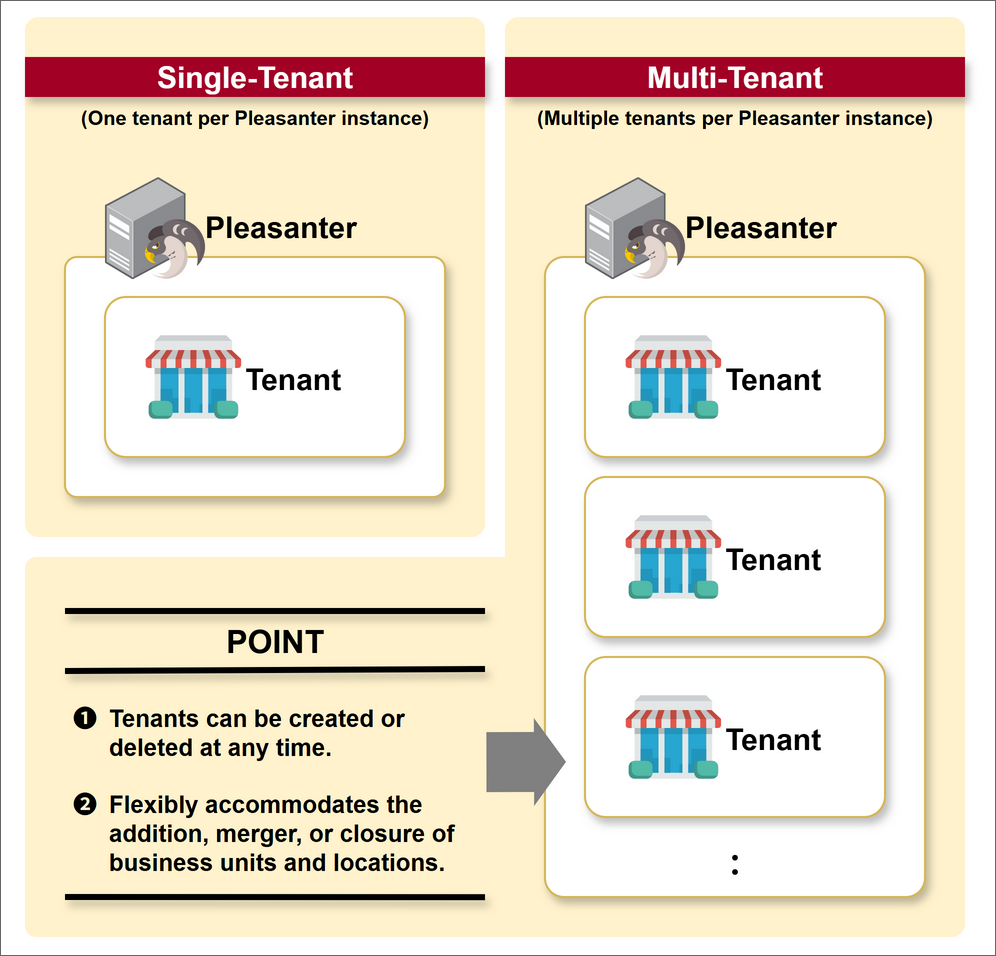
Benefits of Multi-Tenant
Multi-tenant has major benefits, especially in large-scale environments.
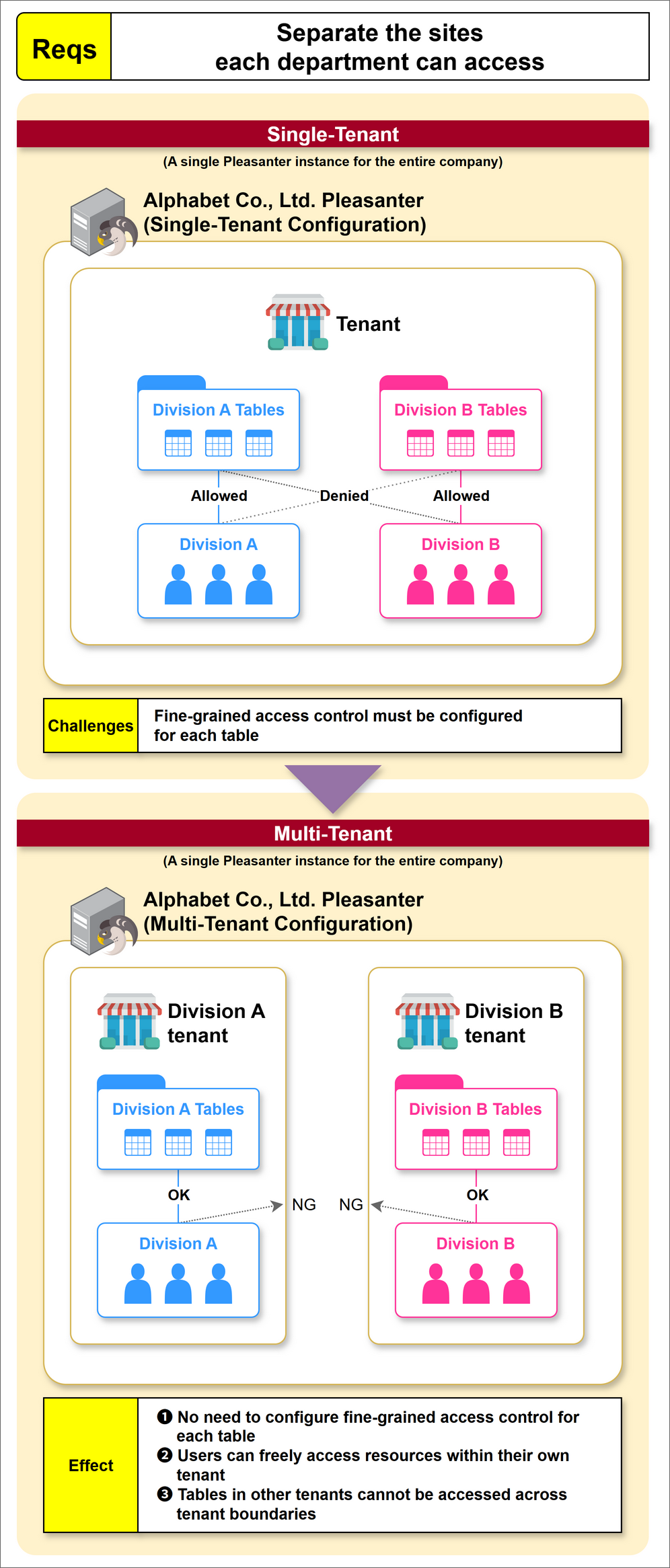
Separating the Sites Each Department Can Access
As shown in the figure below, when a single Pleasanter for the entire company is run in a single-tenant configuration, you need to configure fine-grained access control for each table to separate the sites each department can access.
With multi-tenant, on the other hand, users can freely access anything within the same tenant and cannot access other tenants, without any special settings.
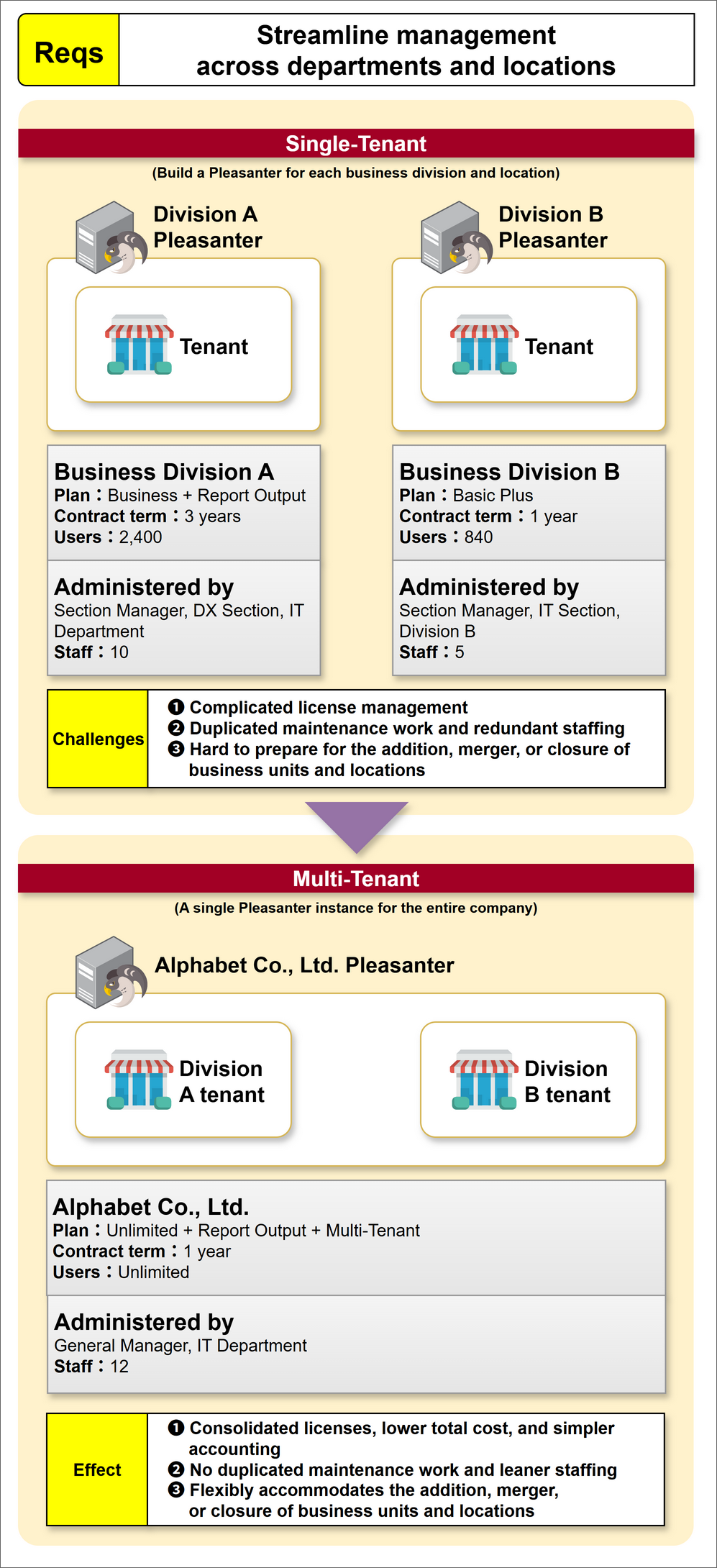
Streamlining Management Across Departments and Locations
As shown in the figure below, when one Pleasanter is run in a single-tenant configuration for each business division, each division is kept independent, but the staff, contract plan, and contract term generally differ by division. The department in charge of managing Pleasanter and its number of staff also differ by division. In such cases, the following challenges arise.
- Complicated license management
- Duplicated maintenance work and redundant staffing
- Difficulty preparing for the addition, merger, or closure of business units and locations
Introducing multi-tenant solves these challenges.
- Centralized license management and lower license costs
- Consolidated maintenance work and reduced staffing
- Flexibility for the addition, merger, or closure of business units and locations
Using the Multi-Tenant Function
The multi-tenant management function is used through the following APIs.
| API | URL | Description |
|---|---|---|
| "API: Tenant Operations: Create Tenant" | /api/tenants/Create | Creates a tenant and its initial administrator user |
| "API: Tenant Operations: Get Tenant List" | /api/tenants/Get | Gets the list of tenants |
| "API: Tenant Operations: Suspend Tenant" | /api/tenants/{TenantId}/Suspend | Suspends a tenant so that no one can log in to it |
| "API: Tenant Operations: Resume Tenant" | /api/tenants/{TenantId}/Resume | Resumes a suspended tenant |
| "API: Tenant Operations: Delete Tenant" | /api/tenants/{TenantId}/Delete | Requests the deletion of a tenant |
Prerequisites
- Only "privileged users" can run the tenant operation APIs.
- Before using the APIs, create an API key. Create the API key as a privileged user.
- If the value of the "DefaultTenantId" parameter of MultiTenant.json is not set correctly, no one may be able to log in.
- This feature is available only to subscribers of the following plan of the Annual Support Service.
| Entry | Basic | Basic Plus | Business | Business Plus | Unlimited |
|---|---|---|---|---|---|
| 〇 |
Protected Tenant
The tenant specified by the "DefaultTenantId" parameter (default value: 1) of MultiTenant.json is a protected tenant, and cannot be specified as the target of suspension, resumption, or deletion.
What to Check When an Error Occurs
・An error occurs when executing the API
・FAQ: What to check if modified configuration files or API requests (JSON format) are not recognized correctly
Supported Versions
| Supported versions | Body |
|---|---|
| 1.5.7.0 and later | Added the feature |