By Day
Overview
This screen lets you check the usage details of Pleasanter by day. You can filter up to one year by specifying a "Start Date" and an "End Date". The detail information is displayed in ascending order of "Date".
Note
"Number of API Requests" can be checked only when you use the System Log Extended Function.
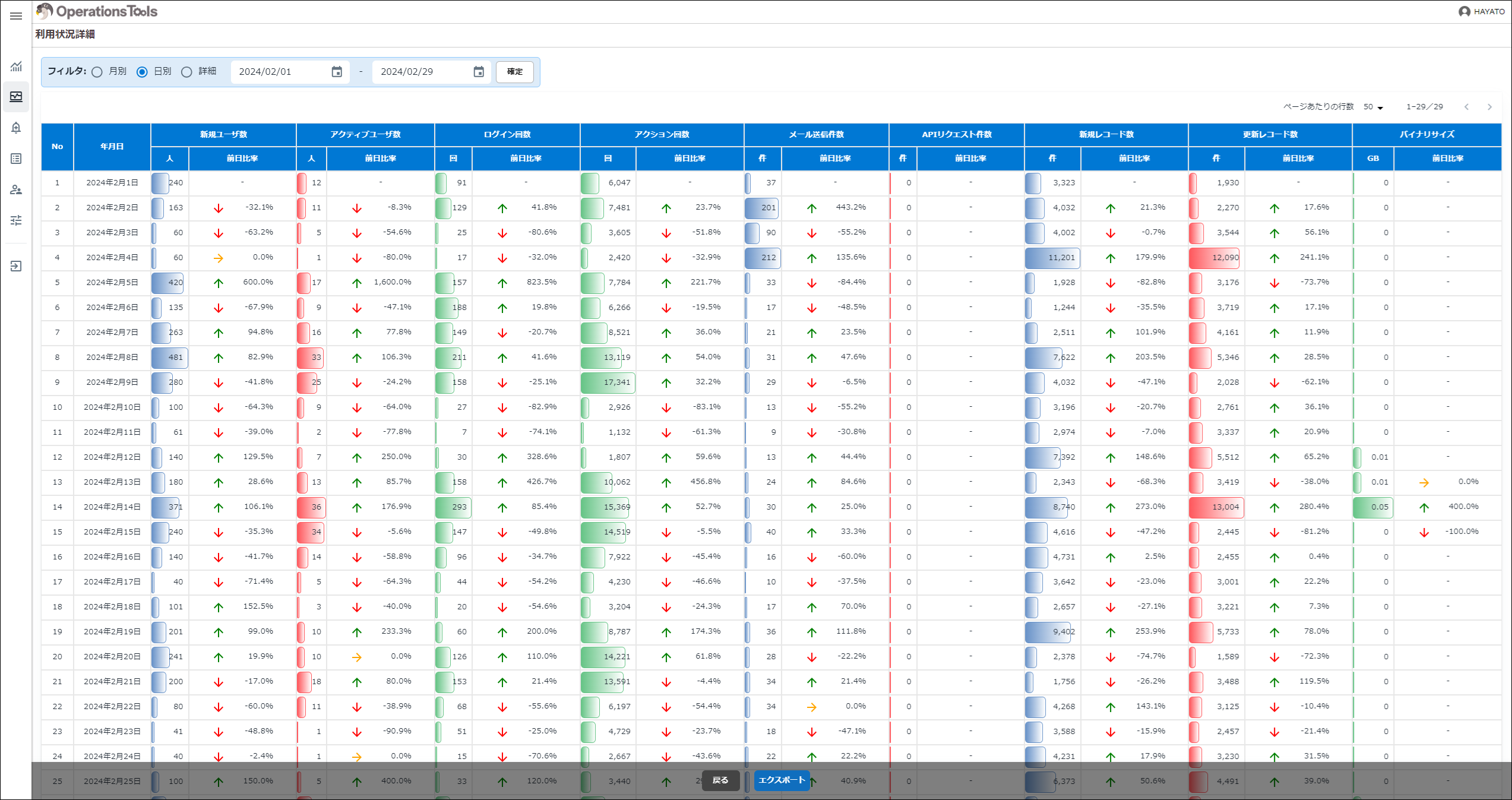
| Display Type | Column | Description |
|---|---|---|
| Table format | General | The usage within the period filtered by "Start Date" and "End Date", or of the target year and month selected in Usage Details: By Month, is displayed by day. |
| Table format | Number of New Users | The number of users newly registered within the period filtered by "Start Date" and "End Date" is displayed. |
| Table format | Number of Active Users | The number of users who logged in within the period filtered by "Start Date" and "End Date" is displayed. |
| Table format | Number of Logins | The number of user logins within the period filtered by "Start Date" and "End Date" is displayed. |
| Table format | Number of Actions | The number of all actions (the number of Syslogs records) within the period filtered by "Start Date" and "End Date" is displayed. |
| Table format | Number of Sent Mails | The number of mails sent within the period filtered by "Start Date" and "End Date" is displayed. |
| Table format | Number of API Requests | The number of API requests within the period filtered by "Start Date" and "End Date" is displayed. |
| Table format | Number of New Records | The number of new records within the period filtered by "Start Date" and "End Date" is displayed. |
| Table format | Number of Updated Records | The number of updated records within the period filtered by "Start Date" and "End Date" is displayed. |
| Table format | Binary Size | The binary size (the size of attached files, pasted images and so on) within the period filtered by "Start Date" and "End Date" is displayed. |
| Table format | Ratio to the Previous Day | The increase or decrease against the previous day is displayed as a percentage. |