Code Completion
Overview
This page explains the code completion feature of "Pleasanter Code Assist".
Targets of Code Completion
Code completion applies to "Scripts" and "Server Scripts" placed under the following four folders.
| Type | Folder |
|---|---|
| "Script" | sites/scripts |
| "Server Script" | sites/serverscripts |
| "Extended Script" | extensions/scripts |
| "Extended Server Script" | extensions/serverscripts |
Information That Is Completed
The code completion feature of Pleasanter Code Assist completes the following information. In addition to showing completion candidates, you can display descriptions by hovering the mouse and jump to definitions.
For Scripts
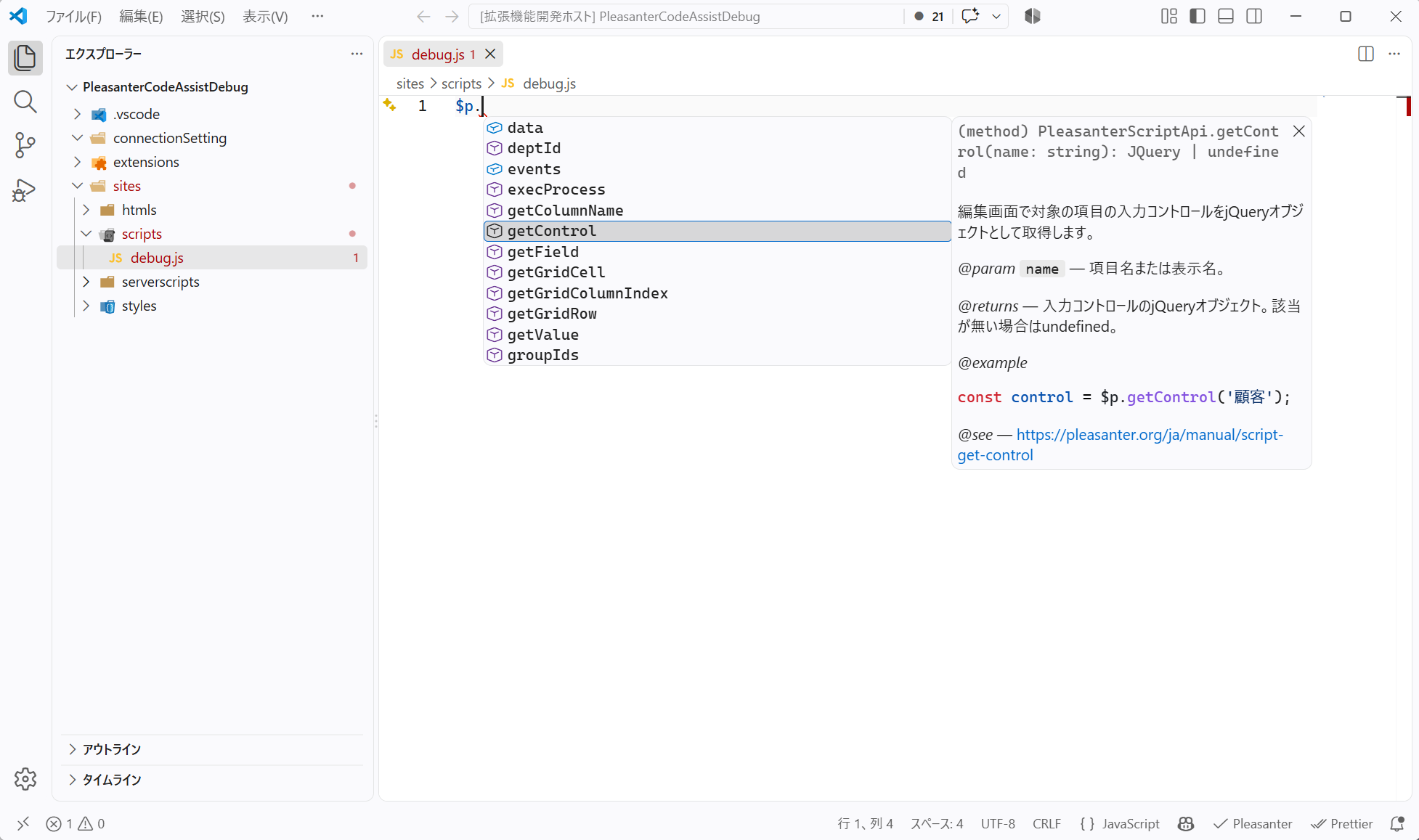
- Methods, arguments, return values, descriptions and usage examples of $p
- Some jQuery methods that are frequently used in Pleasanter
For Server Scripts
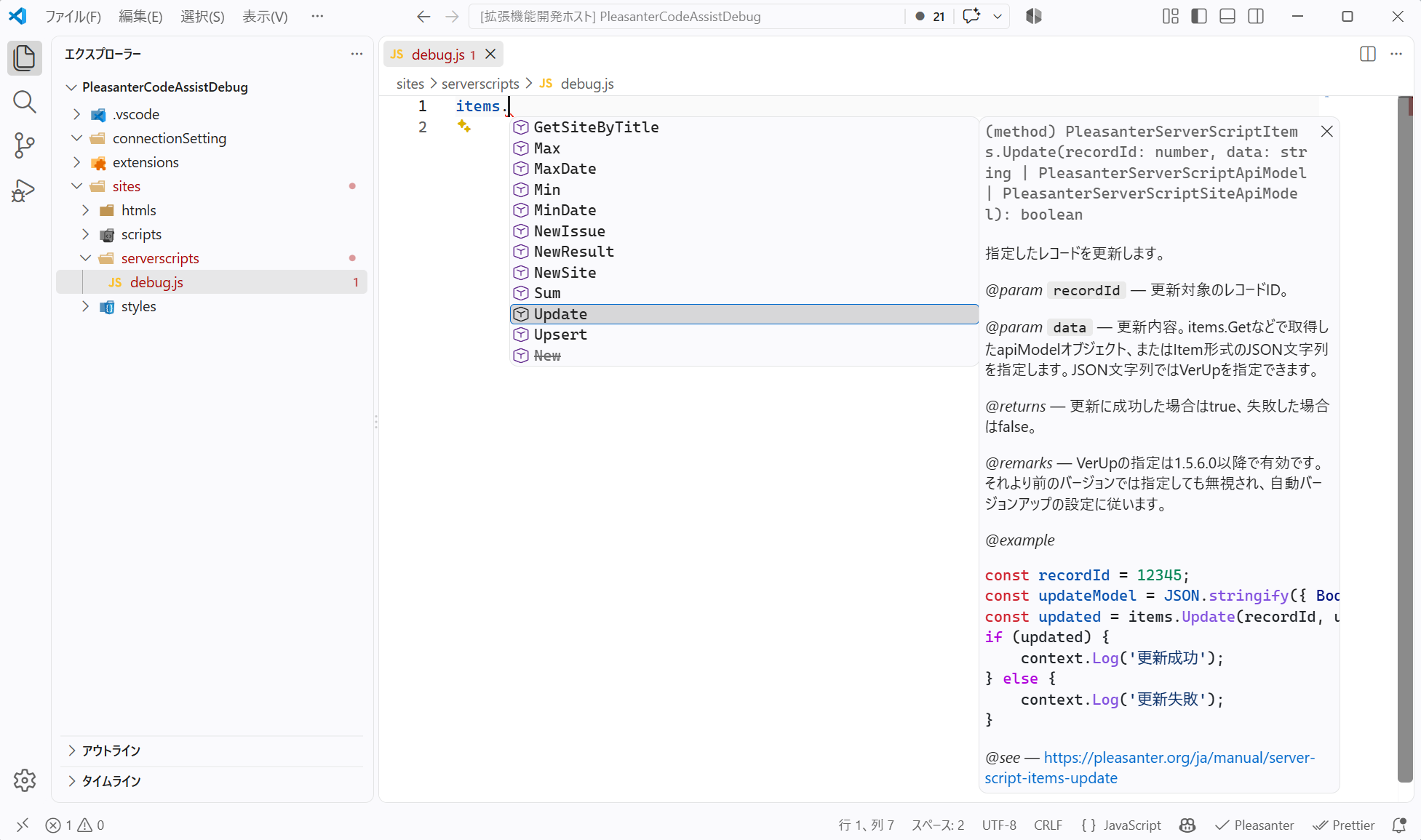
- Global objects such as context, items, model, view, httpClient and $ps
- Arguments and return values of methods, and the types of records and arrays
By placing the type definition files included in Pleasanter Code Assist 1.4.0 and later correctly in the Visual Studio Code workspace, you can use the code completion provided by the standard IntelliSense of Visual Studio Code.
Code completion while editing a Script
Code completion while editing a Server Script
Limitations
- If, for any reason, a jsconfig.json already exists in the workspace, you must associate the type definition files with the JavaScript files manually. For details, see "Settings When a jsconfig.json Already Exists in the Workspace".
- In code completion for Scripts, completion is shown for frequently used methods of the jQuery objects returned by the Pleasanter API. The main targets are val, attr, prop, text, css, data, addClass, removeClass, show, hide, on and find. These are not a complete type definition of jQuery. Undefined jQuery methods can still be executed, but no completion candidates or detailed descriptions are shown.
Operation Procedure
Setting Up Code Completion
Creating a new workspace with Pleasanter Code Assist 1.4.0 or later
If you followed the steps described in "Pleasanter Code Assist: Creating a Work Folder by Command" with Pleasanter Code Assist 1.4.0 or later, no special settings are required.
Using code completion for the first time in an existing workspace
When "Pleasanter Code Assist" starts, if the workspace contains connectionSetting, sites or extensions and the type definition files have not been placed yet, the following message is displayed. Select "Create".
There are no type definition files for code completion in the workspace. Do you want to create them?
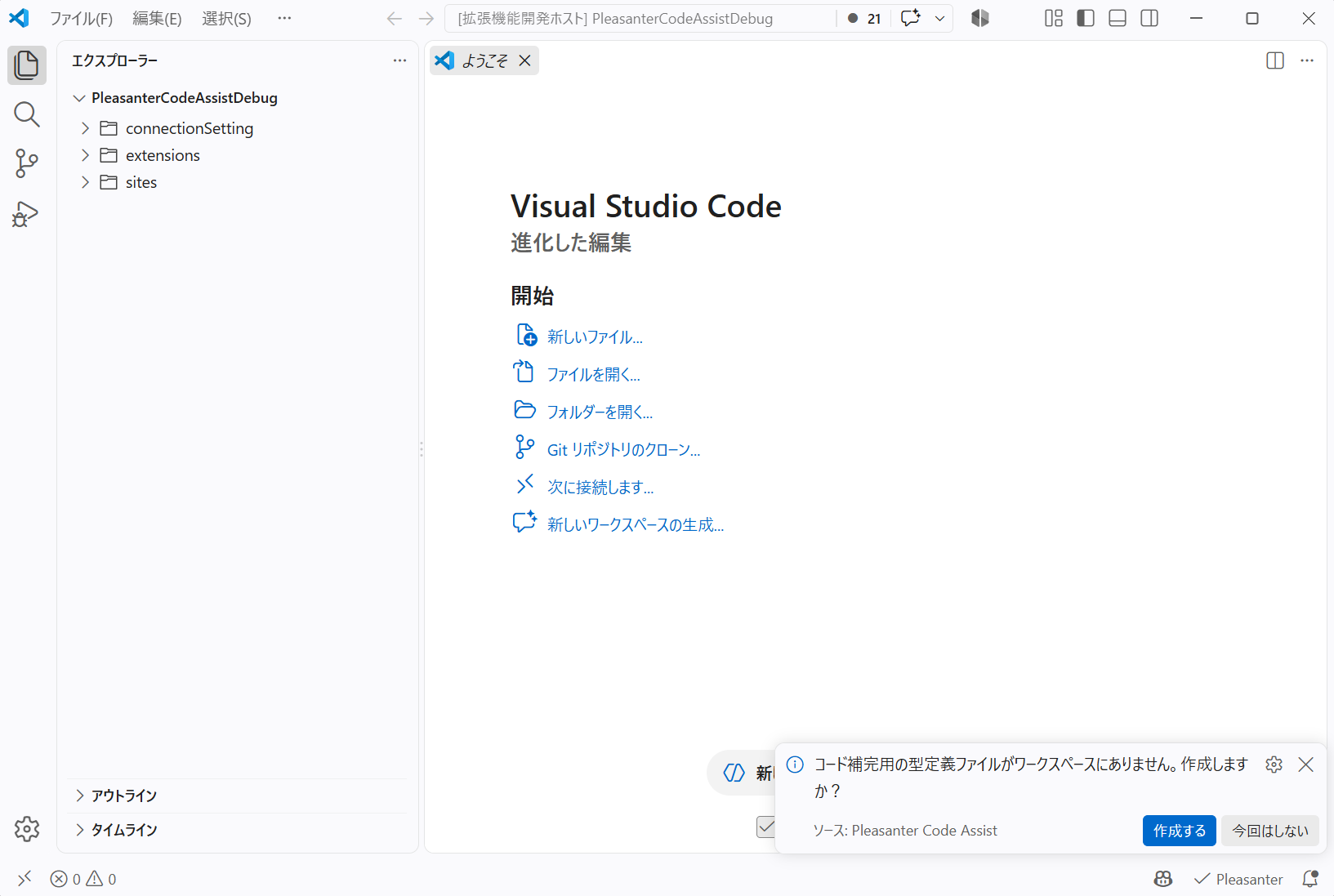
You can choose one of the following two options. If you close the message without choosing either, it is treated as if you had selected "Create".
| Option | Description |
|---|---|
| Create | Creates the required directories, the type definition files and jsconfig.json |
| Not this time | Does not create them this time, and does not show the message again for the same version of Pleasanter Code Assist |
Updating the type definition files after upgrading Pleasanter Code Assist
If the type definition files included in the new version of Pleasanter Code Assist do not match the ones already placed in the workspace, the following message is displayed when Visual Studio Code starts. Select "Update".
The Pleasanter type definitions have been updated. Do you want to update the type definition files in the workspace?
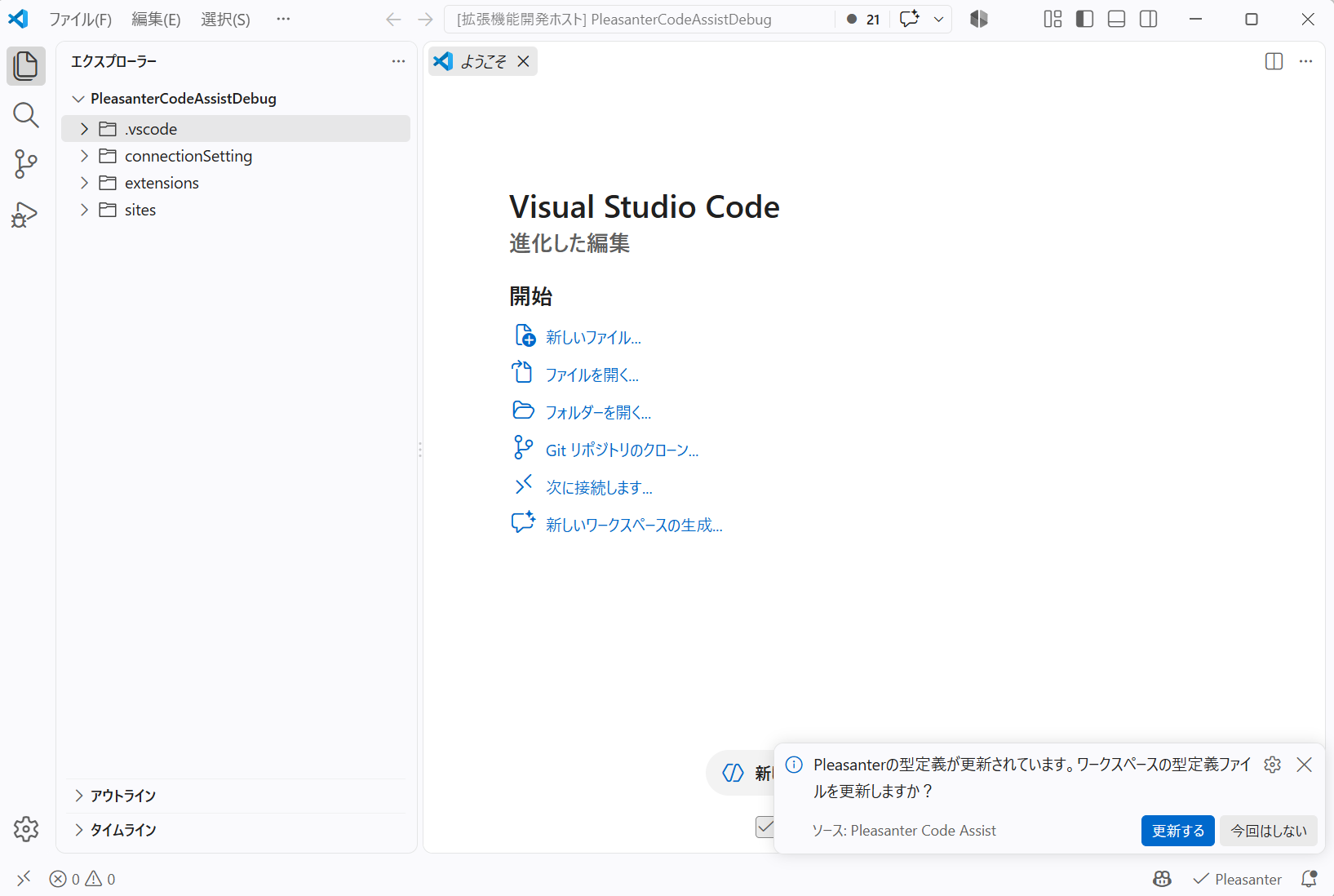
You can choose one of the following two options.
| Option | Description |
|---|---|
| Update | Updates the type definition files and jsconfig.json managed by Pleasanter Code Assist to the latest content |
| Not this time | Does not update them this time, and does not show the message again until the type definitions change next |
Checking the Created Files
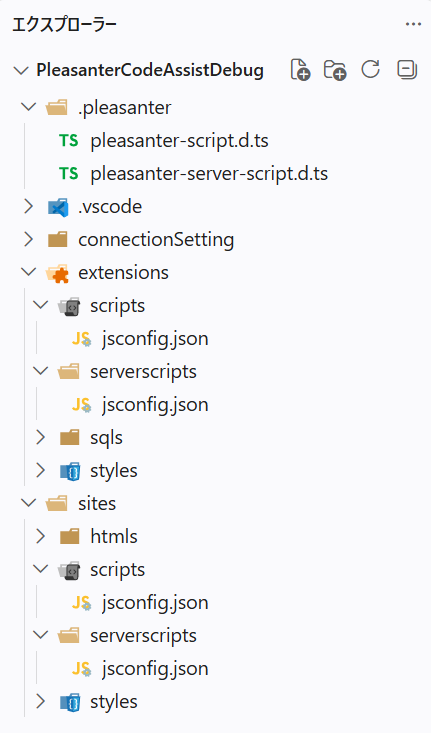
When the type definition files are created or updated, the following files are created in the work folder you selected.
<work folder>
├─ .pleasanter
│  ├─ pleasanter-script.d.ts
│  └─ pleasanter-server-script.d.ts
├─ sites
│  ├─ scripts
│  │  └─ jsconfig.json
│  └─ serverscripts
│     └─ jsconfig.json
└─ extensions
   ├─ scripts
   │  └─ jsconfig.json
   └─ serverscripts
      └─ jsconfig.json
| Description of each file |
|---|
| ・The two files in the ".pleasanter" folder are the type definition files. ・jsconfig.json associates the JavaScript files in the target folder with the type definition files. ・If, for any reason, a jsconfig.json already exists in the workspace, you must associate it with the type definition files manually. For details, see "Settings When a jsconfig.json Already Exists in the Workspace". ・The settings for Scripts include the type information of the DOM. ・The settings for Server Scripts do not include the type information of the DOM. ・The type definitions of jQuery are included only in the type definition file for Scripts. ・The created files contain a comment indicating that they are managed by Pleasanter Code Assist. |
If you set the Pleasanter Code Assist parameter hideGeneratedTypeFiles to false, you can also see them in the "Explorer" of Visual Studio Code.
Supported Versions
| Supported Version | Description |
|---|---|
| Pleasanter 1.5.8.0 and later | Code completion feature added |