Overview Of Access Control
What You Can Do With Pleasanter's Access Control
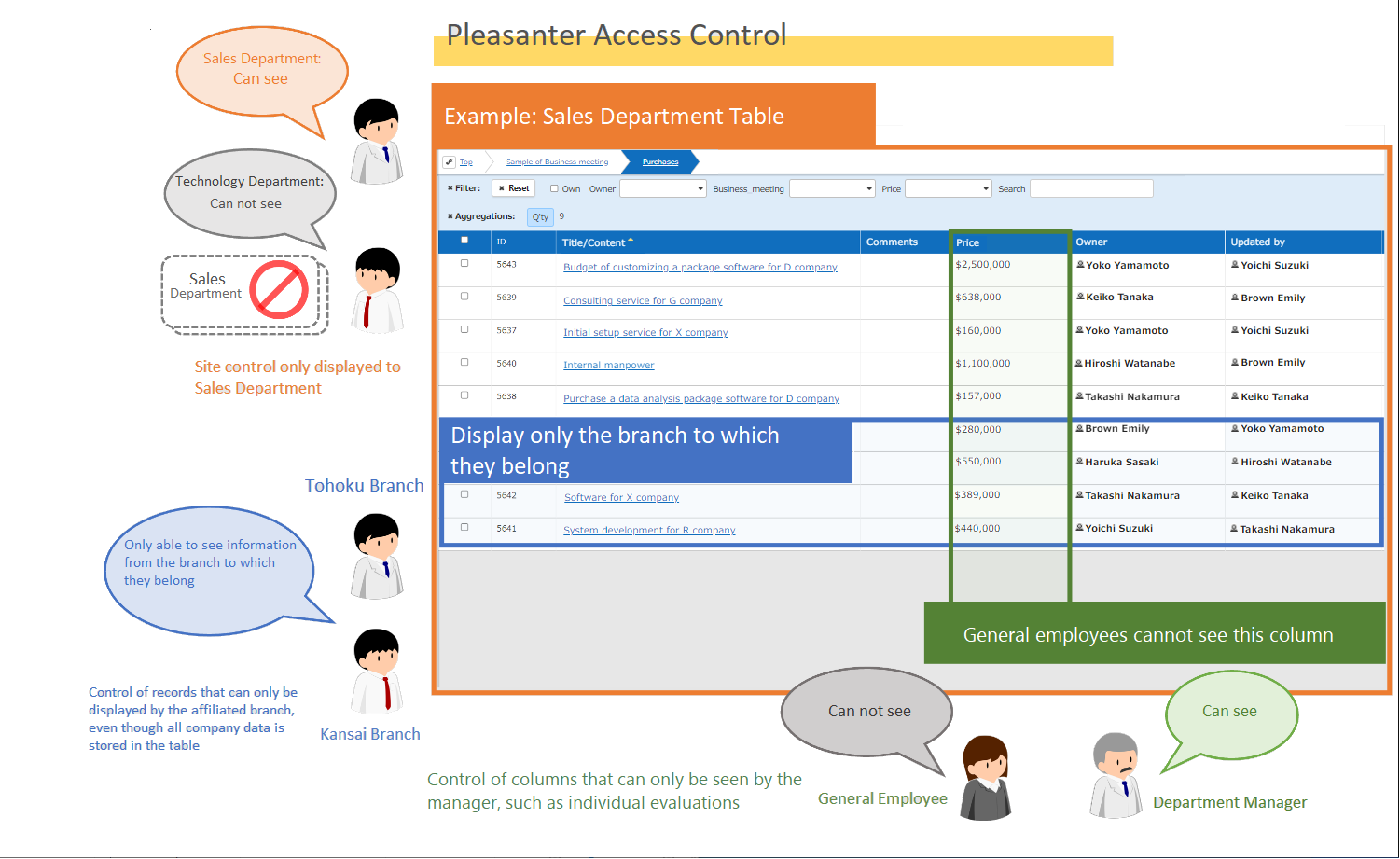
Access control is possible for each table (site), record (row), and item (column) by user or group.
- Grant read/write permission to a specific folder or table by specifying a user/department/group
- Grant read/write permission to a specific table to a specific user/department/group
- Grant read/write permission to a specific user/department/group to some records in a specific table
- Grant read/write permission to a specific user/department/group for a specific column
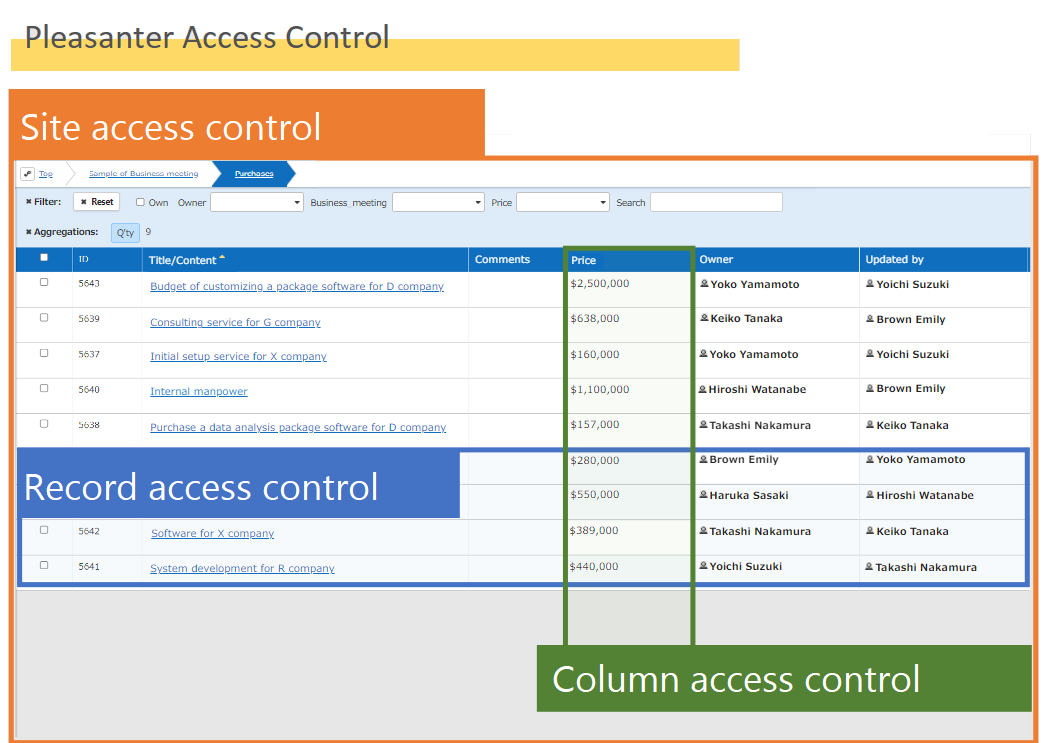
| Category | Scope when setting | Description |
|---|---|---|
| Site access control | Setting site, permission inheritance site | Applies to the set folder and table. If set to a folder, it also applies to sites that inherit permissions |
| Record access control | New creation, update* | Applies to newly created and updated records after setting. Existing records must be set individually |
| Column access control | All records in the table | Applies to all existing and newly created records |
*When you set record access control, it does not apply to existing records, so you must set it for each record individually.
What Is A Site?
There are five types of sites in Pleasanter: Folder, Time limited table, Recorded Table, Wiki, and Dashboard.
Although each has a different role, the Time limited table and Recorded Table can be considered the same when setting access control.

| Type | Control column | Description |
|---|---|---|
| Folder | Site | A box for storing tables and Wikis |
| Time limited table | Site/record/column | Manages information for managing progress and deadlines, etc. |
| Recorded Table | Site/record/column | Manages general information that does not require a deadline, etc. |
| Wiki | Site/record | Manages notes and information that is updated infrequently |
| Dashboard | Site/dashboard parts | Displays various information in one place |
Unit For Granting Access Rights

| Unit | Description |
|---|---|
| User | Grant access rights to one user |
| Group | Grant access rights to all users belonging to a group |
| Department | Grant access rights to all users belonging to a department |
Access Rights Types
The types of access rights are as follows. The following permissions are granted to department, group, and user.
| No | Type | Description |
|---|---|---|
| 1 | Read | Display table records or Wiki |
| 2 | Create | Create new table records |
| 3 | Update | Update table records or Wiki |
| 4 | Delete | Delete table records or Wiki |
| 5 | Send email | Send email from table records or Wiki |
| 6 | Export | Export table records as CSV files |
| 7 | Import | Import data from CSV files to tables |
| 8 | Site management | Create, change settings, and delete sites |
| 9 | Permission management | Set permissions for sites and records |
The standard patterns that combine the above access rights are as follows.
Settings other than the standard patterns are marked as special.
| Pattern | Read | Create | Update | Delete | Export | Import | Site management | Permission management | |
|---|---|---|---|---|---|---|---|---|---|
| Read Only | 〇 | - | - | - | - | - | - | - | - |
| Write | 〇 | 〇 | 〇 | 〇 | 〇 | - | - | - | - |
| Reader | 〇 | 〇 | 〇 | 〇 | 〇 | 〇 | 〇 | 〇 | - |
| Manager | 〇 | 〇 | 〇 | 〇 | 〇 | 〇 | 〇 | 〇 | 〇 |
How To Set Up Each Access Control
Site access control
Record access control
Column access control