Common Function: Specify the "First Day of Week" for Calendars
Overview
This function specifies the day of the week that starts each week (the first day of week) in calendar displays and date input fields. You can change the first day of the week to suit users who are used to calendars that start on Sunday. The first day of week can be set at the following three levels. A setting at a lower level takes precedence. When it is not set (inherited), the setting at the upper level is used.
| Level | Where to set it | Who can set it |
|---|---|---|
| Parameter | FirstDayOfWeek in General.json | System administrator (server settings) |
| Tenant | "Tenant administration" screen | Tenant administrator |
| Site | "General" tab of the "Manage table" screen of each table (time-limited table or results table) | Site administrator |
The first day of week set for a site is applied to all of the following screens of that table.
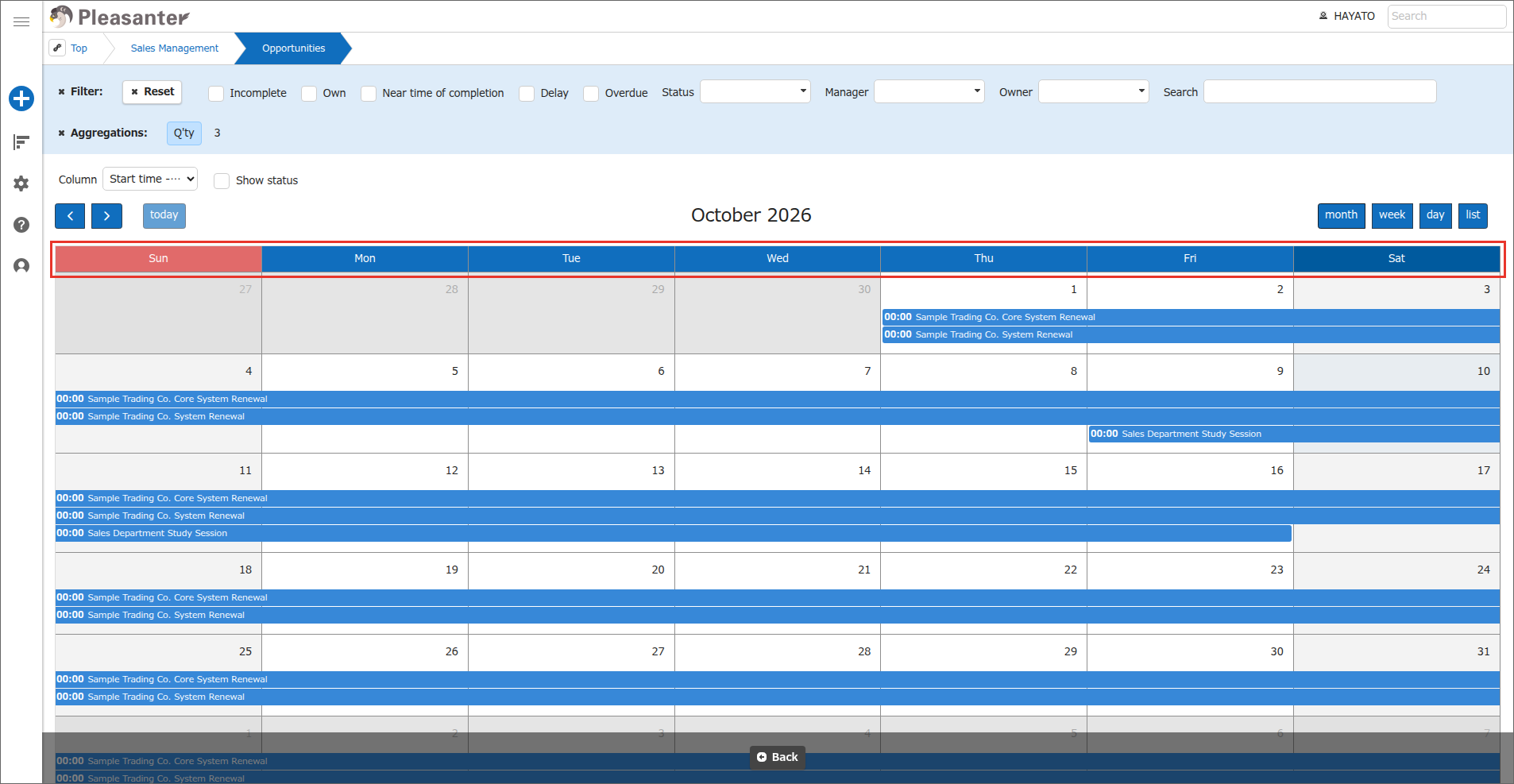
- The day-of-week header of the calendar view (standard calendar and FullCalendar)
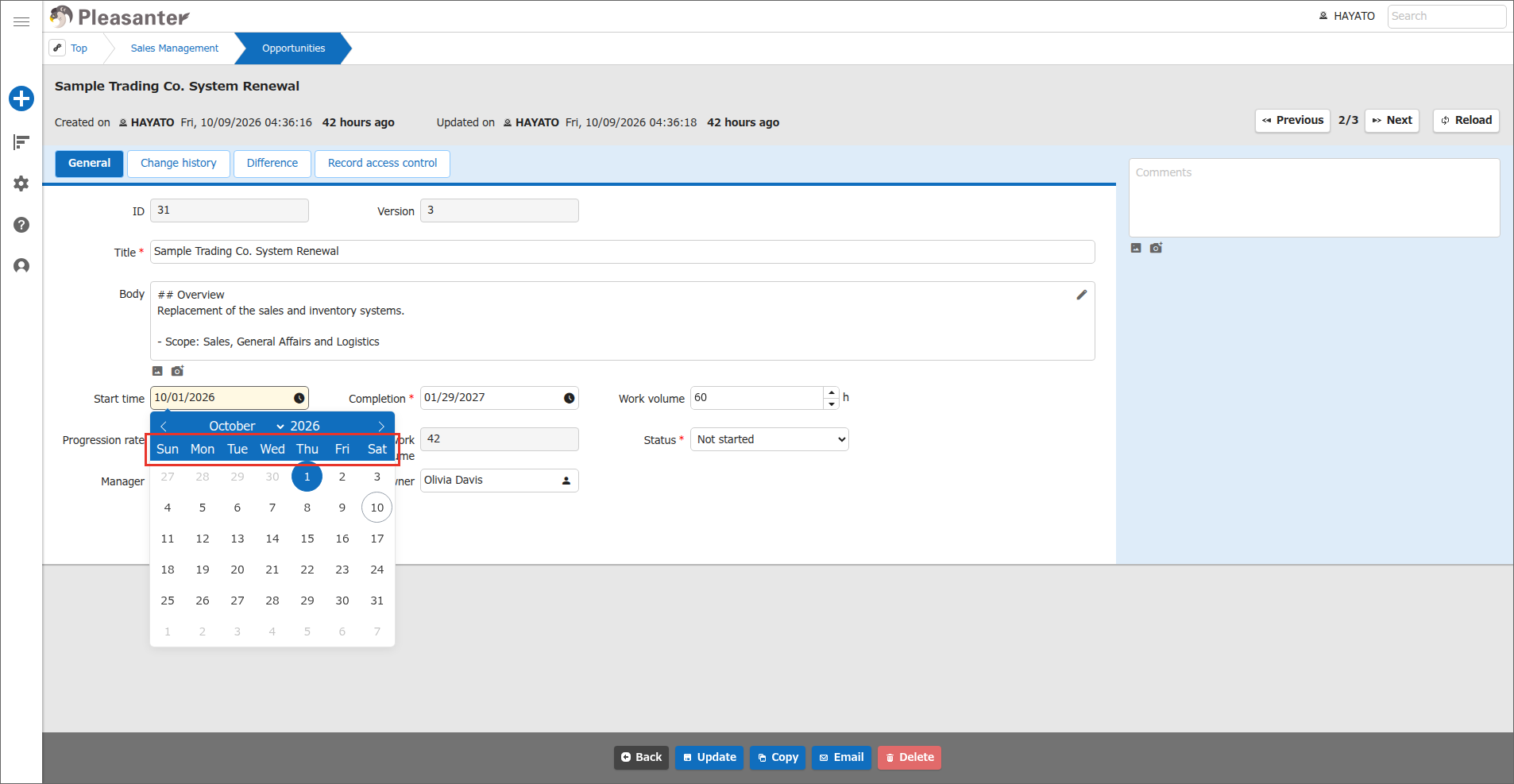
- The date picker of date columns on the record edit screen
- The date picker in the filter dialog of date columns
The following three kinds of values can be set.
| Value | Meaning |
|---|---|
| Blank | Inherit (use the setting at the upper level) |
| Auto | Follow the convention of the display language (locale) (example: Sunday for English, Monday for German) |
| Sunday to Saturday | Fixed to the specified day of the week |
Limitations
- The first day of week can be set only for time-limited tables and results tables (tables that have records). This setting is not displayed on the management screens of folders, Wikis, and dashboards, because they do not have calendars or date columns.
- The first day of week cannot be set for each date column. The setting for the table (the "General" tab) is applied to all date columns and the calendar alike.
- A calendar embedded as a dashboard part follows the setting in the "General" tab of the table that the part refers to. It does not follow the settings of the dashboard itself.
- This setting cannot be updated directly with the "Update Site Settings (Partial Add/Update/Delete)" API (
updatesitesettings). This is the same restriction as the existing minute interval setting of date columns. - The default value of
FirstDayOfWeekin General.json remains1(Monday). This keeps the appearance in the Japanese environment unchanged. To follow the locale in all languages, specify-1(Auto) forFirstDayOfWeek, or select "Auto" in the tenant or site setting.
Prerequisites
- To change the tenant setting, you need tenant administrator privileges.
- To change the table setting, you need the "Site management permission" for the target site.
Operation Procedure
Setting for a Tenant
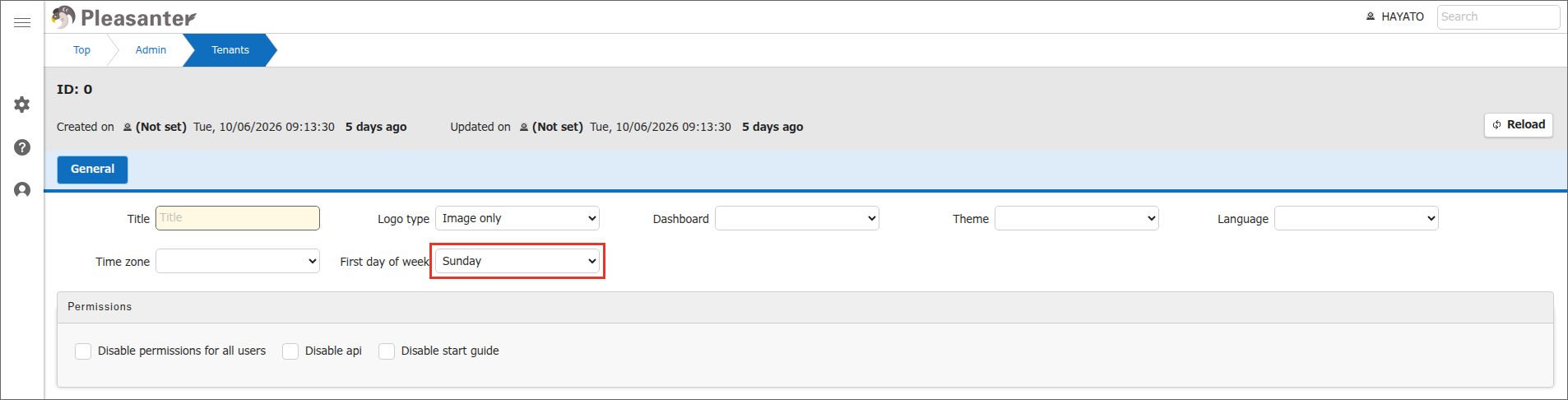
- Open "Tenant administration" from the "Manage" menu.
-
In "First day of week", select a day of the week or "Auto". If you leave it blank, the parameter (General.json) setting is inherited.
-
Click the "Update" button.
Setting for a Table (Site)
- Open the target table (time-limited table or results table).
- Open "Manage table" from the "Manage" menu.
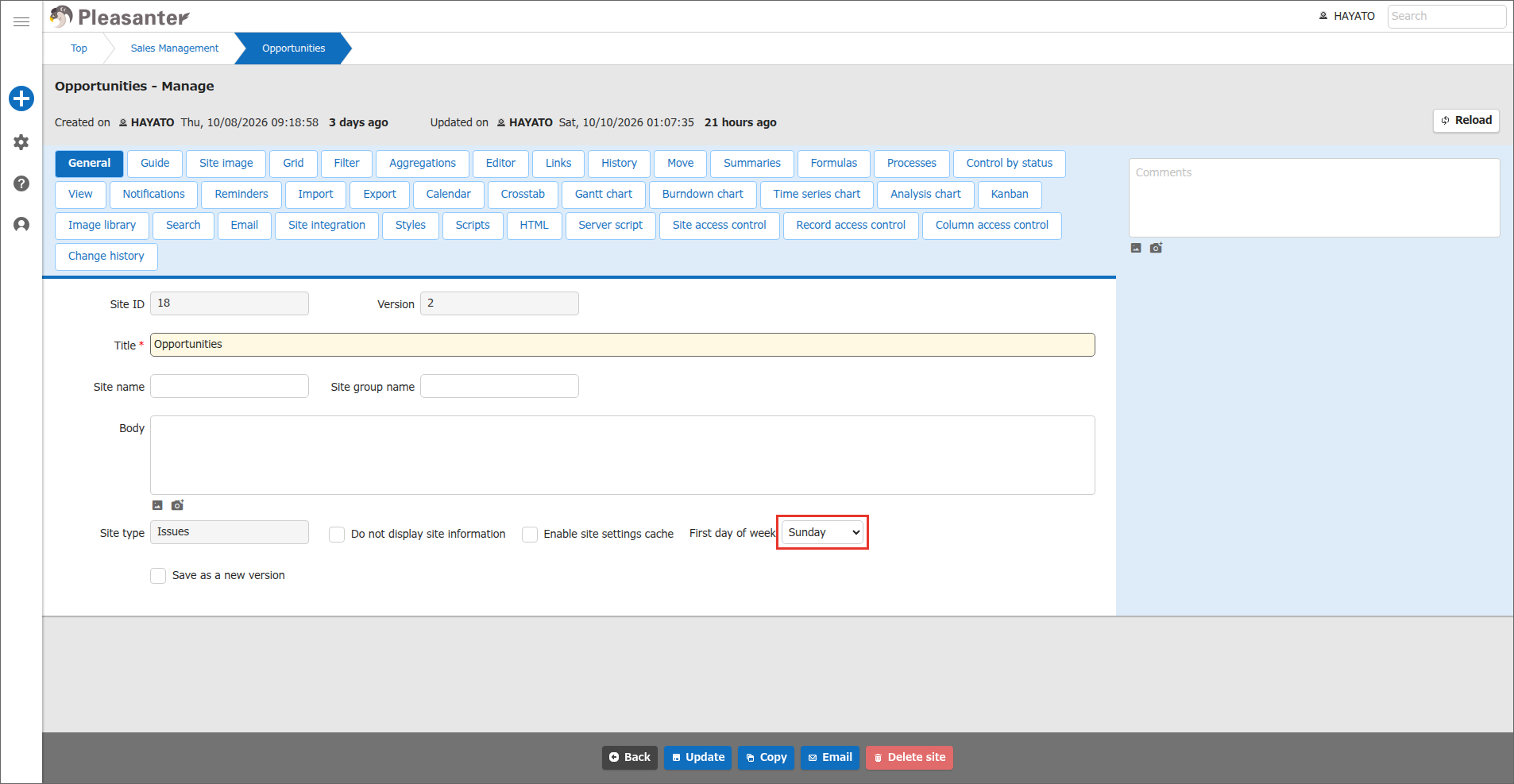
- Open the "General" tab.
-
In "First day of week", select a day of the week or "Auto". If you leave it blank, the tenant setting is inherited.
-
Click the "Update" button.
- Open the calendar screen or a date input field.
-
Make sure that the day of the week you set is displayed at the start of the week.
Supported Versions
| Supported versions | Body |
|---|---|
| 1.5.9.0 and later | Added function |