Dashboard Function: Add Parts: Custom HTML
Overview
Add "Custom HTML" to the "Dashboard". In addition to embedding videos and graphs created with BI tools, you can combine them with "Script" and "Style" to expand it for various purposes.
Setting Procedure
General Tab

| Column name | Description |
|---|---|
| Title | The name of the part. |
| Display Title | Check this box to display the title. |
| Content | Enter the content you want to display in HTML format. |
| Do Not Load Asynchronously | If you check this checkbox, asynchronous loading will not be performed regardless of the asynchronous loading settings. For information on setting asynchronous loading, refer to "Dashboard Function: Add Parts". |
| CSS | Use this to apply CSS to custom HTML elements. By specifying a CSS class name, you can specify any class name for each column and apply a "Style". |
Access Control Tab

Set the reference permissions for quick access. This part will be hidden if a user without reference permissions opens the dashboard.
Display Content

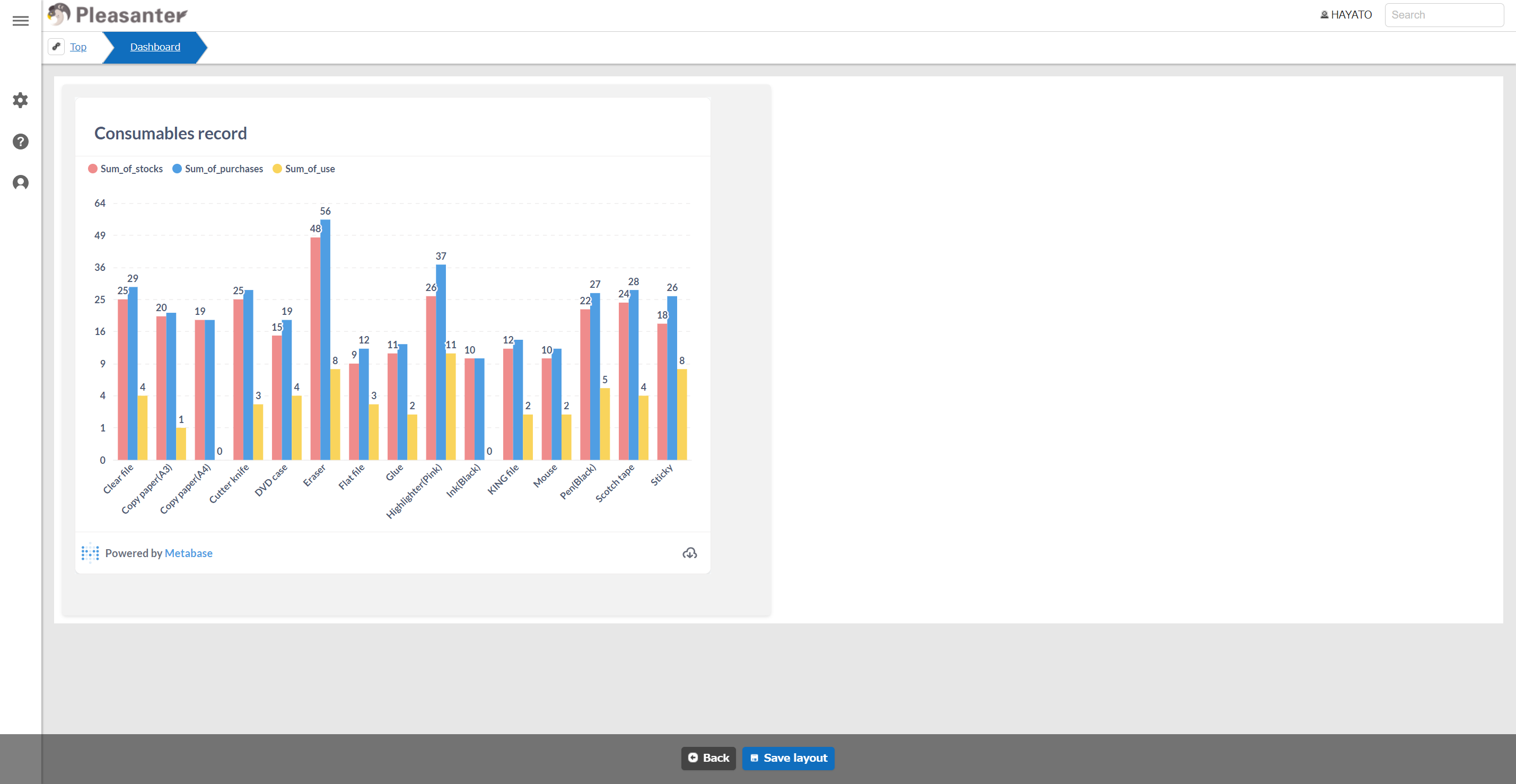
Using the Code Editor
When using the 2nd generation "User Interface Theme", you can use a convenient code editor feature that supports highlighting, code hints, indentation with the Tab key, and more.
To use the code editor
It becomes available by enabling "EnableCodeEditor" in "General.json".
Supported Versions
| Supported versions | Body |
|---|---|
| 1.4.13.0 and later | Added the code editor function |