Set A Department For A User
<< Return to Operation Guide Index
Set Up The User's Department
Set a department for a user.
Preparations
To add members to a department, you need a user and a department.
If you have not created them yet, please refer to Create A User and Create A Department to create them.
Manual
- Click "User administration" from the navigation menu.

- Click the user for whom you want to set a department.

- Set the department and click "Update".
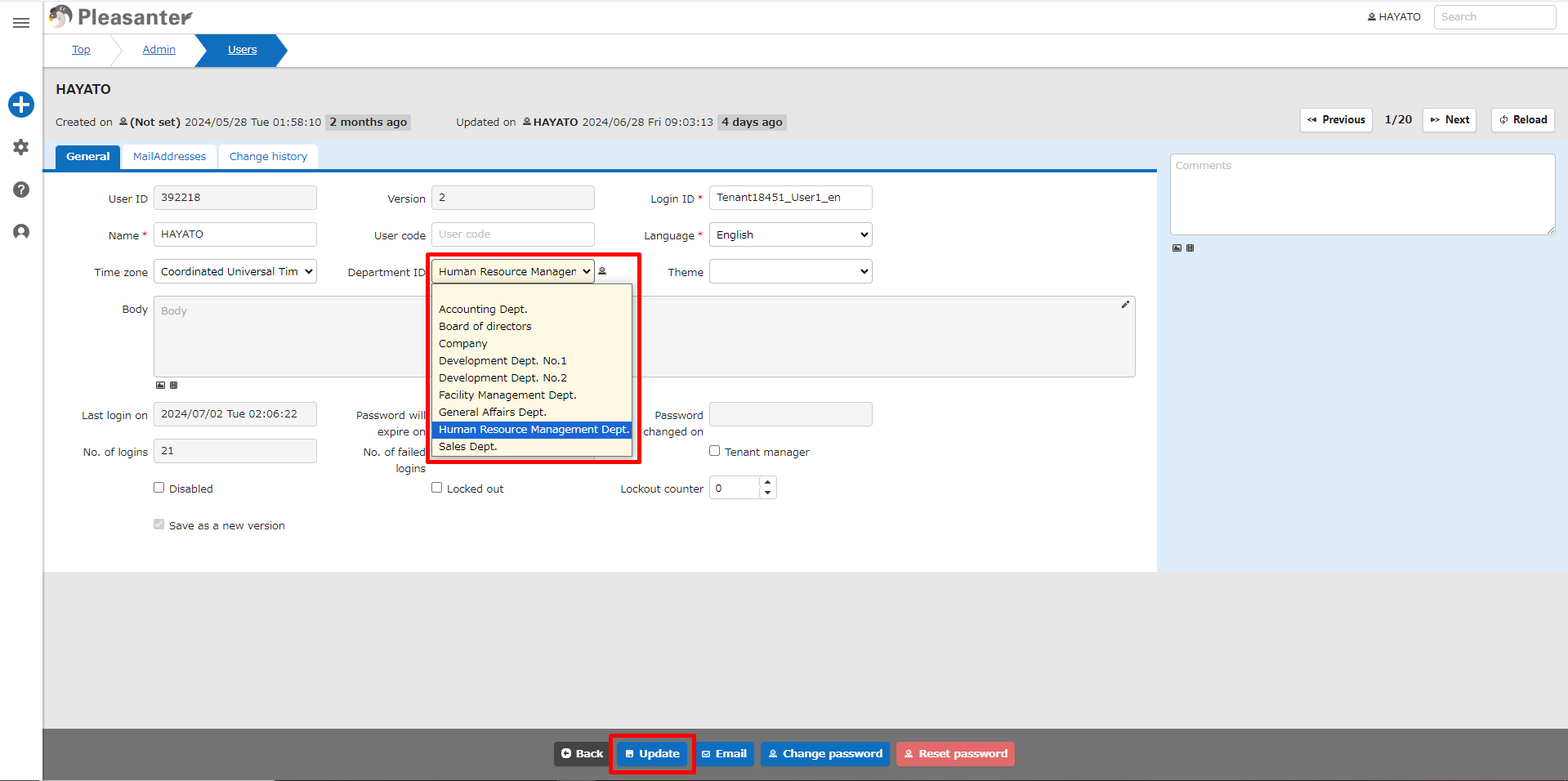
- This completes the setting of the user's department.
