Create a User
<< Return to Operation Guide Index
Create A User
Create a user to operate Pleasanter.
*The method of managing users is different for Pleasanter.net. Please refer to the following document.
Pleasanter.net Start Guide (Please refer to inviting users from page 11)
Manual
- Click "User Management" from the navigation menu.

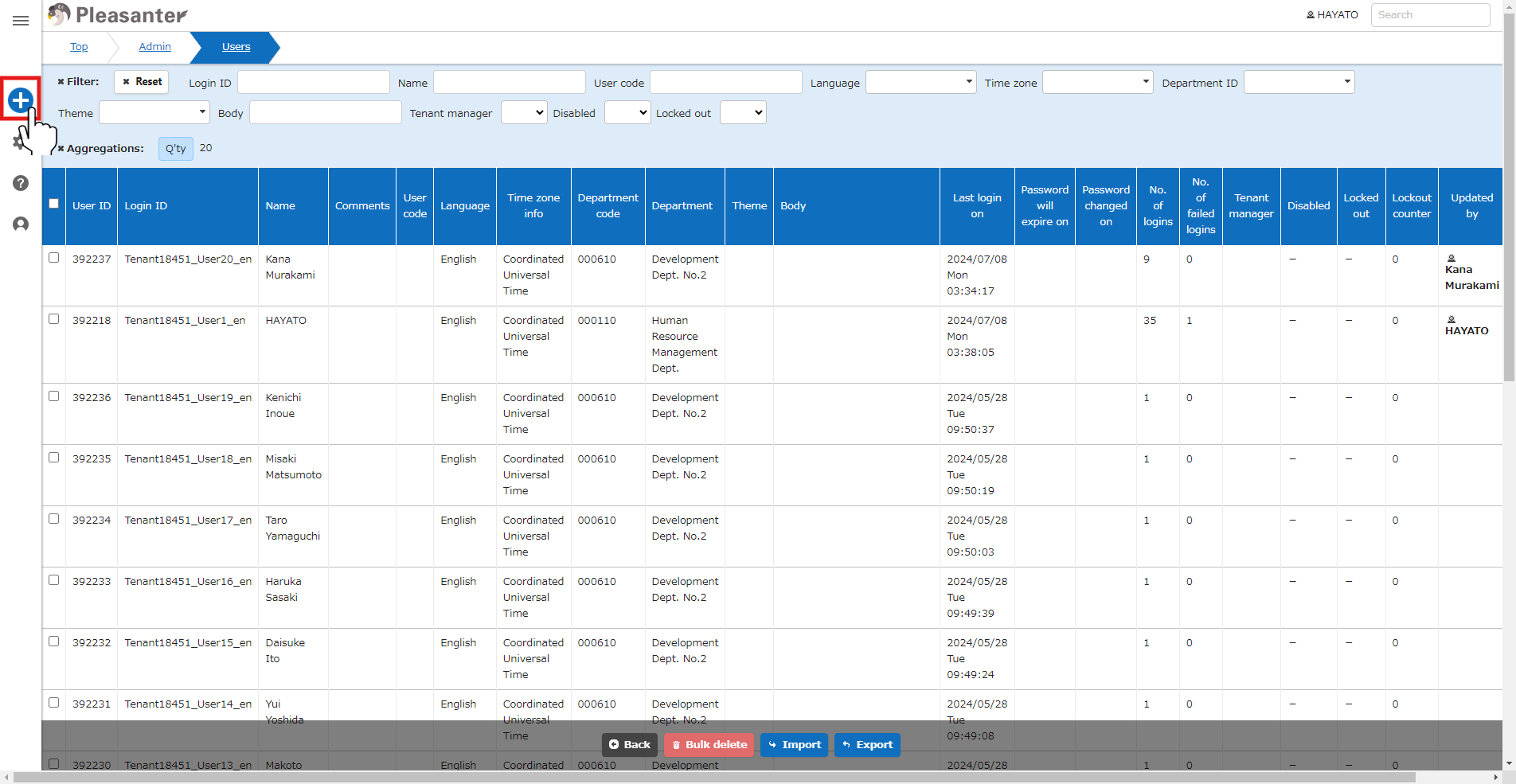
- Click the "Create New" button in the top right of the screen.
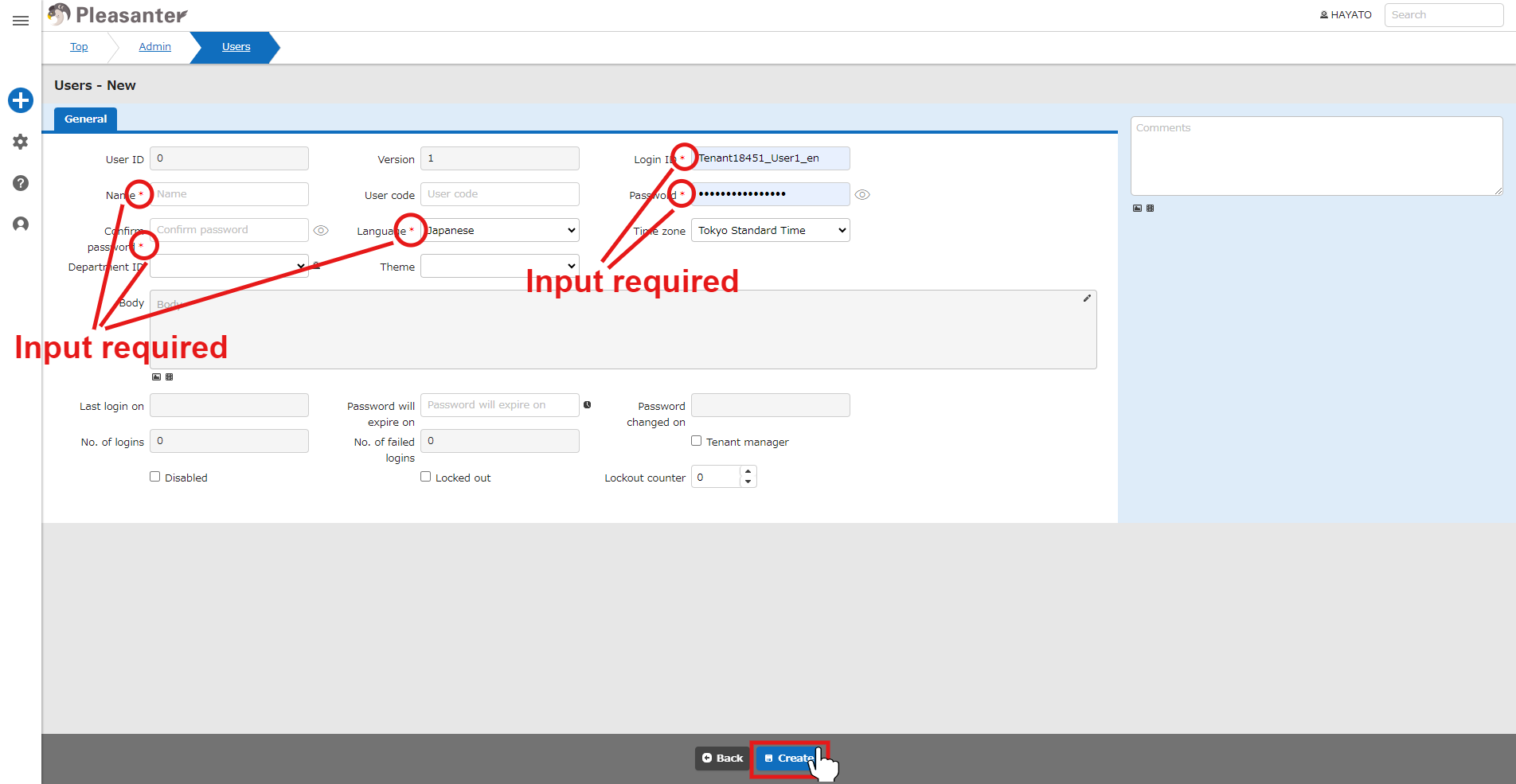
- Enter each column (columns marked with "*" are required) and click "Create" at the bottom of the screen.
- Check the message and click the "Back" button at the bottom of the screen.

- This completes user creation.

Please refer to the following for operations such as editing and deleting created users.
- User Management Function: Creation and Update
- User regist to dept
- User Management Function
- User Management Function: Add An Email Address
- User Management Function: Customize User Interface Themes
- User Management Function: Tenant Manager Settings
- User Management Function: Import/Export
- User Management Function: Import/Export
- User Management Function: Delete
- User Management Function: Bulk Delete
- User Management Function: Restore From Recycle Bin
- User Management Function: Delete from Recycle Bin
- User Management Function: Reset Password
- User Management Function: Privileged User Settings
- User Management Function: Invite User