View a Record
<< Return to Operation Guide Index
Preparations
A record is required to view records.
If you have not created a record yet, please refer to "Create a table" to create one.
Manual
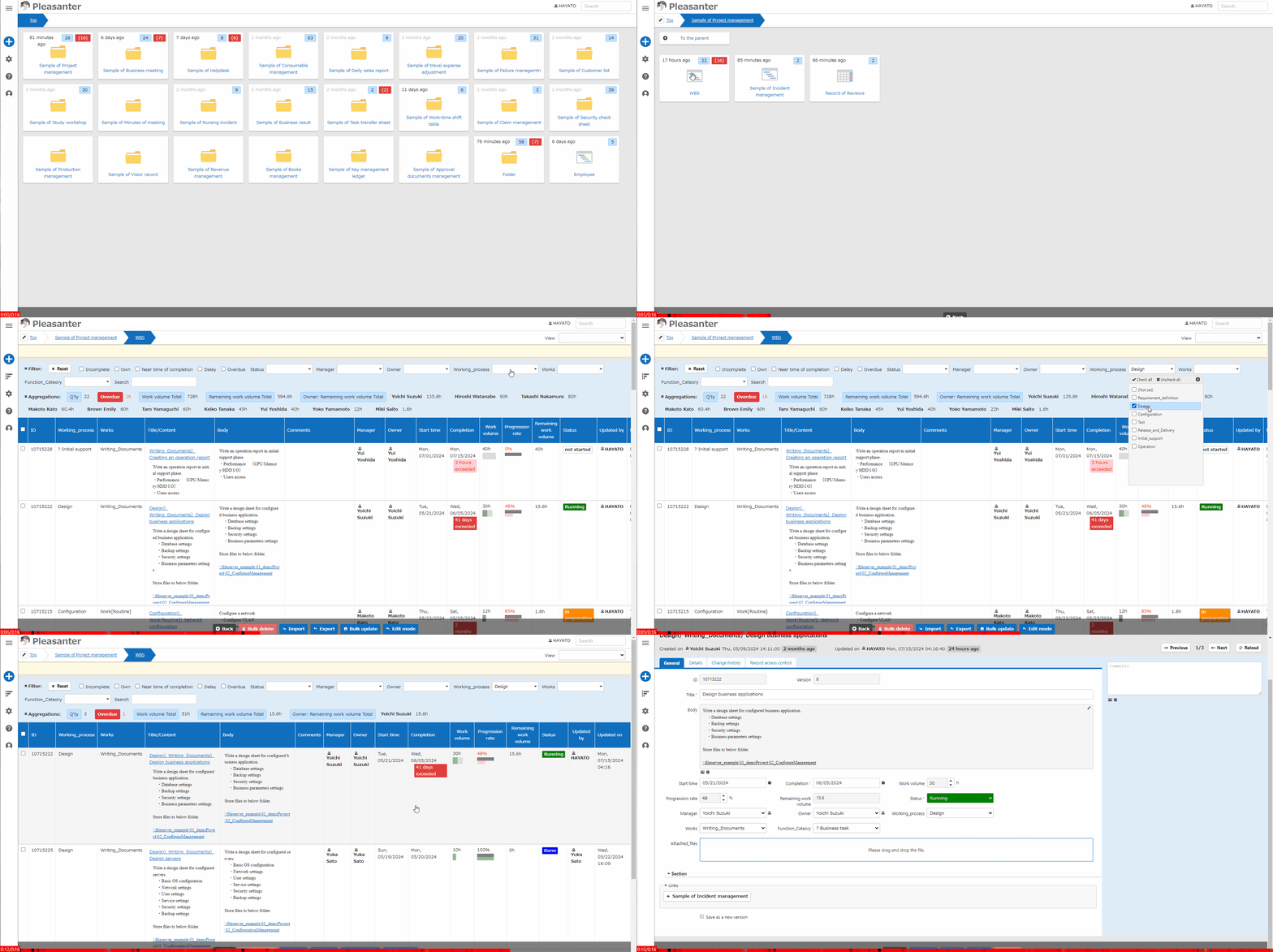
- Go to the target table.
- On the "List Screen", enter conditions in the "Filter" as necessary to search for the target record.
- Click on the target record displayed in the search results list.
- The contents of the target record will be displayed in the "Editor".
For details on viewing records, please see below.
Table Function: Search for Record (Filter)
Table Function: Search for Negated Record (Filter)
Table Function: Sort Records (Sort)
Table Function: Record Aggregation
Table Function: Switch Record Views
Table Function: Own Filter For Owner, Manager, and Class Columns
Table Function: Calendar Display of Records
Manage Table: Crosstab
Table Function: Display Gantt Chart of Records
Table Function: Display Burndown Chart Of Records
Table Function: Display A Time Series Chart Of Records
Table Function: Kanban Display of Records