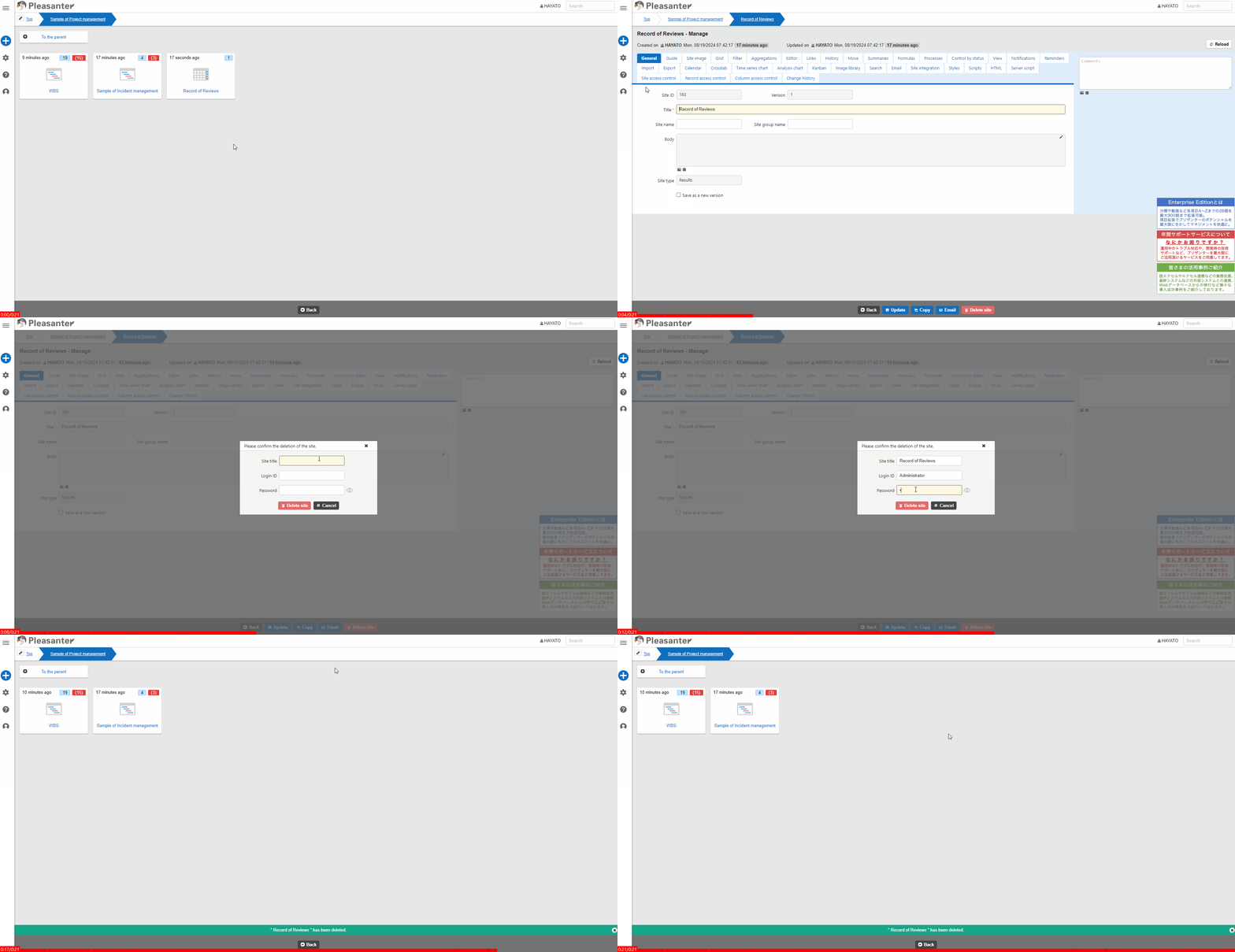
Site Function: Delete Site
Overview
Delete a site ("Folder", "Time-Limited Table", "Recorded Table", "Wiki", or "Dashboard").
Prerequisites
- You need the "Site Administration Permission".
Operation Procedure
- Access the site to be deleted.
- From the navigation menu, click "Manage" - "Manage Table".
- Click the "Delete Site" button in the command button area.
- Enter the site title, login ID, and password in the displayed dialog, and click the "Delete Site" button.
- Click "OK" in the "Are you sure you want to delete?" alert that appears.
- When the message ""XXXX" has been deleted" appears at the bottom of the screen, the deletion is complete.