Site Function: View And Change Site Settings
Overview
Change the "Title" and "Content" of the site ("Folder", "Table", "Wiki"), etc.
Limitations
- The site type cannot be changed.
- There is no view-only screen. The view screen and edit screen are the same.
- Commas cannot be used as characters in site names and site group names.
Prerequisites
- You need the "Site Administration Permission".
- Site names and site group names are available in the Time limited table and Recorded table.
Operation Procedure
- Open the target site.
- Click "Manage Table", "Folder Management", or "Wiki Management" from the "Manage" menu.
- Open the "General" tab.
- Set according to the table below.
- Click the "Update" button at the bottom of the screen.
| Column name | Description | Setting method |
|---|---|---|
| Site ID | Unique number for managing the site | Cannot be changed |
| Version | Number of the site's revision history | Cannot be changed |
| Title | Site title | Enter any title |
| Site name | The name of the site. Can be specified in "Site Integration". Search target for "Site Name Search" | Enter any name |
| Site group name | Site group name, can be specified with "Site Integration" | Enter any name |
| Contents | Site description | Enter any description |
| Site type | Site type | Cannot be changed |
| First day of week | Specify the first day of the week. For details, see "Common Function: Specify the "First Day of Week" for Calendars". | Select the first day of the week from the dropdown. |
| Save as new version | Specify whether to count up the version | Check if you want to count up the version |
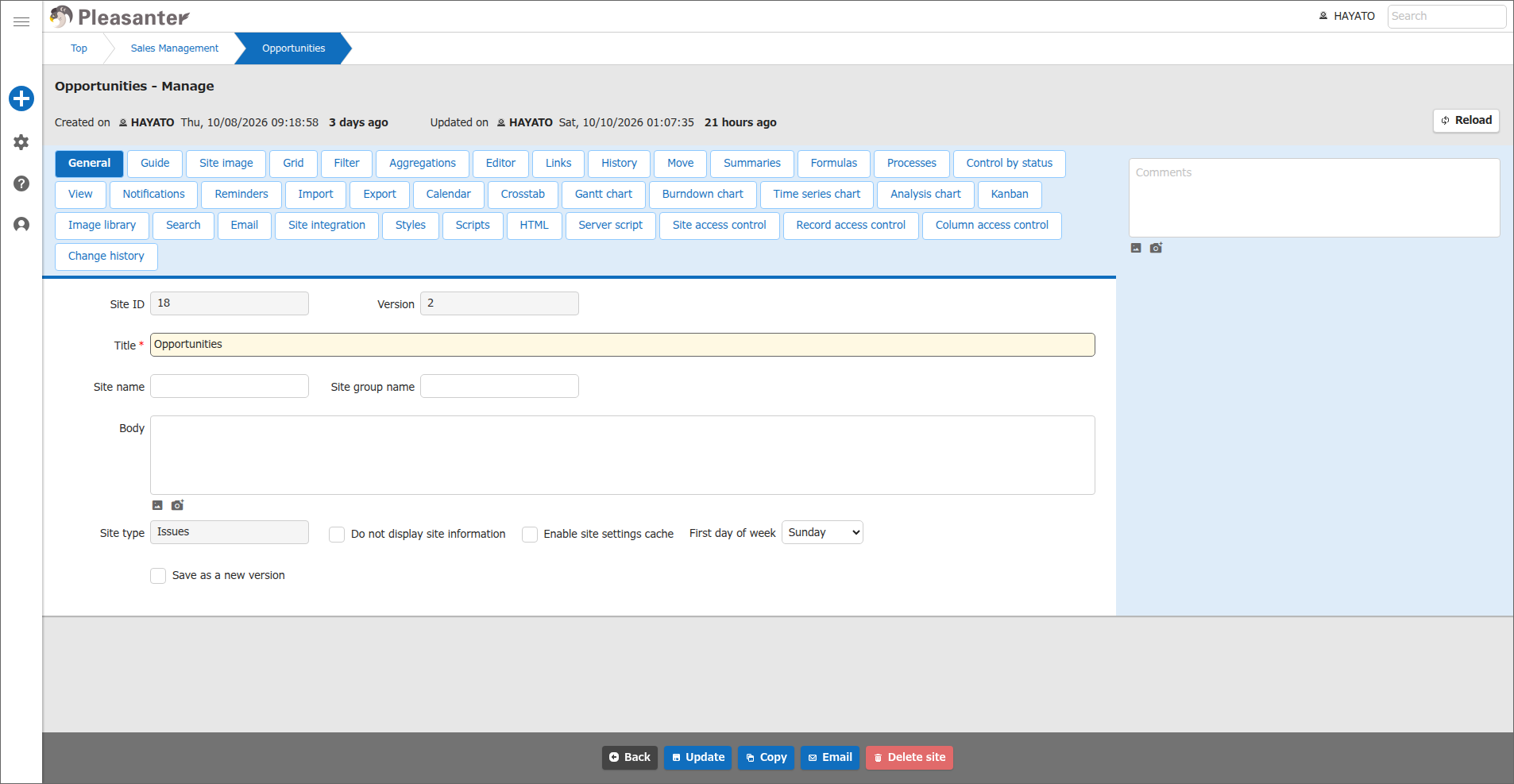
Change Table Settings
Refer to the manual below to change the table settings.
Supported Versions
| Supported versions | Body |
|---|---|
| 1.4.14.0 and later | Added "Do not display site information" |
| 1.5.9.0 and later | Added "First day of week" |