Site Function: Site Move
Overview
Moves the target site to a higher-level folder or a lower-level folder.
Limitations
- Moving a folder does not change the inheritance relationship of access rights. Even if a folder created by inheriting access rights from a superior folder is moved to a higher level than the superior folder, the inheritance of access rights remains unchanged.
- You cannot specify the site to be moved itself or any of its descendant sites as the destination. If you do, "This operation cannot be performed." is displayed and the site is not moved.
Prerequisites
- The target site, the higher-level site to be moved, and the destination site must have "Site Administration Permission".
Operation Procedure
- Move sites by drag & drop. Drop it into a folder to move it to a lower level. Drop it to "above" to move it to a higher level.
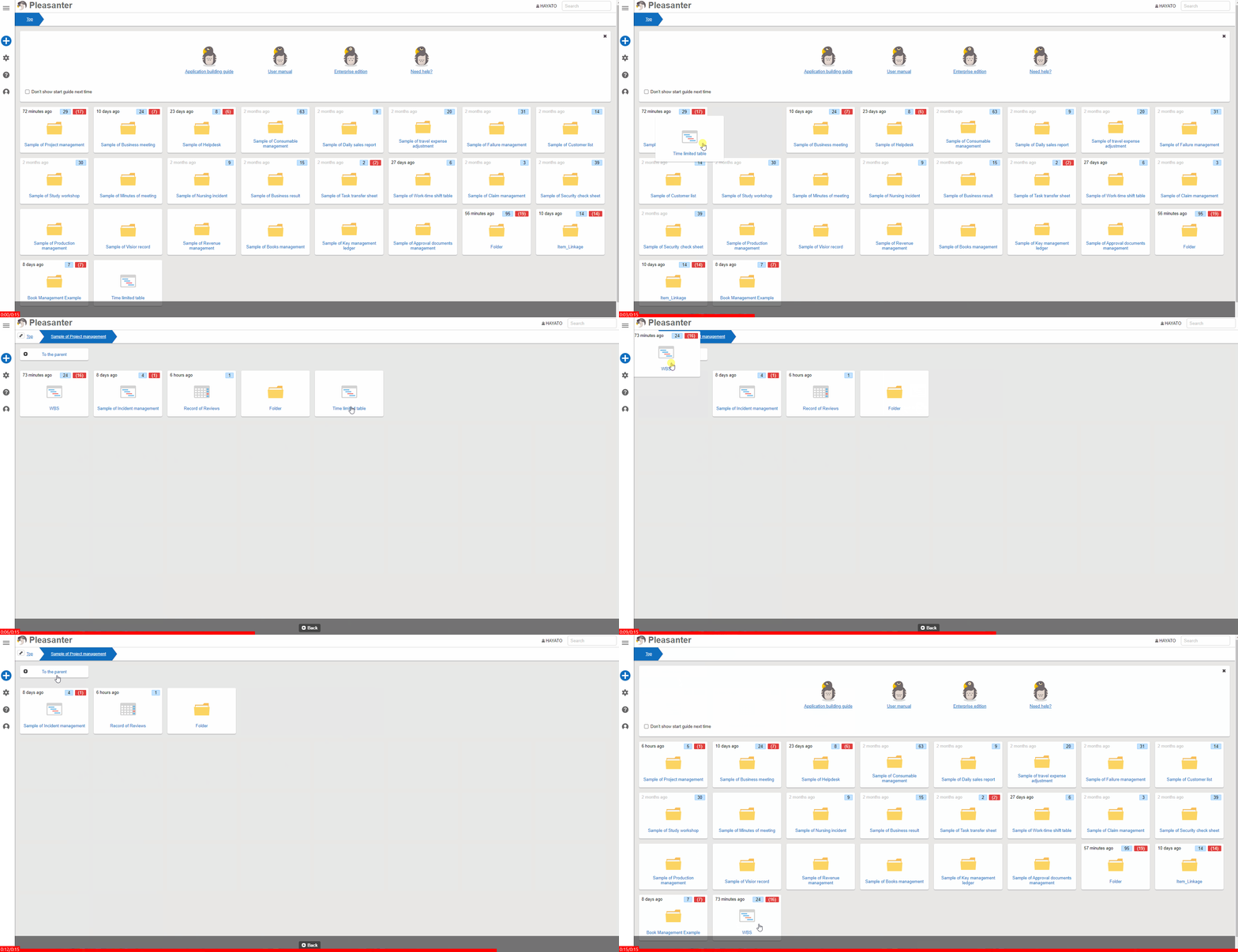
Moving Sites on the Top Screen
Moving a site from the top screen and moving a site to the top screen each require the following conditions.
Moving a Site from the Top Screen to a Lower-Level Folder
- DisableMovingFromTopSite in "User.json" is false. Alternatively, DisableMovingFromTopSite in "User.json" is true and "Allow moving from the top of the site" is enabled in "User administration"
- The "Manage site" permission is granted for the site to be moved
- The "Manage site" permission is granted for the destination lower-level folder
Moving a Site from a Lower-Level Folder to the Top Screen
- DisableTopSiteCreation in "User.json" is false. Alternatively, DisableTopSiteCreation in "User.json" is true and "Allow creation at the top of the site" is enabled in "User administration"
- The "Manage site" permission is granted for the site to be moved
Supported Versions
| Supported versions | Body |
|---|---|
| 1.5.9.0 and later | Restricted specifying the site to be moved itself or its descendants as the destination |