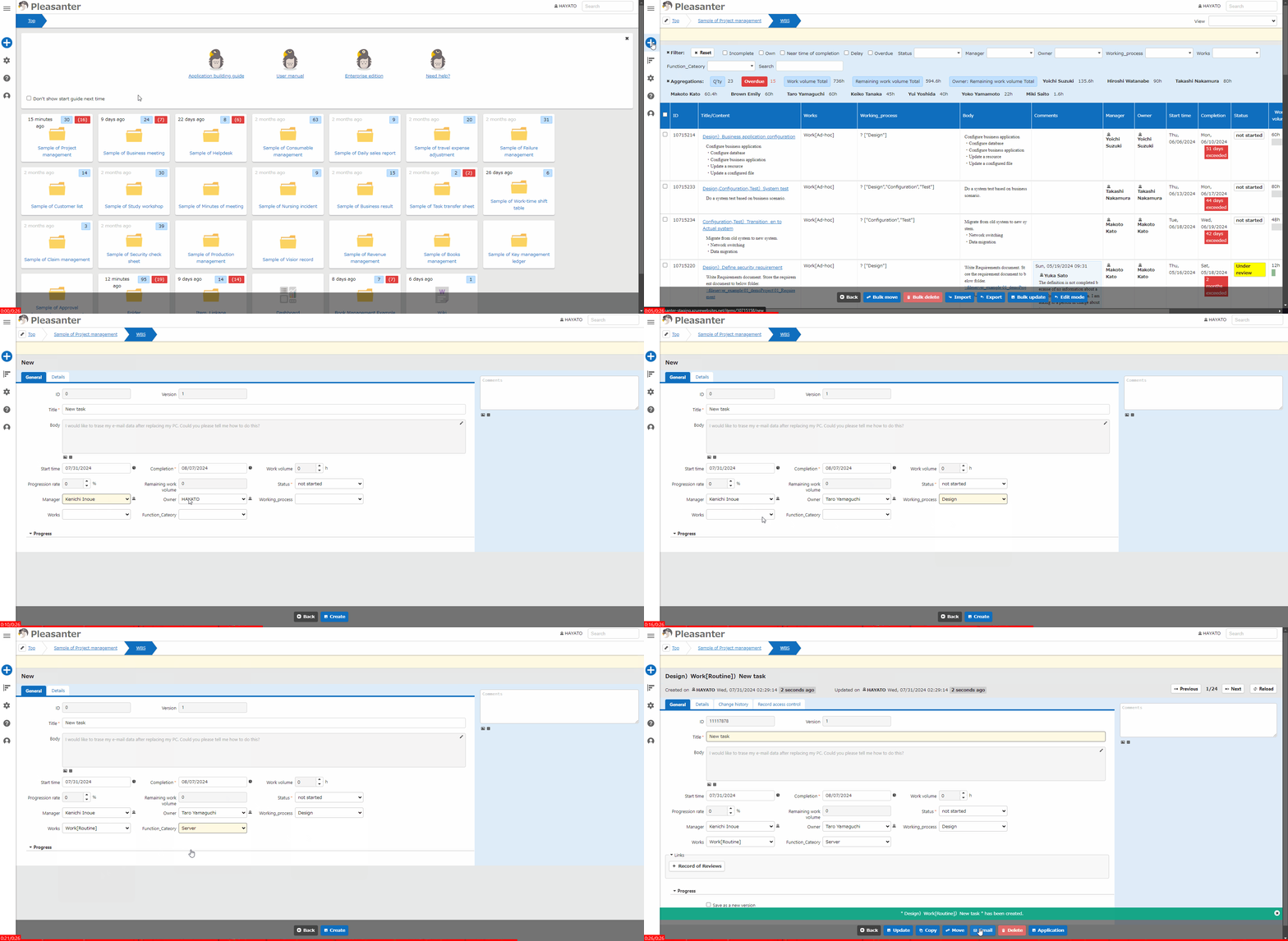
Table Function: Create A New Record
Overview
Use the "Editor" to create a record in a table.
Prerequisites
- If the table is locked, "Create New" will not appear in the "Navigation Menu" and the operation cannot be performed.
- "Create Permission" is required.
Operation Procedure
- Go to the target table.
- Click "Create New".
- The "Editor" will appear, so enter the data.
- Click the "Create" button.
- If ""xxxx" has been created" is displayed, the process is complete.