Table Function: Own Filter For Owner, Manager, and Class Columns
Overview
This section explains the function for selecting "Own" in the "Filter" for "Owner Column", "Manager Column," and "Class Column."
Limitations
- Can be used with user columns such as "Owner Column", "Manager Column" and "Class Column" that has "Department Option List" or "Users Option List" set. Cannot be used with "Class Column" that has "Group Option List" set.
Operation Procedure
- Go to the target table
- Click the target column from "Filter" on the "List Screen".
- Select "Own"
When You Set A Department Option List In A Class Column
Filtered by the department to which the logged-in user belongs.
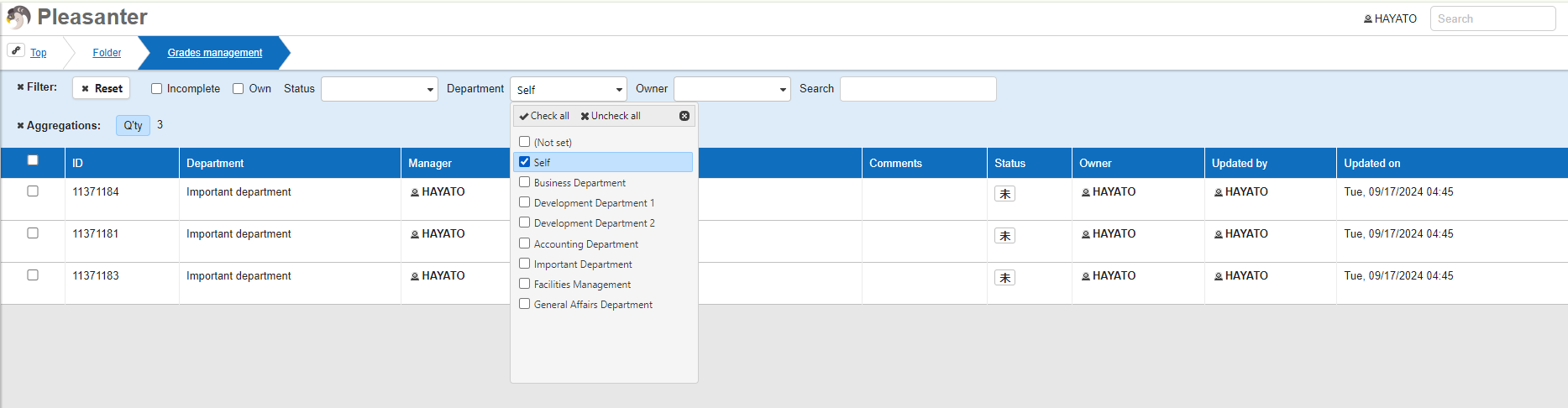
When A User Option List Is Set In A Class Column
Filtered by the logged-in user.
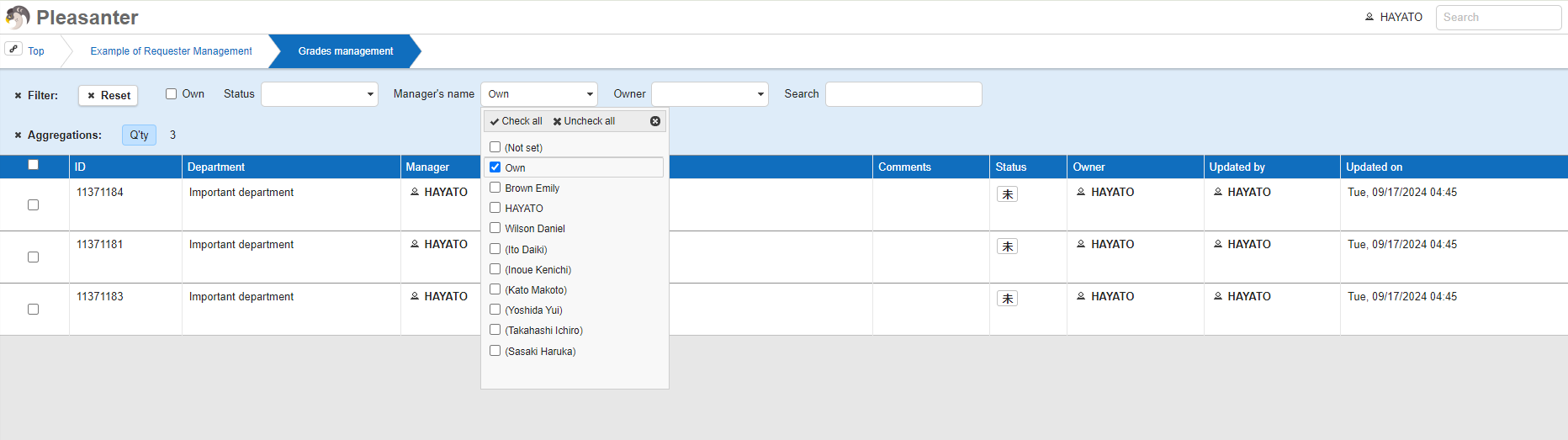
When Using The Search Function In A Class Column
You can select "Own" in the search dialog.
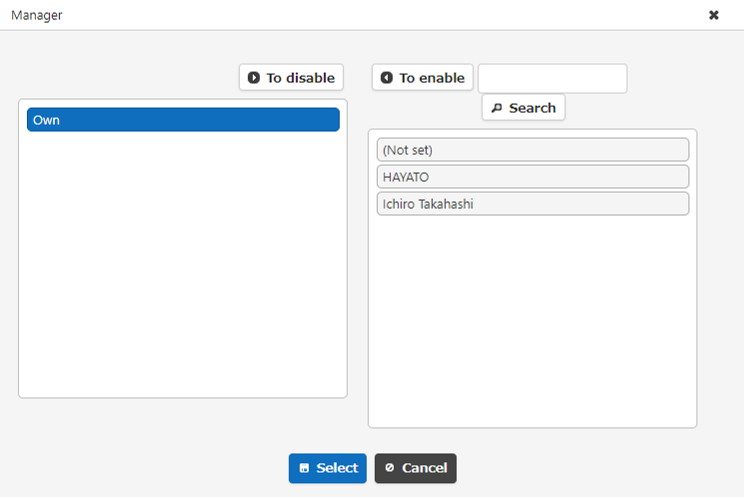
In addition to using the "Filter" function on the table list screen, you can also specify this as a condition using the "View" or "Process" functions on the manage table screen.
Related Information
- Manage Table: Filter
- Manage Table: Items: Owner
- Manage Table: Items: Manager
- Manage Table: Items: Class
- Manage Table: Editor: Column Advanced Settings: Option List: Department
- Manage Table: Editor: Column Advanced Settings: Option List: User
- Manage Table: Editor: Column Advanced Settings: Option List: Group
- Table Function: Record Screen Index
- Manage Table: View
- FAQ: Using the process function to create workflows (approval processes) such