Table Function: Cross-tabulation Display of Records
Overview
Displays the records stored in the "Table" in "Crosstab" format.
Prerequisites
- Read permissions are required.
Operation Procedure
- Open the table list screen.
- Open the "View" menu and click "Crosstab".
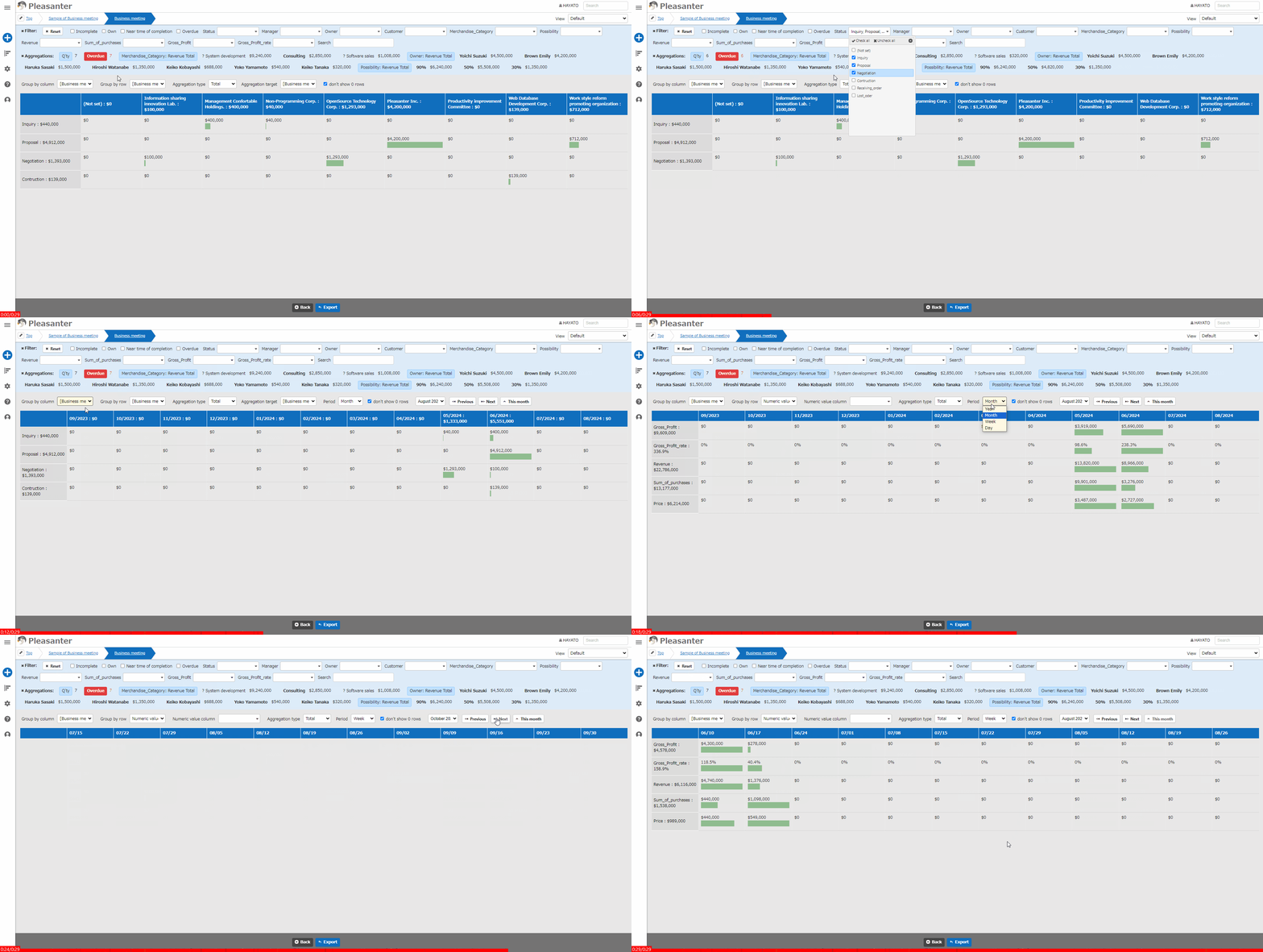
Display Switching Columns
By adding a "Class Column", you can add aggregation columns in the row direction and the column direction.
- For "Group by column", you can select a "Class Column" or a "Date Column"
- For "Group by row", you can select a "Class Column" or a "Numeric Value Column"
In "Aggregation type", you can switch between count, total, average, maximum, and minimum. In "Period", you can specify month, week, or day.
Drill-down Display Of Crosstab Results
When you place the cursor over a cell that contains aggregated records, the cursor changes to a pointing hand and the background color of the cell changes. Click the cell in that state. The records aggregated in the crosstab are displayed in a list. Even when the aggregation result is 0, drill-down display is available as long as aggregated records exist.
To return from the list screen to the crosstab screen, click the "Back" button in the command button area.
Cross-tabulation Settings
You can configure the settings on the "Crosstab" tab of the "Manage Table" screen.
Conditions For Selectable Columns In Class Column
- "Class Column" or "Date Column" with options
- Columns for which "Multiple Selection" is not specified
- Columns that are enabled on the edit screen
- Columns that have not been unreadable in "Column Access Control"
Conditions For Selectable Columns In Row Classification
- "Class Column" or "Numeric Value Column" with options
- Columns other than multiple selections
- Columns that are enabled on the edit screen
- Columns that have not been unreadable in "Column Access Control"
Settings For Not Displaying Rows With 0
If you want to display only rows with values, check the "Do not display rows with 0" checkbox.
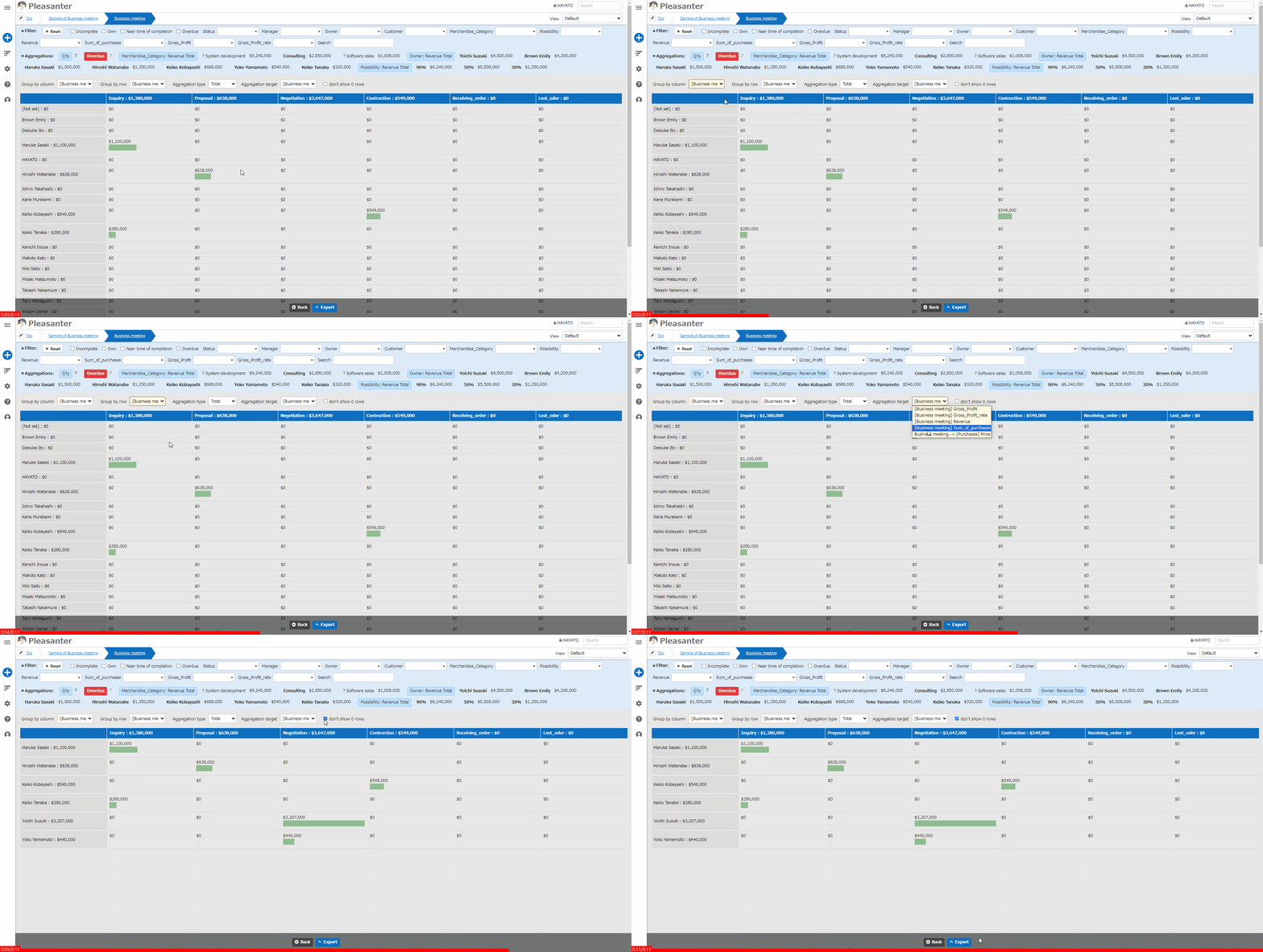
You can filter by row, but not by column.
Supported Versions
| Supported versions | Body |
|---|---|
| 1.5.8.0 and later | Added drill-down display of crosstab results |